Aruba 510 Series Campus Access Points | Installation Guide 5
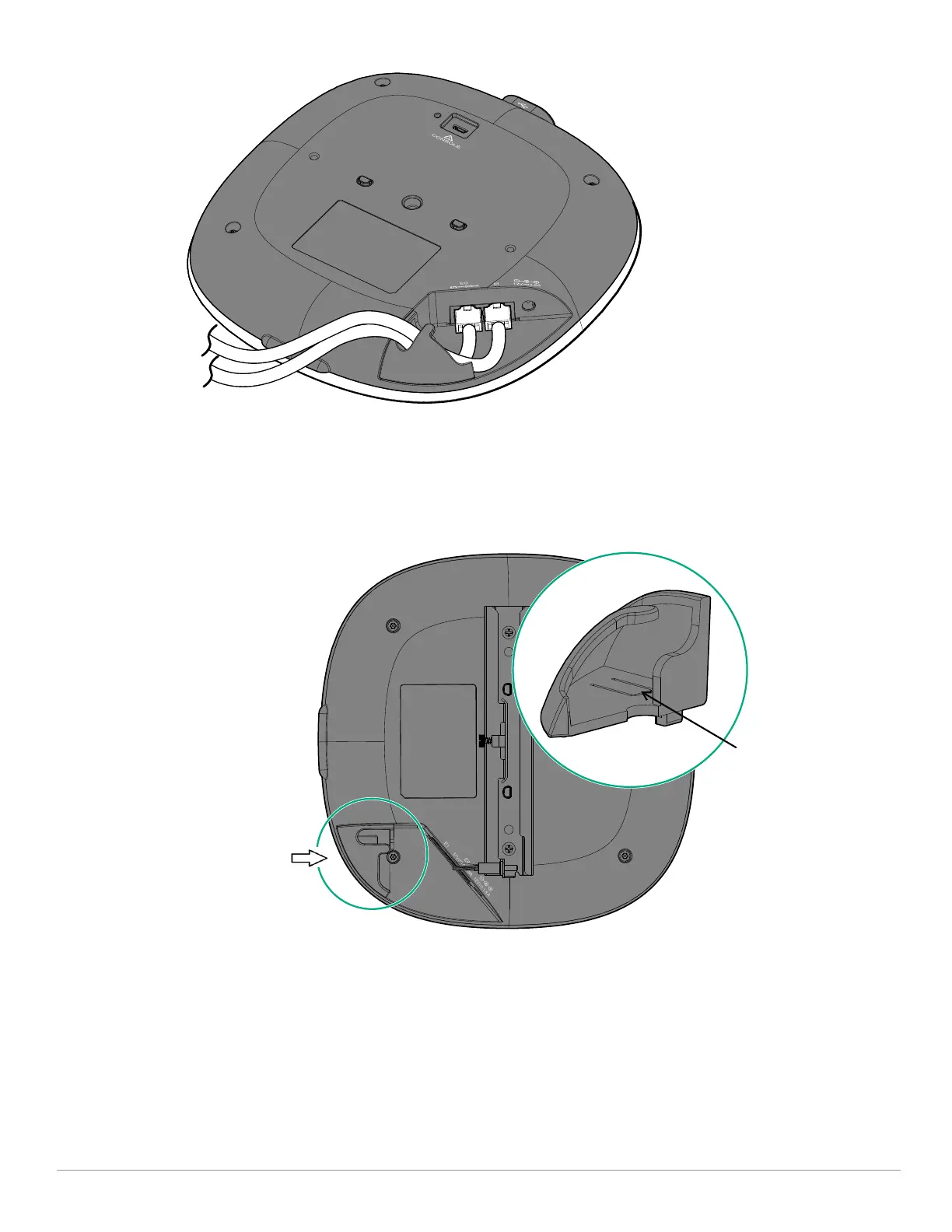
Figure 5 Cable Guide
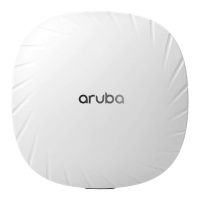
To remove the cable guide, perform the following steps:
1. Insert the flat head of a screwdriver into the slot on the cable guide. Press the screwdriver down to disengage
the buckle on underside of the tab, as shown in Figure 6.
2. Push the cable guide towards the chassis as shown in Figure 6, the cable guide will slide out.
Figure 6 Removing Cable Guide
Bluetooth Low Energy and Zigbee Radio (AP-514 and AP-515 model only)
The AP-514 and AP-515 access points are equipped with an integrated BLE and Zigbee radio that provide the
following capabilities:
location beacon applications
wireless console access
IOT gateway applications
The AP-515S access point does not have the BLE and Zigbee radio, but an Aruba AP-USB-ZB external USB based
dongle can be used with the AP-515S to provide the BLE and Zigbee functionality.
Step2: push
Step1: Insert
screwdriver into this
slot and press down



 To Next Page