AP25 Flush Mount Sleeve | Installation Guide 3
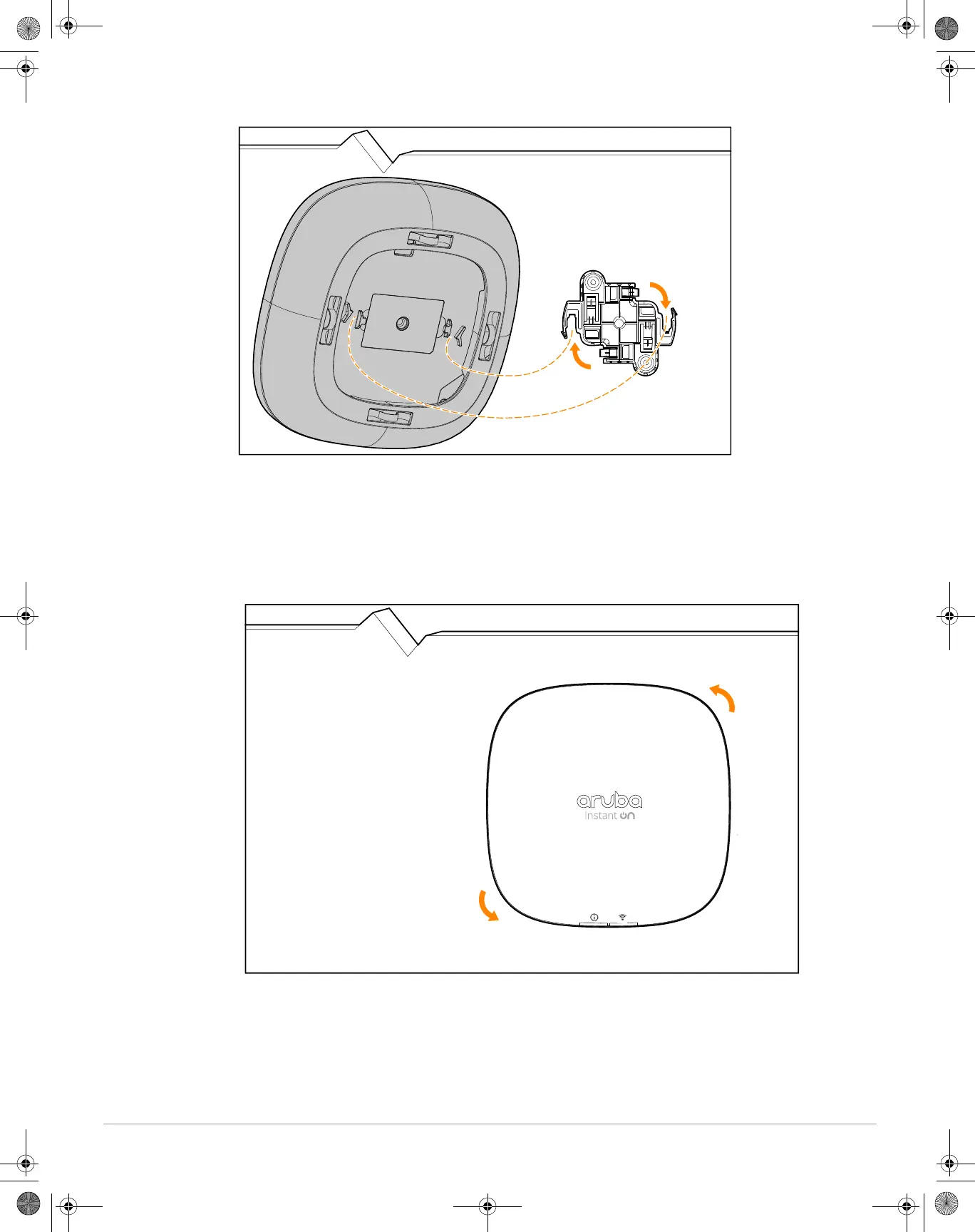
Figure 4 Installing the Access Point (with Sleeve) to a Wall
Removing the Access Point (with Sleeve) from a Wall
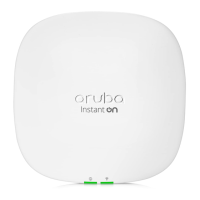
1. Turn the access point (with sleeve) by hand counter-clockwise until the mounting tabs of the access point
disengage from the mount bracket on the wall. See Figure 5.
2. After the access point (with sleeve) is removed from the wall, pull the sleeve off from the access point by
hand.
Figure 5 Removing the Access Point (with Sleeve) from a Wall
AP25 Flush Mount Sleeve IG.fm Page 3 Wednesday, January 5, 2022 5:13 PM


 To Previous Page