12
Troubleshooting
SYMPTOM SOLUTION
Wall plate will not turn ON
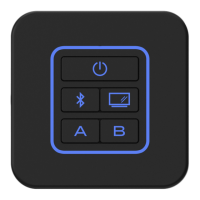
Try the reset button by press the “A” & “B” buttons
simultaneously for 10 seconds�
Check +12V on accessory wire to wall plate (RED wire)�
Check Ground connection�
Wall plate turn ON, but no sound
Check the mute controls are set correctly(See owner’s
manual)�
Try the reset button by press the “A” & “B” buttons
simultaneously for 10 seconds�
Verify proper speaker zone selections�
Verify proper speaker connections�
Check for shorts or open circuits on speaker wires�
Bluetooth device will not connect/pair
Please ensure the wall plate is in Bluetooth pairing process,
the Bluetooth button illumination is blinking�
On your smart device, turn the Bluetooth o and on and try
again�
Loss audio from TV audio
Please ensure audio format on your TV is set to “PCM”�
Try the reset button by press the “A” & “B” buttons
simultaneously for 10 seconds�


 To Next Page