8
Pairing a Bluetooth Device
Press and hold the Bluetooth button (2) for 3
seconds to start Bluetooth pairing process, the
illumination of the Bluetooth button (2) will start
blinking� The BTWP2 will be available for pairing for
a duration of 120 seconds�
Bluetooth name “Bluetooth RV 1” will display in
your mobile device settings�
In your mobile device, select “Bluetooth RV 1” to
connect� Once the Bluetooth device successfully
connects, the BTWP2 will audibly prompt
“Bluetooth connected”�
Bluetooth Play/Pause
During playback, press the Bluetooth button (2) to
pause the Bluetooth audio playback� The BTWP2
will audibly prompt “Pause” and the border light (6)
illumination will blink� Press the Bluetooth button
(2) again to resume playback� The BTWP2 will
audibly prompt “Play”�
If you change to another mode, the mobile device
audio will pause� Press the Bluetooth button (2)
to return to Bluetooth mode and resume mobile
phone audio playback�
Zones Speaker Output
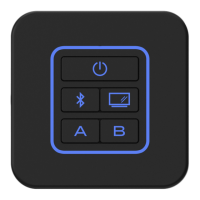
The two speaker output buttons on the wall plate
control the speaker zones� Press the Zone A button
(3) or Zone B button (4) to turn the corresponding
speaker zone on or o�
RESET
Press and hold the Zone A button (3) and Zone B
button (4) for 10 seconds to factory default settings�
BLUETOOTH OPERATION
The BTWP2 includes built-in Bluetooth technology
that allows you to connect this wall plate to
Bluetooth devices for streaming audio playback�
Bluetooth Mode
Press the Bluetooth button (2) to select Bluetooth
mode, unit will audibly prompt “Bluetooth Mode”�


 To Next Page