Installation Process
Page 1-11
Attaching the
AsantéTalk to your existing
Ethernet network
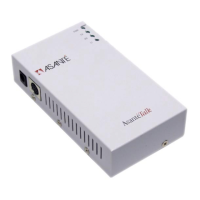
The AsantéTalk may be added to an existing network using this
SILVER
cable. This cable is wired as a Straight - Thru cable and is used to estab-
lish a network connection to a port on an Ethernet Switch or Ethernet
Hub.
To connect this cable, simply connect the RJ45 connector to any
available port on the Ethernet Switch or Ethernet Hub. Insert one end
of the cable into the RJ45 female cable connector. Note: Do not install
this cable or any other straight - thru 10BaseT cable to an Hub or Switch
uplink port.
The other end of the
SILVER
cable will attach to the RJ45 port on the
AsantéTalk. Insert the cable end into the connector.
If a longer Ethernet cable is required follow predefined IEEE Ethernet
wiring requirements for wiring 10BaseT RJ45 cables.
▲
Review the AsantéTalk Quick Start Guide for
further details.
Ethernet Installation Guidelines
1
A maximum distance of 100 Meters (330 feet) for
an individual Ethernet cable drop must be
maintained.


 To Next Page