REACH-INS SERVICE MANUAL/Rev. JUN. 2015
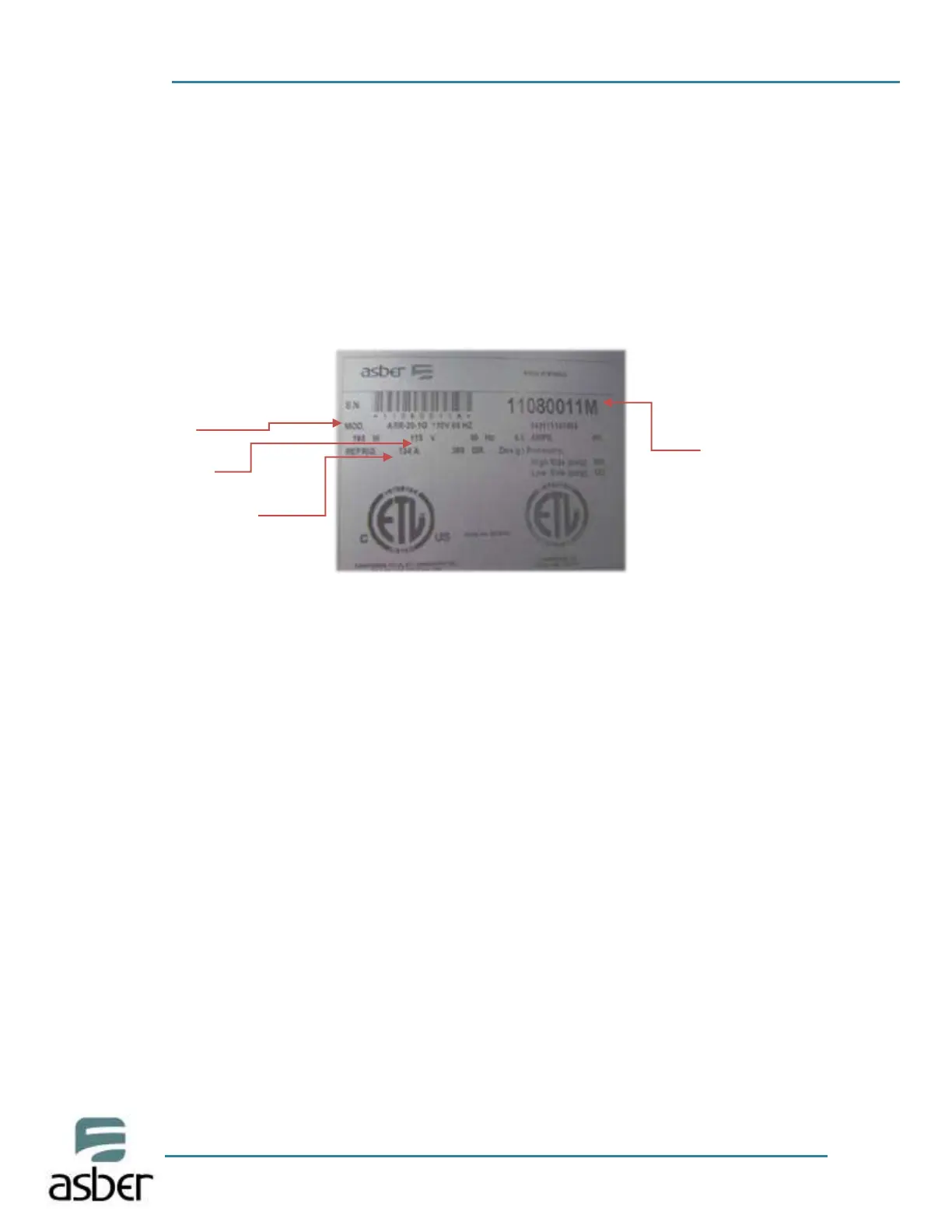
4.3 DATA PLATE
The data plate is located inside the cabinet, near the top front, left corner. Under any
circumstances should the data plate be removed from the unit. The data plate is essential to
identify the particular features of your machine and i t is of great benefit to installers,
operators, and maintenance personnel. It is recommended that, in the event the data plate is
removed, you copy down the essential information in this manual for reference before
installation. Removal of data plate will void the warranty.
4.4 INSTALLATION OF CASTORS OR OPTIONAL LEGS
To obtain maximum strength and stability of the unit, be sure that castors are secure and unit
is level. Inside the unit you will find a Castor kit which includes: four castor wheels, leveling
shims, and assembly tool.
Installation of castors:
Cut the 4 straps that hold the refrigerator to the pallet.
Slide out unit until castor holes are exposed. CASTORS WITH BRAKES MUST BE INSTALLED IN
THE FRONT OF THE UNIT
Carefully, lift the unit high enough to install the casters.
Repeat the same operation to install the remaining castors.
CAUTION!
NEVER LAY MACHINE ON ITS BACK! IF NEEDED, LEAVE THE CABINET UP RIGHT FOR 24
HOURS BEFORE CONNECTING TO POWER SOURCE. TO AVOID DAMAGE TO LOWER
FRAME, SLOWLY RAISE UNIT TO UP RIGHT POSITION.
FAILURE TO MEET THIS REQUIREMENT CAN CAUSE COMPRESSOR FAILURE AND UNIT
DAMAGE. THIS WILL NOT BE COVERED UNDER WARRANTY!
Model
Electrical
Refrigerant Type
SERIAL NUMBER FOR
THE EQUIPMENT
(8 digits and ends in
“M”)



 To Next Page