REACH-INS SERVICE MANUAL/Rev. JUN. 2015
5.2 ELECTRONIC CONTROL
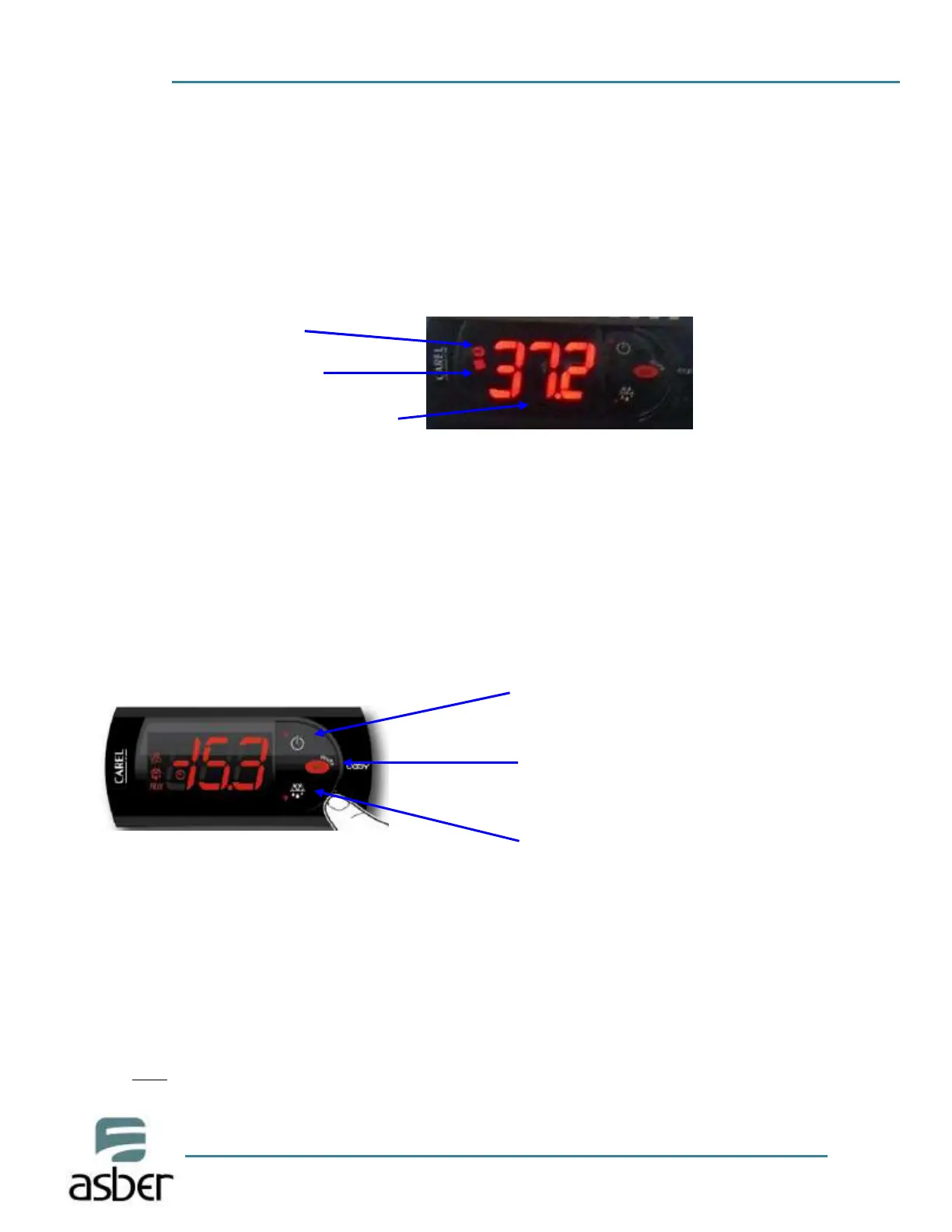
After connecting your unit, turn ON rocker switch located next to the controller. The
display will light up showing the temperature inside the unit. Also, the compressor and
fan icons will flash for a period of three minutes. After this delay the unit will start
cooling.
Compressor Icon
Evaporator Fan Icon
-Temperature inside the cabinet
Verify you don't have any alarms on the temperature controller. If after you turn ON the
equipment the controller shows the alarm icon or an error code, call fo r technical
service. They will help you fix the problem.
Note: The controller on the equipment is programmed to display internal temperatures in Fahrenheit (°F).
To change to Celsius (°C), see point 4.2
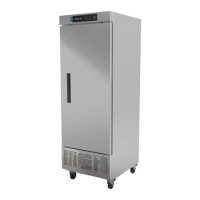
Description of Buttons on the
Controller
To increase Set Point of Temperature
To turn t h e u n i t ON/OFF without
unplugging the equipment (press and
hold 3 seconds)
To Change the set point
To access programming mode
-To decrease Set Point of
Temperature.
-To set a manual defrost (press and
hold 3 seconds)
Changing the Set Point of the temperature on the controller
The unit comes with a factory default set point (-8°F Freezers, 32°F Refrigerators). These set values
will make the unit perform at its maximum capacity. Therefore, it is not recommended to change
the set point. If set point needs to be changed, follow the next steps.
Note:
If you change the set point of temperature, the performance of the equipment will change. Changes made
in the parameters of the controller will not be covered under warranty.



 To Next Page