GTLT2 USER MANUAL
Page 20 of 21
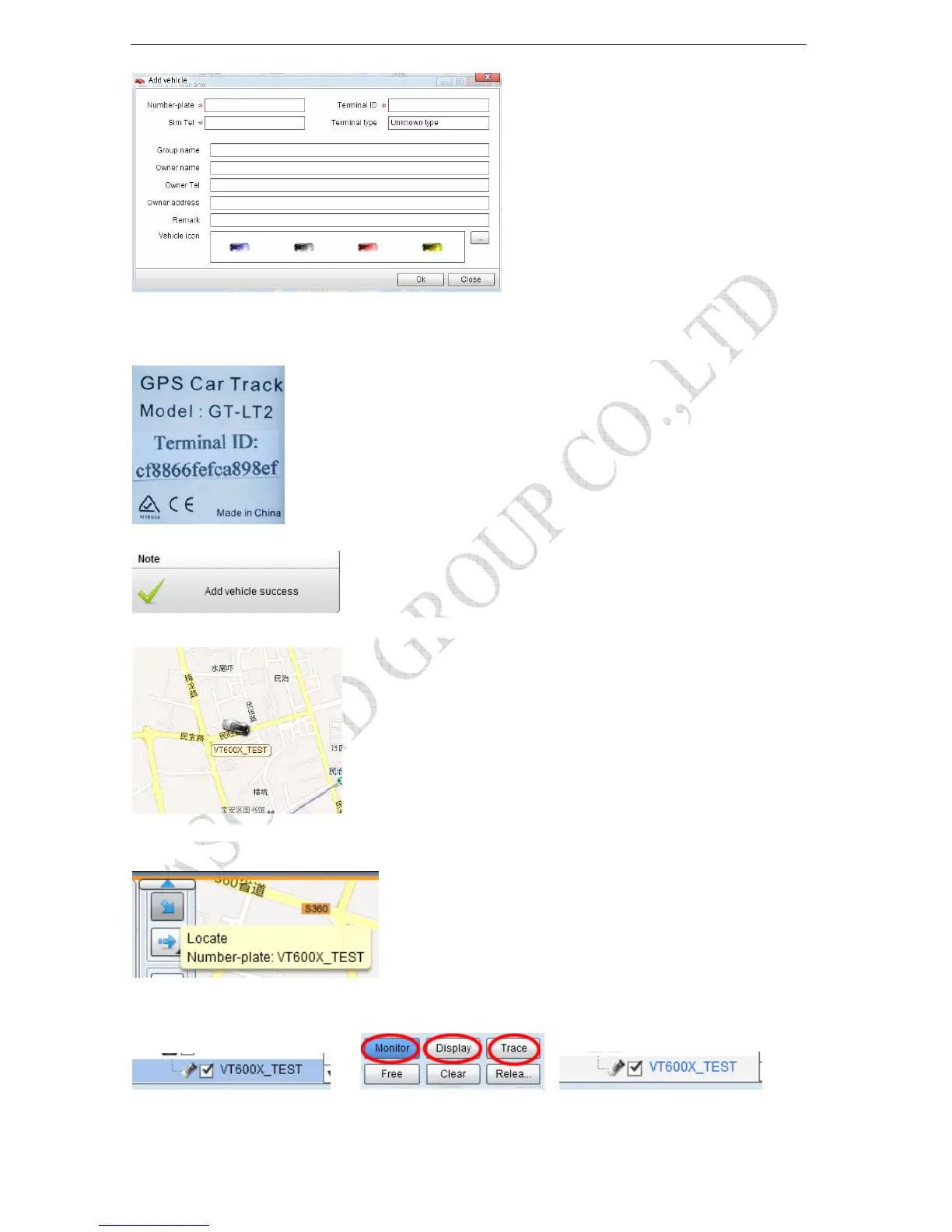
Number Plate: Define by yourself; you can enter A-Z number or Numeric
SIM card: the SIM card phone number you put in GTLT2.
Terminal ID: On the packing box of GTLT2, you can find the a white label writes “Terminal ID". Terminal ID is cf8866fefca898ef here.
Click "Submit", and then you add the car successfully on the software 900d
Wait few seconds, and you will see the GPS Tracker online icon on software
Put a check mark on the device, and right click, you will see the menu as below picture. Now you can track
online.
Attention: For 900D GPS Software, "Monitor" and "Number Plate" must be checked till the font
becomes blue, then the GPS tracker will update location automatically on map.Like below picture:



 To Next Page