Chapter 2 Installation And Operation 9
ASCO 7000 Series Medium Voltage Transfer Switch User Manual
2.2.5 ACTS Electrical Operation
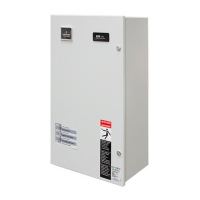
Figure 2-6 7ACTS controls and indicators.
ACTS Electrical Operation
This procedure checks the electrical operation of the
automatic closed-transition transfer switch. See Figure
2-6.
Transfer Test
Both normal and emergency sources must be available
and the emergency source generator (if used) must be
capable of being started in this procedure.
Perform the steps at the right. Observe the status lights.
■ Black square means light is on.
□ White square means light is off.
** If you do not want closed-transition transfer, press the
Closed Transition Bypass pushbutton while the
controller display shows Waiting for In-Sync. This action
causes open-transition (momentary load interruption)
transfer to the opposite source, if conditions permit. Also
refer to the Group 5 Controller User’s Guide 381333-126.
The Transfer Switch Connected
to Normal and Normal Source
Accepted lights should be on.
Turn and hold the Transfer
Control switch clockwise to
Transfer Test until the engine
starts and runs (within 15 sec.).
The Emergency Source
Accepted light should come on.
The transfer switch will operate
to the Emergency position after
Feature 2B time delay. The
Transfer Switch Connected to
Emergency light should come on
and Load Connected to Normal
light goes off. You might see and
hear the brief overlap transfer.**
The transfer switch will operate
back to the Normal position after
Feature 3A time dely.
For immediate retransfer turn
the Transfer Control counter-
clockwise to Retransfer Delay
Bypass.
The Transfer Switch Connected to Normal light
should come on; the Transfer Switch Connected
to Emergency light should go off.
The engine-generator will stop
after the Feature 2E time delay
(unloaded running engine
cool-down). The Emergency
Source Accepted light should go
off.



 To Next Page
 Loading...