24
Programming the call parking code
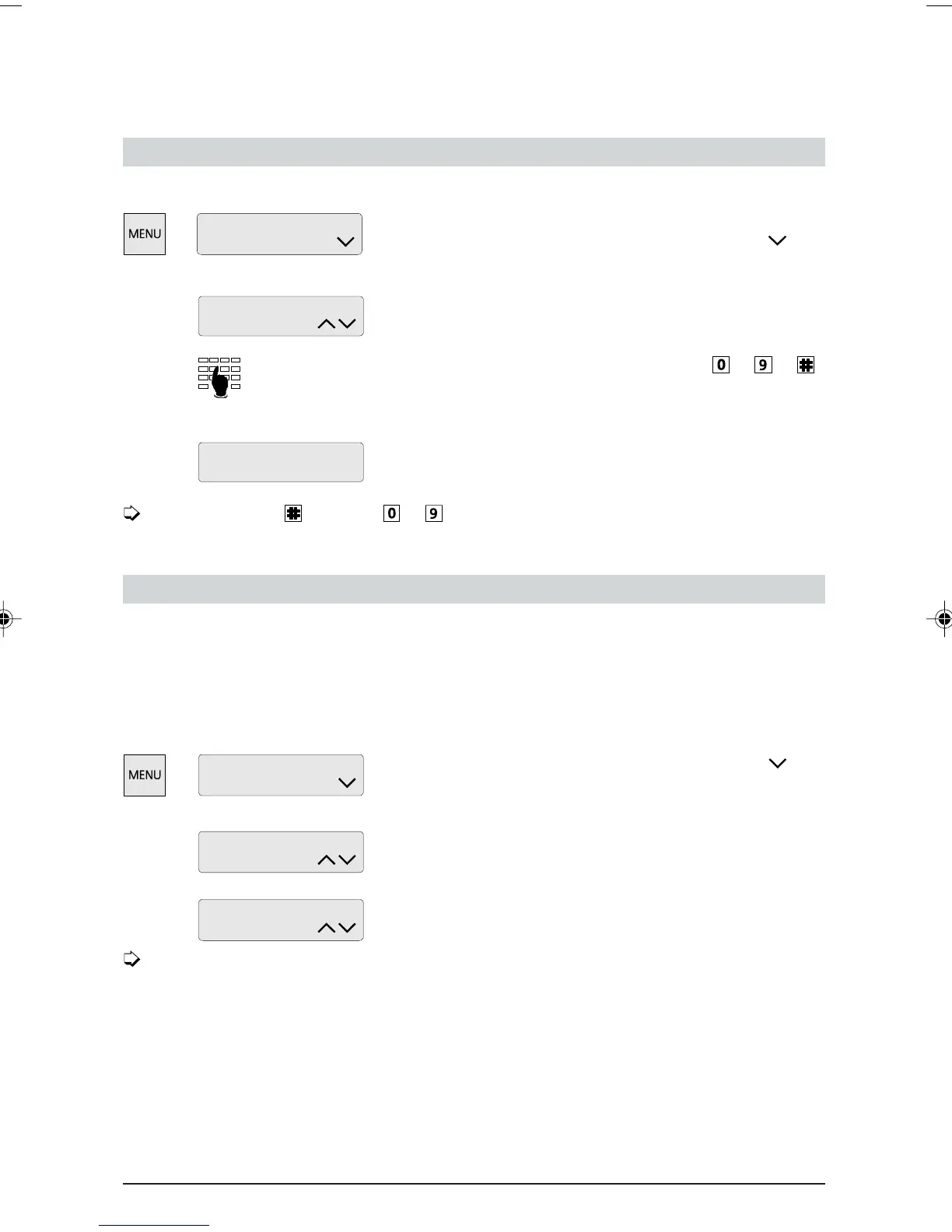
If you wish to set your own call parking code rather than the preset code:
Press the MENU key as often as required until
“Installation” is displayed. Press the Foxkey under
repeatedly until “Call-Id” is displayed.
Press the Foxkey under “change”.
Enter the desired Call ID (one digit, range
to or ).
(A Call ID can be deleted by pressing the Foxkey under
“del”.)
Press the Foxkey under “ok” to store.
If you enter instead of to , you can enter the parking code each time you park
a call.
Connected Line Identification Presentation/Restriction (COLP/COLR)
This service is also referred to as COLP/COLR or backward identification.
As soon as you accept an incoming call, your number is displayed at the caller’s end. So, for
instance in the case of a call transfer, the caller can see which number he is connected to.
If you wish to suppress presentation of your number:
Press the MENU key repeatedly until the menu
“Installation” is displayed. Press the Foxkey under
until
menu item “COLP” appears.
Press the Foxkey under “change”.
Press the Foxkey under “off” and “ok” to suppress
COLP.
Do not confuse the COLP/COLR function with Calling Line Identification Restriction
(CLIR), which allows you to suppress your number for outgoing calls (forward
identification).
Programming your telephone
Installation
Park Call-Id:
change
ok del
Park Call-Id: 7
Installation
change
COLP: on
ok
COLP: on
off
ETK30_6.PM6 19.03.97, 17:3424



 To Next Page