Mounting
INSTALLATION GUIDE
Corridor Lamp 4
5.2 Mount the Base without a Backbox
When mounting the NICL4 on a drywall without a backbox, mount the base of the NICL4 directly to a flat
wall surface using four screws suitable for the wall type.
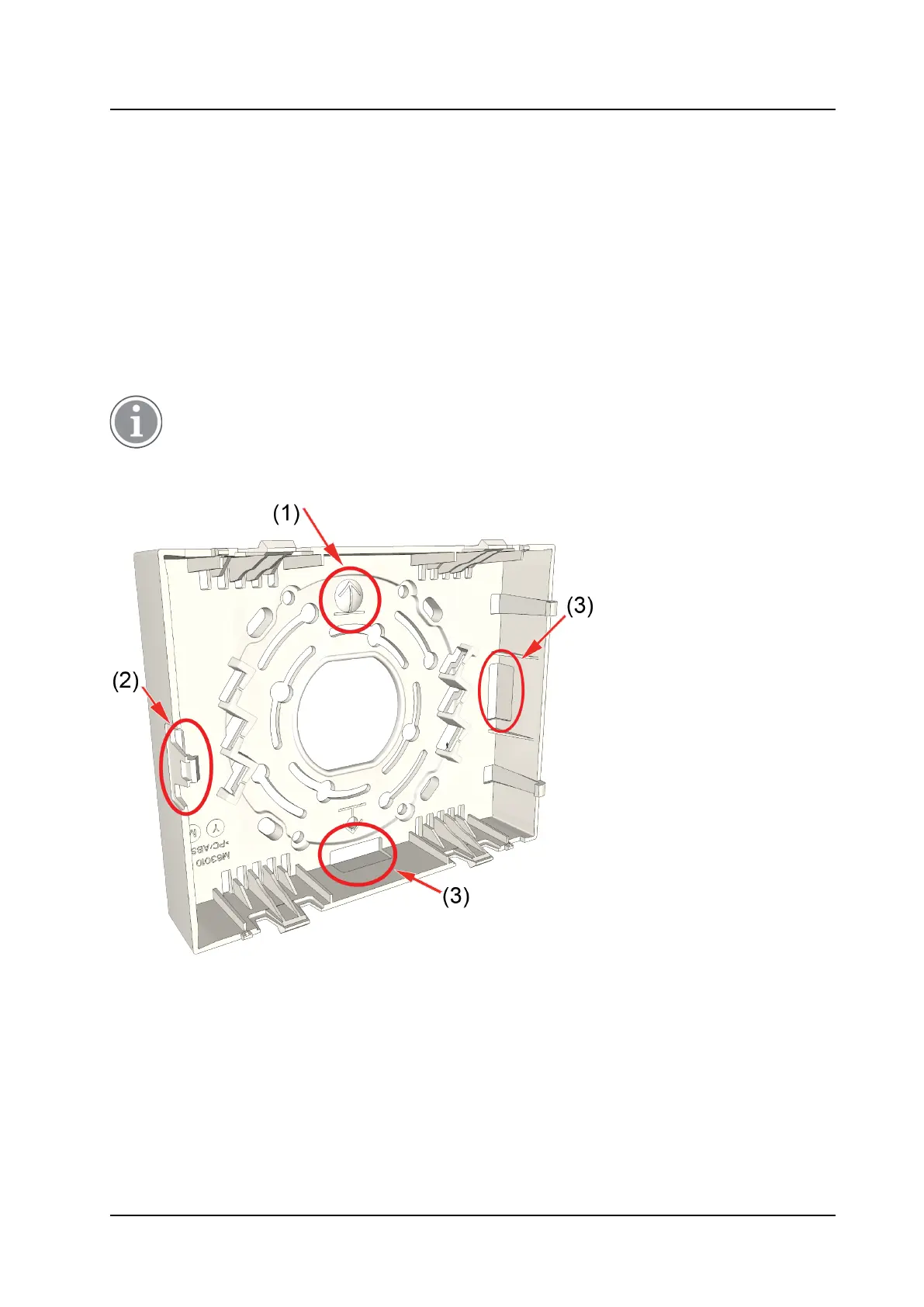
Cable wires should enter and leave the device’s housing through the hole in the center of the base, or
through the knockouts at the bottom or right side of the base. Depending on the number of wires entering
the base, you may need to remove a portion of the cable’s jacket to ensure it will fit though the knockout.
When choosing a wall location for an NICL4, consider where the connecting cables are located. If the
connecting cables are run inside the wall, locate the base of the NICL4 over the hole where the cables exit
from the wall. If the connecting cables are run in a channel outside the wall, locate the base above or to the
left of the channel, where the cables exit the channel. The cables should enter through the knockout holes
in the base of the NICL4.
Do not distort or twist the base when mounting it to a wall. If the base is distorted, the NICL4 dome
cover will not fit properly and may fall off.
Figure 1. NICL4 Base Orientation and Cutouts
Legend
1. Arrow indicator
2. Spring type holding clip
3. Cutouts
To remove the knockouts
1. Locate the knockouts to be removed from the bottom or right side of the base. See Figure 1. NICL4
Base Orientation and Cutouts, page 6, items 3.
6
TD 93352EN / 25 January 2021 / Ver. A



 To Next Page