– 9–
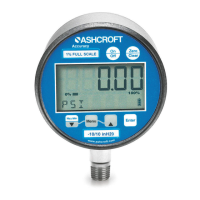
UNITS: 12 units of measurement are available,
both English and metric, by cycling through the
UNITS key; psi, ˝Hg, ˝H
2
O (with three temperature
options, 60°F, 4°C and 20°C), ftSw, Bar, mBar,
kPa, mPa, mmHg, cmH
2
O, mmH
2
O, kg/cm
2
.
Step 1: Press the CONFIG key until the word
UNITS appears.
Step 2: Press the ENTER key.
Step 3: Press the CONFIG key once to select
ENGLISH or again to select METRIC.
Step 4: Pres
s the ENTER key with selection of
ENGLISH or METRIC.
Step 5: Press CONFIG key to select unit of
measurement.
Step 6: Press ENTER key to finalize unit of
measurement.
UPDATE: this option allows for changing the rate
at which pressure is updated on the display
screen. The default rate measures pressure at the
maximum rate of 10* updates per second or 100
milli-seconds. Optional rates of measurement are
mea
sured in updates per second. The options are
10*, 5, 2 or 1 update of pressure measurement
per second.
Since customer processes vary, update rates
should be selected based on the application.
To use the UPDATE option:
Step 1: Press the CONFIG key until the word
UPDATE appears.
Step 2: Press the ENTER key.
Step 3: Press the CONFIG key to select the
desired update rate.
Step 4: Press ENTER key to finalize UPDAT
E rate.
AUTO OFF: this option sets the amount of time
before the gauge will turn itself off after no activity.
Offerings are Never*, 2, 5, 15, or 30 minutes.
*Indicates default.
KEYPAD FUNCTIONS
I&M008 10080 Rev. E_layout 10/14/13 9:35 AM Page 9


 To Next Page