– 10 –
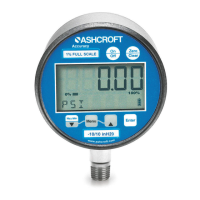
To use the AUTO OFF option:
Step 1: Press the CONFIG key until the word
AUTO OFF appears.
Step 2: Press the ENTER key.
Step 3: Press the CONFIG key to select the
desired AUTO OFF rate.
Step 4 Press the ENTER key to finalize the AUTO
OFF rate.
BACKLITE: 5 options are available. They include
ON/OFF*, 10 seconds, 30 seconds 1 or 5 min-
utes. With the ON option pressed, the gauge back-
lite will remain lit whe
never the gauge is in the ON
mode or until the backlite button is pushed again.
Options allow the backlite to automatically turn-off
after a selected period of time. Note: leaving back-
lite button on will decrease battery life.
To use the BACKLITE option:
Step 1: Press the CONFIG key until the word
BACKLITE appears.
Step 2: Press the ENTER key.
Step 3: Press the CONFIG key to select one of the
available ti
me options.
Step 4: Press the ENTER key to finalize your
choice of BACKLITE options.
LANGUAGE: available in seven different languages,
this option allows the user to change the default
language in the CONFIG mode. The languages
include English*, French, Spanish, German,
Italian, Portuguese and Dutch.
Step 1: Press the CONFIG key until the word
LANGUAGE appears.
Step 2: Press the Enter key.
Step 3: Press the C
ONFIG key to select one of the
available LANGUAGE options.
Step 4: Press the ENTER key to finalize your
LANGUAGE option
*Indicates default.
KEYPAD FUNCTIONS
I&M008 10080 Rev. E_layout 10/14/13 9:35 AM Page 10


 To Next Page