EasyManua.ls Logo

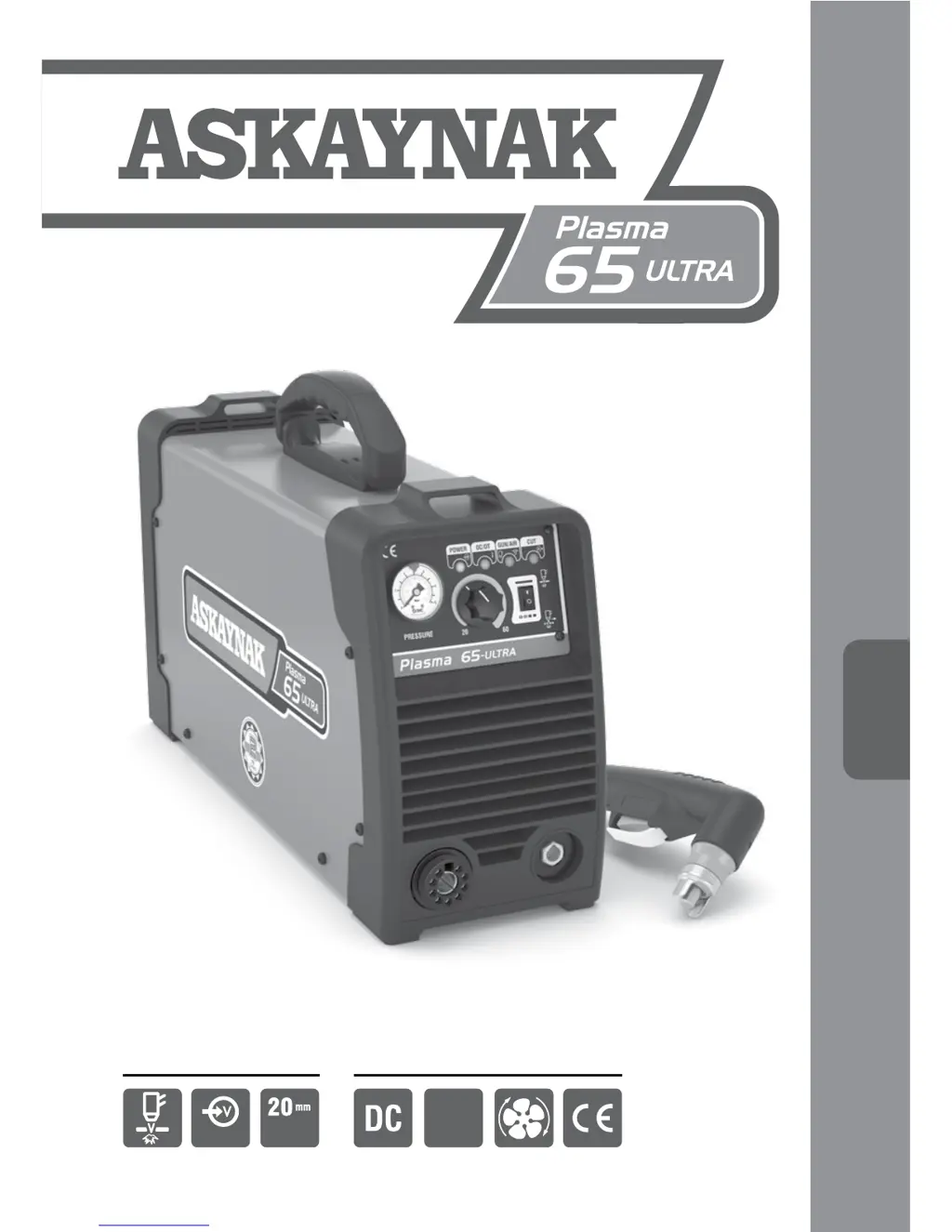
ASKAYNAK Plasma 65 Ultra - User Manual

ASKAYNAK Plasma 65 Ultra
27 pages
Print Icon
To Next Page IconTo Next Page
Loading...
35
Inverter Plasma
Cutting Machine
3
Phase
Cutting
Thickness380V - 3Ph
2 years limited spare part warranty
(Clamps and cables excluded)
Cutting method
and specications
Cutting With Arc Plasma
USER MANUAL
USER
MANUAL

Questions and Answers

  • J
    Jacqueline StanleyAug 16, 2025
    Why is the cutting quality low on my ASKAYNAK Plasma 65 Ultra?
    • X
      xorozcoAug 16, 2025
      If the cutting quality is low while cutting with the ASKAYNAK Welding System, consider the following: * Increase the cutting current if it is too low. * Decrease the torch speed if it's too high. * Increase the air current if the air flow is insufficient. * Clean the torch or replace the consumables if they are oiled or have reached their end of life.
  • D
    Dr. Elizabeth PittsAug 19, 2025
    What to do if the torch doesn't ignite on my ASKAYNAK Welding System?
    • P
      Patrick DavisAug 19, 2025
      If the torch does not ignite when you press the trigger on your ASKAYNAK Welding System, there might be several reasons: * The torch could be faulty: consider replacing the faulty part or contacting service. * The air pressure might not be within the required range: adjust the air pressure to the determined level. * The machine itself could be faulty: in this case, contact service.
  • M
    Miss Rhonda BurtonAug 22, 2025
    What to do if the cutting arc doesn't restart on my ASKAYNAK Plasma 65 Ultra?
    • S
      Sheila HullAug 22, 2025
      If the cutting arc does not restart after cut off while using the ASKAYNAK Welding System, consider these potential causes: * The machine may have entered thermal protection: wait for the machine to exit this mode. * The air pressure might be too low: adjust the air pressure. * The torch consumables could be faulty: replace them.
  • S
    Stacy RobinsonAug 25, 2025
    Why does the thermal protection lamp light up quickly on my ASKAYNAK Plasma 65 Ultra Welding System?
    • N
      Nicole DavisAug 26, 2025
      If the thermal protection lamp lights up shortly after starting the ASKAYNAK Welding System, it could be due to: * Prevented air flow: Check the air connection elements. * A faulty fan or machine: Contact service. * Input voltage higher than normal: Check the input voltage and connect the machine to the determined value.
  • C
    Chad RodriguezAug 27, 2025
    What causes the ASKAYNAK Plasma 65 Ultra not to switch from pilot arc to cutting mode?
    • C
      claywilliamAug 27, 2025
      If the ASKAYNAK Welding System powers on, the fan operates, and there's gas flow, but the torch doesn't switch from pilot arc to cutting mode when triggered: * Incorrect torch connection or faulty torch: Check and tighten torch connections or contact service. * Incorrect work cable connection: Check and correct the work cable connection to the workpiece. * Faulty machine or torch: Contact service.
  • V
    Vincent EvansAug 31, 2025
    What does it mean when the Torch/Air Pressure light flashes on my ASKAYNAK Welding System?
    • D
      Dalton MorrisAug 31, 2025
      If the Torch/Air Pressure light flashes when you start the ASKAYNAK Welding System, it indicates that the air pressure is too low. Adjust the air pressure between 4.5-5 bar.
  • J
    Jessica HowellSep 2, 2025
    Why is the pilot arc difficult to ignite on my ASKAYNAK Plasma 65 Ultra Welding System?
    • D
      Donald HernandezSep 3, 2025
      If the pilot arc ignites with difficulty on your ASKAYNAK Welding System, it may be due to: * A faulty or missing gas diffuser: Contact service. * Faulty torch consumables: Change the torch consumables. * A problem with the igniting board: Contact service.
  • R
    Ryan ArnoldSep 5, 2025
    What to do if Torch/Air Pressure lamp lights on ASKAYNAK Plasma 65 Ultra Welding System?
    • M
      millerangelaSep 5, 2025
      If the Torch/Air Pressure lamp lights up when you start the ASKAYNAK Welding System, it may be due to: * Cutting nozzle not installed properly: Shut down the machine and reinstall the cutting nozzle. * Torch tip or electrode not installed properly: Shut down the machine and reinstall the torch tip or electrode.
  • A
    andersonkevinSep 9, 2025
    What to do if there is no air flow in my ASKAYNAK Plasma 65 Ultra?
    • B
      brenda88Sep 9, 2025
      If the ASKAYNAK Welding System powers up, the fan operates, but there is no air flow, it indicates that the air pressure is low or the air hose is not installed. If the air hose is not installed, install it and adjust the air pressure to the determined value.
  • L
    lbergerSep 12, 2025
    How to fix ASKAYNAK Plasma 65 Ultra Welding System when power LED is on but fan and air valve don't work?
    • L
      lsmithSep 12, 2025
      If the power LED lights up but the fan and air valve do not operate on your ASKAYNAK Welding System: * There may be no electricity in the line: Check the voltages of the phases input in the machine and reconnect the phases. * The main board may be faulty: Contact the service.

Summary

Safety in Cutting With Plasma Arc

Protective Equipment for Plasma Cutting

Essential protective clothing and gear for safe plasma cutting operations.

Electrical Shock and Fume Hazards

Key risks of electrical shock and hazardous fumes/gases during plasma cutting.

Burns, Fire, and Explosion Risks

Understanding and preventing burns, fires, and explosions from plasma cutting.

Electromagnetic Fields and Mechanical Hazards

Health risks from EM fields and dangers from moving parts during operation.

General Characteristics

Machine Advantages and Features

Key benefits and features of the Askaynak Plasma 65-ULTRA cutting machine.

Installation and Operator Instructions

Location and Ambient Conditions

Guidelines for selecting a suitable environment for machine installation and operation.

Duty Cycle and Overheating Management

Explanation of duty cycle and how the machine manages overheating.

Preparation for Work

Input Cable and Panel Component Identification

Connecting cables and identifying controls on the machine's front and rear panels.

Cutting Operation and Gas Test Procedures

Step-by-step guide for plasma cutting and pre-operation gas testing.

Maintenance and Troubleshooting

Scheduled Maintenance Tasks

Daily, monthly, quarterly, and yearly maintenance procedures for optimal performance.

Electromagnetic Compliance

Installation and Area Assessment for EMC

Evaluating the environment and installing equipment for electromagnetic compatibility.

EMC Mitigation Measures

Strategies and actions to reduce electromagnetic interference from the equipment.

Efficient Use in Terms of Energy Consumption

Unpacking

Transportation and Storage Conditions

De-commissioning the Plasma Cutting Machine

Spare Parts

Spare Parts Diagram and List

Visual diagram and numbered list of machine spare parts.

Electrical Connection Diagram

Warning Label and Technical Specification Table

Cutting Capability

ASKAYNAK Plasma 65 Ultra Specifications

General IconGeneral
Cutting Current Range20-65 A
Protection ClassIP21S
Duty Cycle60% @ 65 A
Cutting Thickness (Mild Steel)20 mm
Cutting Thickness (Stainless Steel)15 mm
Cutting Thickness (Aluminum)12 mm

Related product manuals