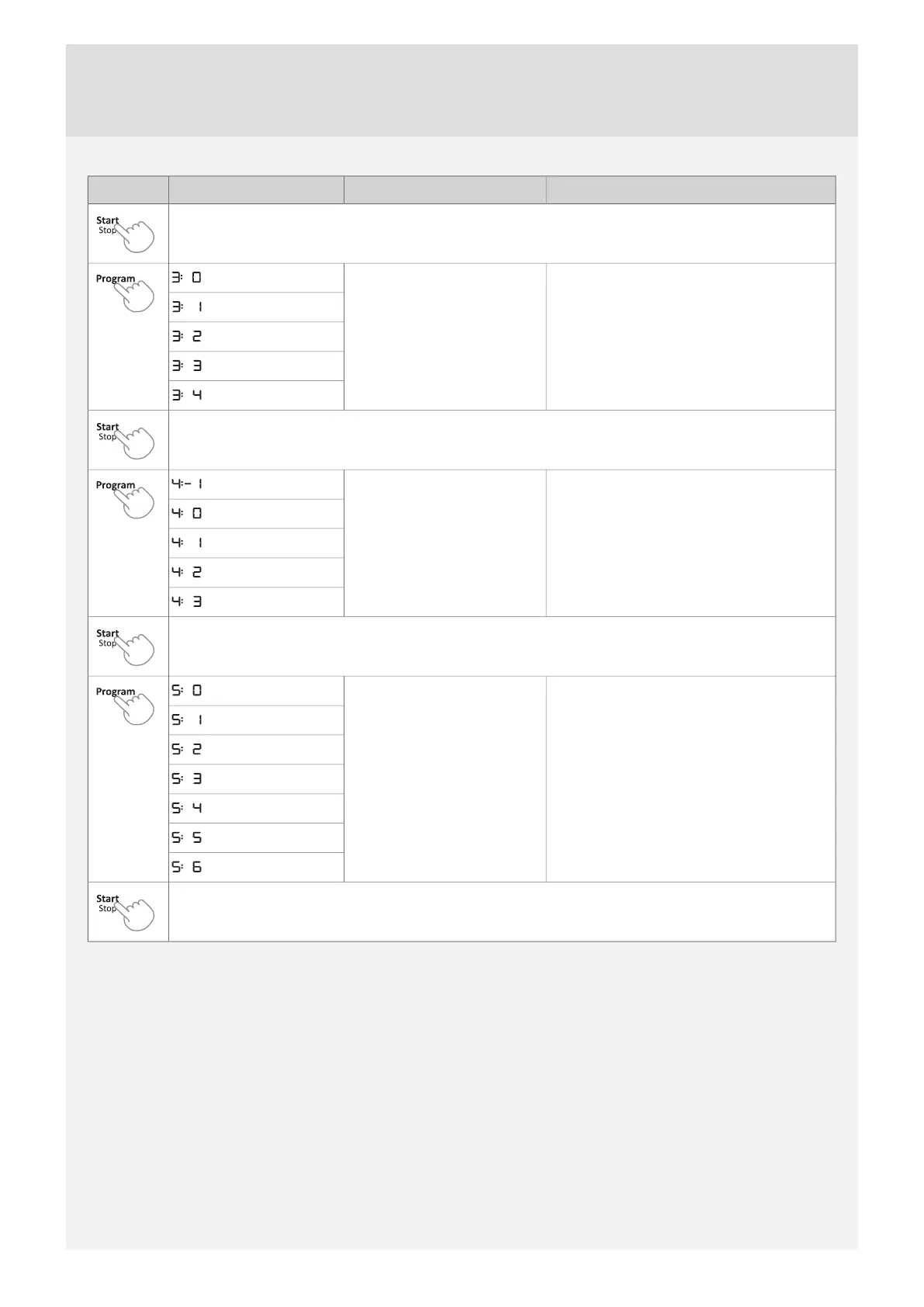
DescriptionSettingsOptionsButton press
Press Start/Stop to save the setting value and continue to the next setting.
This sound is used to confirm each button press.Operation volume
(Off)
(Low)
(High)
Press Start/Stop to save the setting value and continue to the next setting.
For adjusting the contrast of the display.LCD contrast
(Low)
(High)
Press Start/Stop to save the setting value and continue to the next setting.
Rinse aid dosage setting.
Rinse aid
(Off)
(Low dosage)
(High dosage)
Press Start/Stop to exit the settings menu.
10


 To Next Page