EasyManua.ls Logo

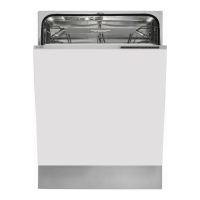
Asko D5536 FI - User Manual

Asko D5536 FI
20 pages
Print Icon
To Next Page IconTo Next Page
Loading...
Dear Customer,
Thank you for choosing this quality product from ASKO.
We hope it will meet your expectations and fulfil your needs for many years to
come. Scandinavian design combines clean lines, everyday functionality and
high quality. These are key characteristics of all our products and the reason
they are greatly appreciated throughout the world.
To get the most from your new dishwasher, we recommend that you read the
operating instructions before using the dishwasher. The operating instructions
also include information on how you can help protect the environment.
Operating Instructions
Dishwasher
ASKO D5536 FI

Questions and Answers

  • R
    rwhiteAug 17, 2025
    Why are my dishes not clean in my Asko Dishwasher?
    • D
      Daniel FlemingAug 17, 2025
      Several factors can cause this issue. The spray arms might not be rotating due to blockage, so remove and clean them. Old detergent loses effectiveness, so avoid buying large packages. Incorrect detergent dosage, a dishwashing program that's too weak, or dishes loaded incorrectly can also be culprits. Ensure the filter is correctly fitted, and dishes are placed steadily, not toppling over during the wash.
  • M
    Margaret LewisAug 19, 2025
    What to do if my Asko Dishwasher doesn't start?
    • L
      lamdavidAug 19, 2025
      If your dishwasher isn't starting, make sure the Start/Stop button is pressed and held until the display shows the door open symbol. Check that the door is properly closed, and that a fuse or circuit breaker hasn't tripped. Also, ensure the plug is correctly plugged into the wall socket and the water tap is turned on. Check if the Delayed start option has been selected and cancel it by pressing and holding Start/Stop for three seconds. For overflow/leaks or a continuous whirring sound, turn off the water tap, pull out the plug, and call the service department.
  • D
    David JohnsonAug 22, 2025
    Why are the dishes not dry enough in my Asko D5536 FI?
    • R
      Raymond KentAug 22, 2025
      If your dishes aren't drying properly, try activating the Long dry option. Make sure the dishwasher is fully loaded, as a partial load can affect drying performance. Check the rinse aid level and dosage; top up if needed or increase the dosage setting. Also, you can open the door a little once the program has finished.
  • M
    Mary RuizAug 25, 2025
    What to do if there is water remaining in my Asko D5536 FI?
    • L
      leecarlyAug 26, 2025
      If water remains in the dishwasher, check for a blocked drainage hose by loosening it where it connects to the sink unit's water trap and removing any debris. Ensure the cone-shaped part of the pipe is cut to at least 14 mm inner diameter. Also, check for kinks in the drainage hose and ensure the filters are clean and completely locked. Finally, clean the drainage pump if there is debris inside.
  • K
    kristopher69Aug 27, 2025
    Why does my Asko D5536 FI have a bad odour?
    • N
      nancy56Aug 28, 2025
      A bad odor in your dishwasher can be caused by dirt around the seals and in corners. Clean these areas with a washing-up brush and low-foaming cleaner. Also, using low-temperature programs for extended periods can contribute to the odor. To resolve this, run a program with a higher temperature about once a month.
  • M
    Michael ShermanAug 31, 2025
    What to do if my Asko D5536 FI Dishwasher has spots on stainless steel or silver?
    • P
      Phillip SanchezAug 31, 2025
      Spots on stainless steel can be caused by certain foodstuffs like mustard, mayonnaise, lemon, vinegar, salt, and dressings if left for too long. Rinse off these foods if you're not starting the dishwasher immediately, or use the Rinse & Hold program. Also, stainless steel can cause spots on silver if they come into contact during dishwashing, so keep them separate.
  • M
    Michael SharpSep 2, 2025
    What to do if my Asko D5536 FI leaves spots or films on the dishes?
    • A
      Alexandra Long DVMSep 2, 2025
      Spots or films on dishes can result from an incorrect rinse aid dosage setting. Adjust the setting accordingly. Too high a temperature or too much detergent can cause etching on crystal. Wash crystal at a low temperature and with a conservative amount of detergent. You may also want to contact the detergent manufacturer.
  • Z
    Zachary McfarlandSep 5, 2025
    What to do if my Asko D5536 FI dishes have a sticky white/blue film?
    • A
      Anthony GomezSep 5, 2025
      A sticky white or blue film on dishes indicates that the rinse aid dosage setting is too high. Reduce the amount. If you have very soft water, you may want to dilute the rinse aid 50:50 with water.
  • S
    stephanie50Sep 7, 2025
    What to do if my Asko Dishwasher touch buttons do not react?
    • A
      Anne SanfordSep 7, 2025
      If the touch buttons aren't responding, wait a moment and try again, especially if you've just opened the door. Clean the buttons with a dry or slightly damp cloth to remove any dirt. If a specific symbol appears on the display, ensure the door is open wide enough, or close it, wait 30 seconds, and reopen it. Also, check if the child lock (button lock) is activated.
  • J
    Jonathan ConleySep 10, 2025
    What to do if my Asko D5536 FI Dishwasher is making a rattling sound when dishwashing?
    • A
      andres04Sep 12, 2025
      A rattling sound during dishwashing suggests that the dishes are not correctly placed or the spray arms are not rotating. Ensure the dishes are placed securely and spin the spray arms to confirm they can rotate freely.

Summary

Front panel

Control panel buttons

Overview of the main control buttons like On/Left-on, Program Selector, and Start/Stop.

Display and indicators

Explanation of the display, program symbols, and indicators like Rinse Aid and Child Lock.

Safety instructions

General Safety Guidelines

Essential precautions for safe operation, covering usage, detergent, and supervision.

Child Safety Measures

Steps to protect children from potential hazards associated with the dishwasher.

Installation and Electrical Safety

Warnings and procedures for safe connection and setup of the appliance.

Cleaning and Disposal

Safe practices for cleaning the unit and responsible disposal of the product.

Before washing for the first time

Program key

Attaching the program key in the desired language for easy program selection.

Checking water hardness

Importance of checking local water hardness for correct detergent and rinse aid usage.

Rinse Aid

Instructions for topping up, checking the indicator, and setting rinse aid dosage for optimal results.

Loading the dishwasher

Economic dishwashing

Tips for efficient washing: full loads, lower temperatures, short drying, no pre-rinsing, and green detergent.

Fragile dishes

Information on items not suitable for dishwashing, including decoration, crystal, silver, wood, aluminium, and plastic.

The dishwashers baskets

Upper basket loading

Placement guidelines for glasses, cups, bowls, and side plates in the upper basket.

Lower basket loading

Guidelines for loading plates, serving dishes, pots, and cutlery in the lower basket.

Cutlery basket

Proper placement of cutlery, including knives and spoons, for effective cleaning.

Using the dishwasher

Add detergent

Instructions on how to add detergent to the prewash and main wash compartments.

Program selection

Guide to selecting the appropriate wash program based on the load and desired cleaning.

Selecting Options

How to activate additional options like High Temperature and Long Dry to enhance washing results.

Time remaining

Stopping or changing a program

Procedure to stop, change, or add dishes to a running dishwasher program.

Adding more dishes

How to safely add more dishes during a wash cycle.

Program completion

What happens when the program finishes, including the 'End' display and beeps.

Drying

Tips for improving drying performance, such as opening the door after the cycle.

Settings

Accessing the settings menu

Step-by-step guide to enter the settings menu for customization.

Child lock (Kid Safe)

How to activate or deactivate the child lock feature to prevent accidental operation.

Buzzer volume

Adjusting the volume of the buzzer for program end or fault notifications.

Operation volume

Adjusting the sound confirmation for button presses.

LCD contrast

Customizing the contrast of the display panel for better readability.

Rinse aid dosage setting

Setting the rinse aid dosage level for optimal drying and spot prevention.

Care and cleaning

Coarse filter

Instructions for cleaning the coarse filter to remove food particles.

Fine filter

Procedure for cleaning the fine filter and its pipe section.

Drainage pump

Steps to access and clear potential blockages from the drainage pump.

Spray arms

How to clean the spray arms, including clearing blocked holes.

Door and Front panel cleaning

Door cleaning

Safe methods for cleaning the dishwasher door edge and lock mechanism.

Limescale deposits

Procedure to remove limescale deposits from the dishwasher tub using citric acid.

Front panel cleaning

How to clean the touch buttons and display without damaging the surface.

Troubleshooting

Error codes

Explanation of display error codes (F:10, F:11, F:12, F:40) and their solutions.

Dishes not clean

Possible causes and solutions for dishes not being cleaned properly.

Spots or films on dishes

Troubleshooting steps for residue, water marks, or films on washed dishes.

Dishwasher not starting

Common reasons why the dishwasher fails to start and how to resolve them.

Technical information

Energy labelling

Details for energy efficiency testing, including place settings and program used.

Dosages during testing

Standard quantities of detergent and rinse aid used for testing purposes.

Loading the dishwasher diagrams

Visual guides showing correct placement of cutlery, plates, and bowls.

Technical data

Dimensions and weight

Specifications for height, width, depth, and weight of the dishwasher.

Capacity and pressure

Details on place settings capacity and required water pressure.

Electrical connection

Information on electrical connection requirements and rated power.

Installation

Installation overview

General instructions and warnings for the installation process.

Safety instructions during installation

Crucial safety precautions to follow when installing the appliance.

Setup and levelling

Steps for positioning, levelling, and securing the dishwasher.

Drainage connection

Guidelines for connecting the drainage hose, including length and height requirements.

Connection to water supply

Instructions for connecting the appliance to the water supply using the provided hose.

ASKO Service

Product information

How to find product information using the QR code on the compliance plate.

Contacting the service department

Information needed when contacting service, including item and serial numbers.

Electrical connection requirements

Details on electrical connection and ensuring compatibility with the supply.

Program chart

Program details

Overview of wash programs, including prewash, main wash temperature, and rinses.

Consumption values

Data on water and energy consumption for each program under different conditions.

Asko D5536 FI Specifications

General IconGeneral
BrandAsko
ModelD5536 FI
CategoryDishwasher
LanguageEnglish

Related product manuals