20
How to use the Drying Cabinet
Starting
1. Place the articles to be dried in the drying
cabinet and shut the door. See also the
section ’Choosing where to place the
washing’.
2. Set an appropriate temperature and drying
time. See the section ’Setting the tempe-
rature selector knob’.
3. Press on the START button (only certain
markets).
Interrupting the drying
Open the door and turn the time selector knob
back to ’0’.’
Setting pause and restart
Pause: Open the door
Restart: Shut the door and press on the
START button (only certain mar
kets)
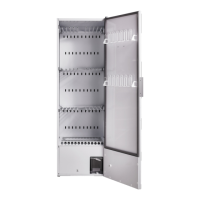
In the cabinet there are three sections with
hangers.Every section has a number of rods
on which to hang the washing.
The optimised hanging system has extenda-
ble hangers.
Hang the articles in the drying cabinet
according to how much room they re-
quire - not according to their weight.
For optimum efficiency - do not lay artic-
les flat on the upper hanging section.
Long clothes nearest to the walls of the
cabinet and shorter ones towards the
centre. By hanging the washing in this
way the most efficient drying results are
attained.
Turn up the two lower hanging sections
if long clothes are to be dried.
Hang gloves, caps, scarves and suchlike
on the hanging bars on the inside of the
door.
Draw forward the upper hanging sec-
tion hanger hooks in order to hang the
washing more easily. Return when not in
use.
WARNING
Read the safety instructions on page 4
before using the drying cabinet
Choosing where to place the
washing
If the program is paused and then
restarted it will continue from where
the cycle was interrupted. To comple-
tely stop the dryer turn the timer con-
trol knob to zero.


 To Next Page