EN 16
Opening the keyboard
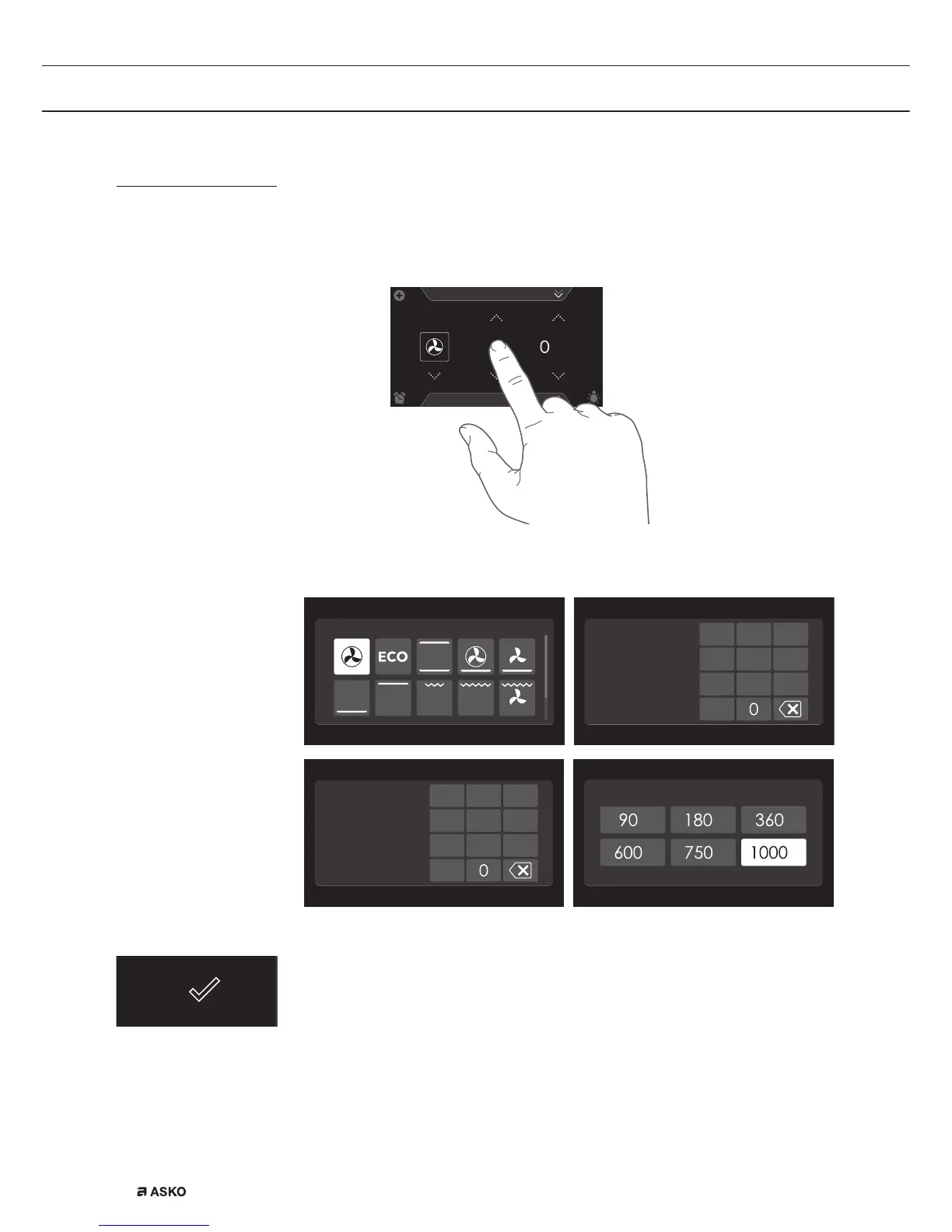
A keyboard can be opened for fast entry of a function, temperature,
power or cooking time. A quick setting can be selected with this or a
value can be entered.
Hot air
352*5$06
10
:
15
180
°C
30
H
:
0
:
1. Tap in the centre of the function symbol, temperature, power or
cooking time (activated). The keyboard appears.
Set function
2
45
78
1
3
9
6
000
Set temperature
°C
2
45
78
Set cooking time
1
3
9
6
00
:
00
H
:
M
Set power level
W
WW
W
W
W
2. Enter the desired value or tap the desired value.
3. If the set value is not confirmed automatically, press on the confirm
key to confirm the entry.
OPERATION


 To Next Page