EN 14
OPERATION
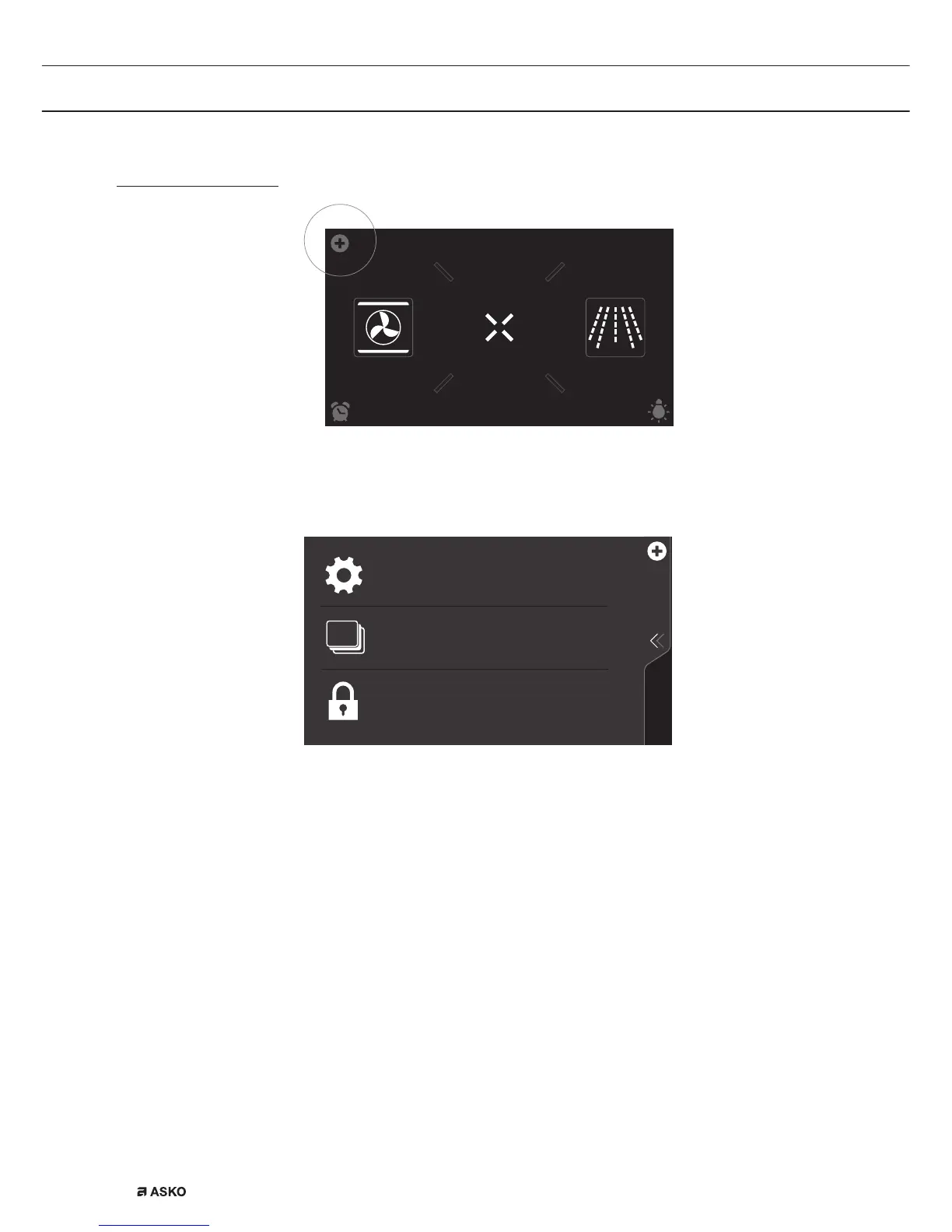
Using the ‘Plus’ menu
EXTRASOVEN
dz,&52:$9(
10
:
15
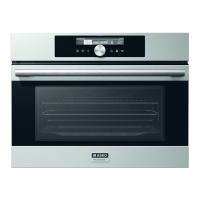
The ‘Plus’ menu comprises a number of functions or settings.
The offered plus functions depend on the display that is active.
KEY LOCK
To clean the dashboard or to apply as child
lock
SETTINGS
Combine up to three functions in one
cooking process
Go to the appliance settings
STAGE COOKING
• From the start display, the following functions/menus can be found
in the ‘Plus’ menu:
▷ Settings; Set your preferences (see ‘Settings’ chapter).
▷ Stage cooking; Combine up to three functions in one cooking
process (see ‘Stage cooking’ chapter).
▷ Key Lock; Lock all the keys to clean the dashboard or to prevent
that the appliance gets into progress accidentally.
Hold the function pressed until the key lock is enabled.


 To Next Page