EN 7
Guide rails
• The oven has four guide rails (level 1 to 4).
• Level 1 is mainly used for microwave functions. Levels 3 and 4 are
used mainly for the grill function.
• Place the oven rack or baking tray in the gap between the guide
rail sliders.
Door
• The door switches interrupt the operation of the oven when the oven
door is opened during use. The oven resumes operation when the
door is closed.
• This oven has a ‘Soft close door system’. When closing the oven
door, this system dampens the movement, from a certain angle, and
silently closes the oven door.
Cooling fan
• The appliance is equipped with a cooling fan that cools the casing
and control panel.
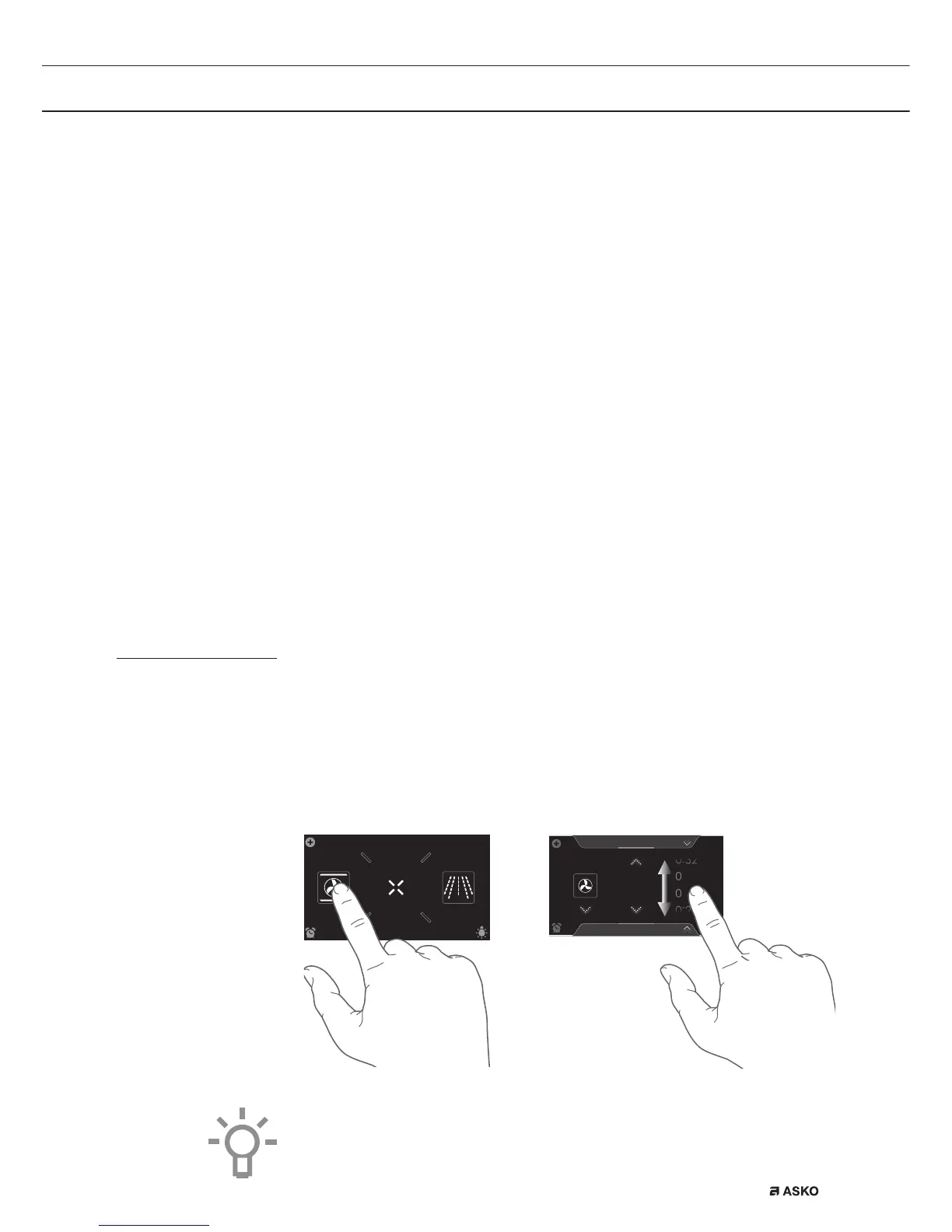
Touch screen
• Operate your oven’s touch screen by tapping or swiping it.
• Tap the display to open a function or adjust a setting.
• Swipe the display for further information/show options or adjust a
setting.
Tapping: Swiping:
EXTRASOVEN
dz,&52:$9(
10
:
15
:
:
Hot air
352*5$06
180
30
31
°C
10
:
15
For the best response, touch the keys with the main part of your
fingertip. Every time you tap a key during use, a short tone will sound
(unless this is adjusted in the settings).
YOUR OVEN


 To Next Page