EN 8
YOUR OVEN
Main displays
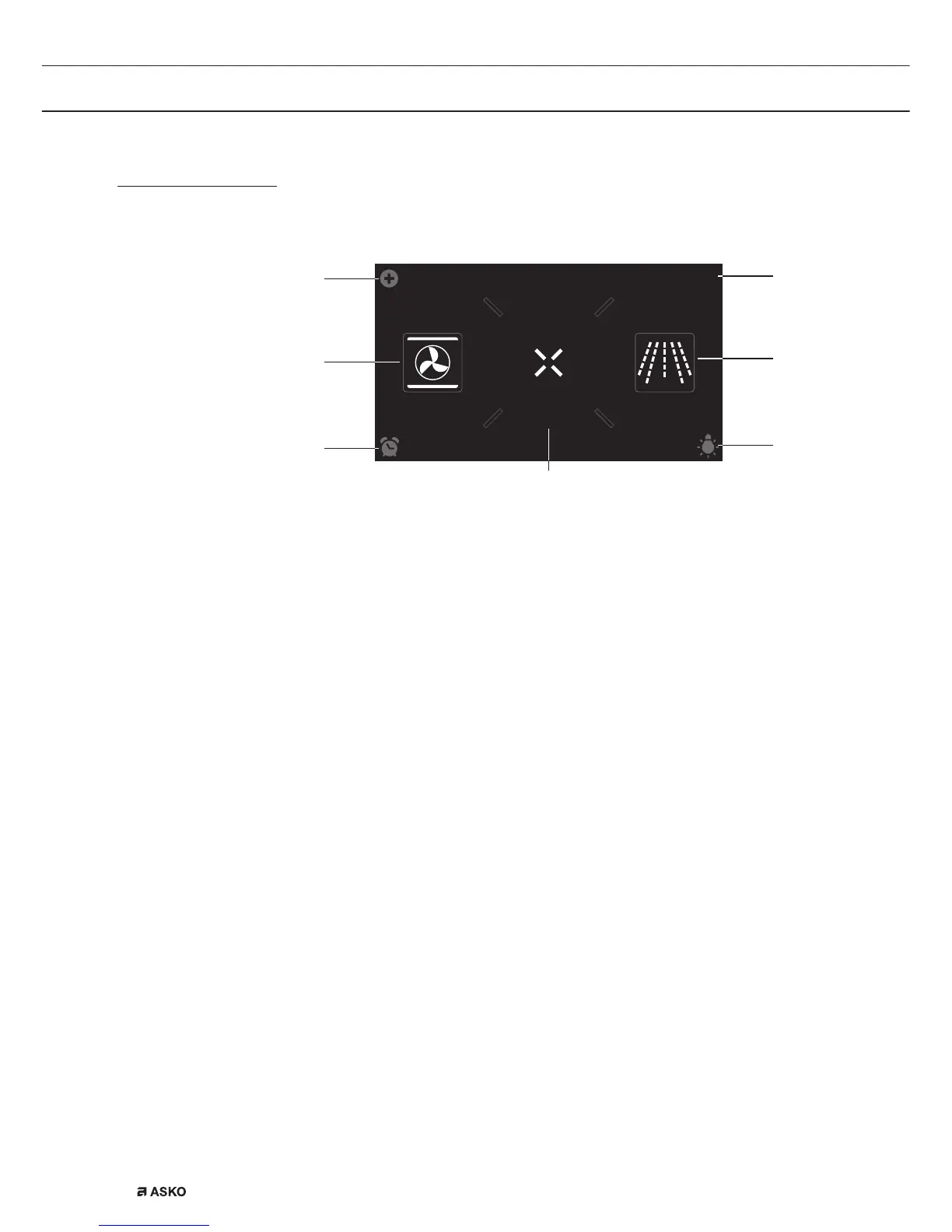
Start display
EXTRASOVEN
dz,&52:$9(
10
:
15
01
03
02
04
05
07
06
Plus menu (01)
• Tap the plus symbol to open the ‘Plus’ menu. The contents of this
menu change according to the control options available at that time.
Oven (02)
• Tap ‘OVEN’ to open the oven function menu.
Egg timer (03)
• Tap the egg timer symbol to open the egg timer menu. The egg
timer can be used independently from the oven function.
▷ The longest possible alarm time is 24 hours.
▷ When the egg timer has finished, a pop-up will appear and a
sound signal sounds.
▷ Tap on the X key, confirm key or the display to switch off
the signal and close the pop-up. The sound signal will stop
automatically after approximately 1 minute.
Extras (04)
• Tap on ‘EXTRAS’ to show the appliance’s extra functions.
Time (05)
• The time is shown here.
Microwave (06)
• Tap on ‘MICROWAVE’ to open the microwave function.


 To Next Page