EN 36
Selecting warming functions
1. Tap on ‘EXTRAS’ to show the appliance’s extra functions.
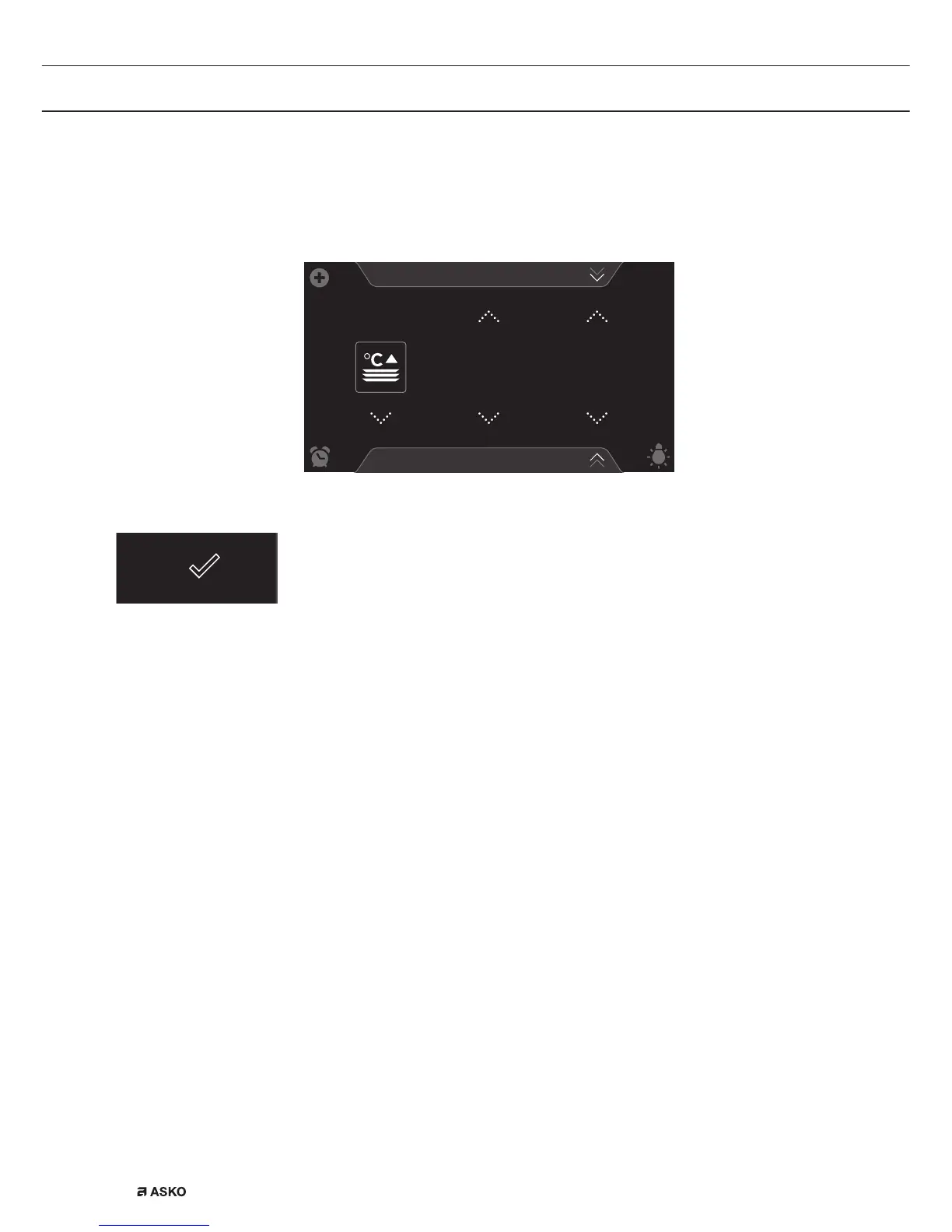
2. Tap on ‘WARMING’ to open the warming function menu.
Plate warming
PROGRAMS
10
:
15
60
°C
1
:
00
H
:
M
3. Choose the desired warming function (plate warming, defrost or
keep warm). Adjust the settings if necessary (see ‘Function-setting
display’ chapter)
4. Start the function using the confirm key.
Programs:
• Favourites
▷ You can select your own stored recipes in ‘FAVOURITES’. See
also ‘Saving a cooking method’.
• Automatic programs
▷ You can use ‘automatic programs’ for cooking by selecting a
dish from a list of pre-programmed dishes. The programs are
subdivided into categories (MEAT, VEGETABLES, etc.).
▷ First select the category and then the dish itself from the
available list.
Selecting program functions
1. Tap on ‘EXTRAS’ to show the appliance’s extra functions.
2. Tap on ‘PROGRAMS’ to open the programs menu.
USE


 To Next Page