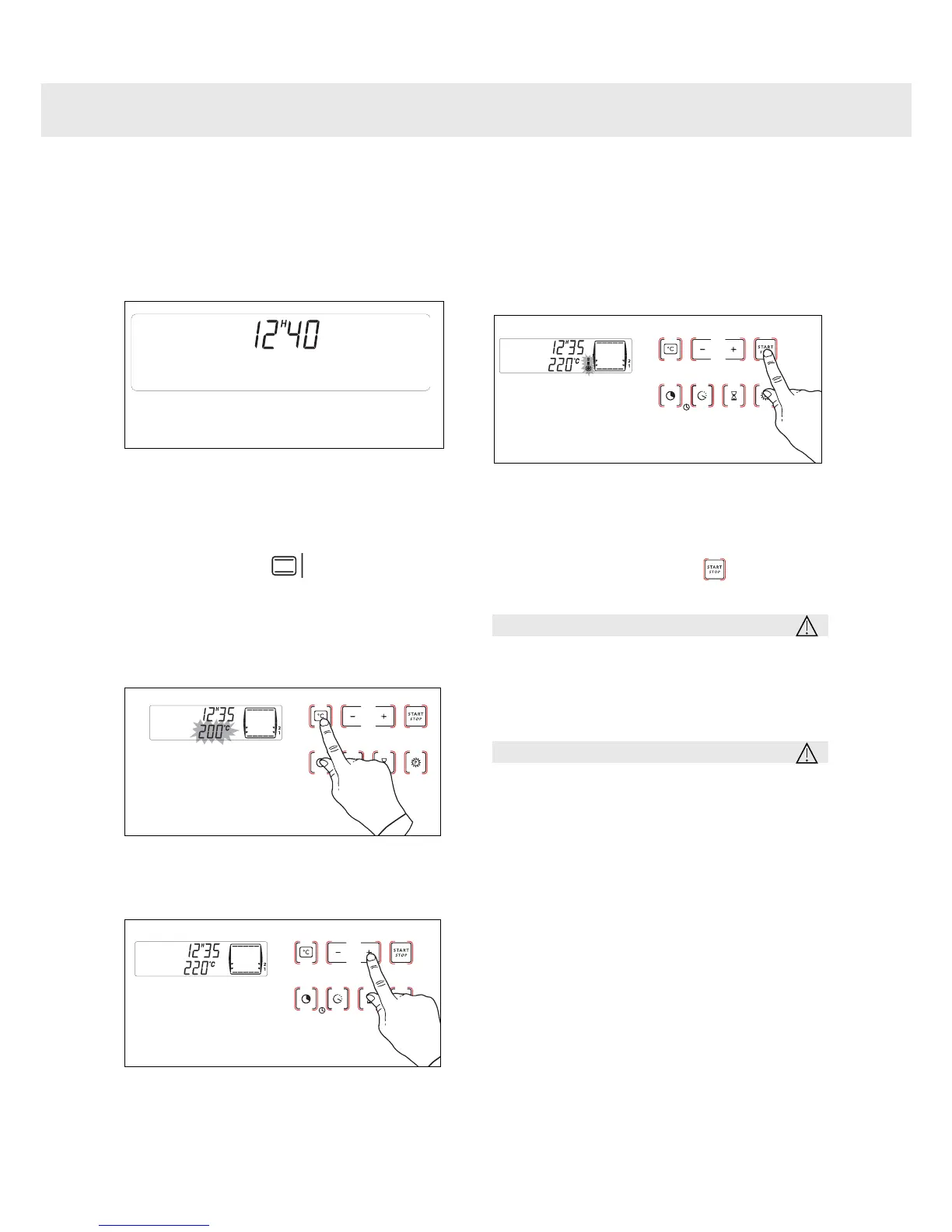
11
Immediate cooking
The programmer should display only the
time.
It should not be flashing.
Select the function of your choice.
Example: position .
Your oven recommends the optimal
temperature for the chosen cooking mode.
You can still adjust the temperature by
pressing the °C button.
Adjust the temperature using the + and –
touch controls.
Place your dish in the oven based
on the recommendations provided
by the cook book.
After these steps, the oven heats up and
the temperature indicator flashes.
A series of beeps will be emitted when the
oven reaches the selected temperature.
The temperature stops flashing.
To stop cooking, press the button.
Warning
After a cooking cycle, the cooling fan
continues to operate for a period of
time in order to guarantee optimal oven
reliability.
Warning
All types of cooking are done with the
door closed.
2
1
Using Your Appliance


 To Next Page