14
Using Your Appliance
Using the timer function
Your oven’s programmer can be used
as an independent timer that allows you
to count down a time without operating
the oven.
In this case, the timer display has priority
over the clock display.
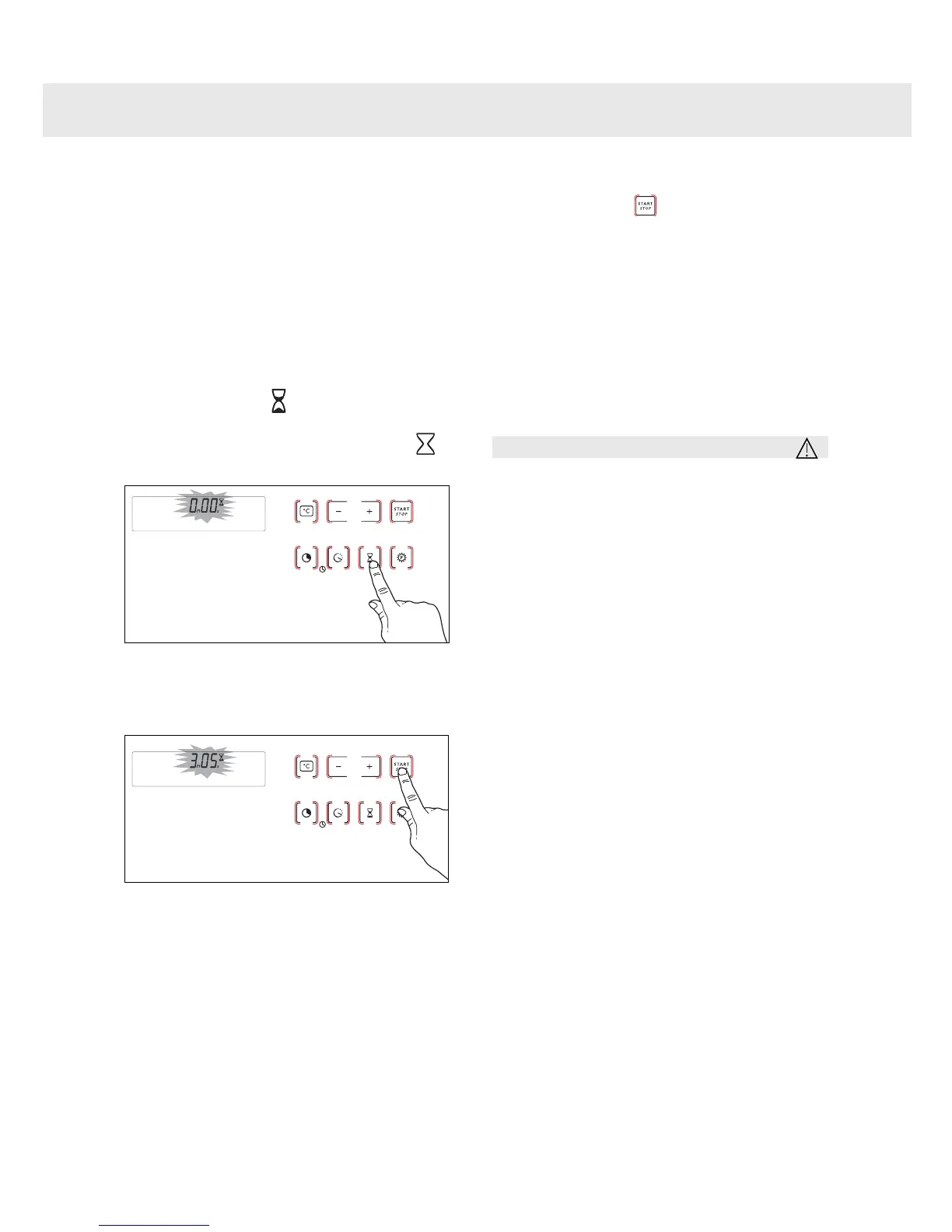
Press the “ ” button until the
timer symbol begins flashing.
-> 0.00 and a small hourglass
both flash.
Enter the desired time by pressing
the + or – buttons.
Press the “ ” button to confirm,
or wait for a few seconds.
The display stops flashing after a few
seconds and the timer starts working,
counting down the time in seconds.
Once the time has expired, the timer emits
a series of beeps to notify you.
The beeps can be stopped by pressing
any touch control.
Note
It is possible to change or cancel the
timer at any time.
3
2
1


 To Next Page