15
Setting the brightness of the
display
You can adjust the brightness of your
display. To do this:
Set and confirm the time on your
programmer to 0:10.
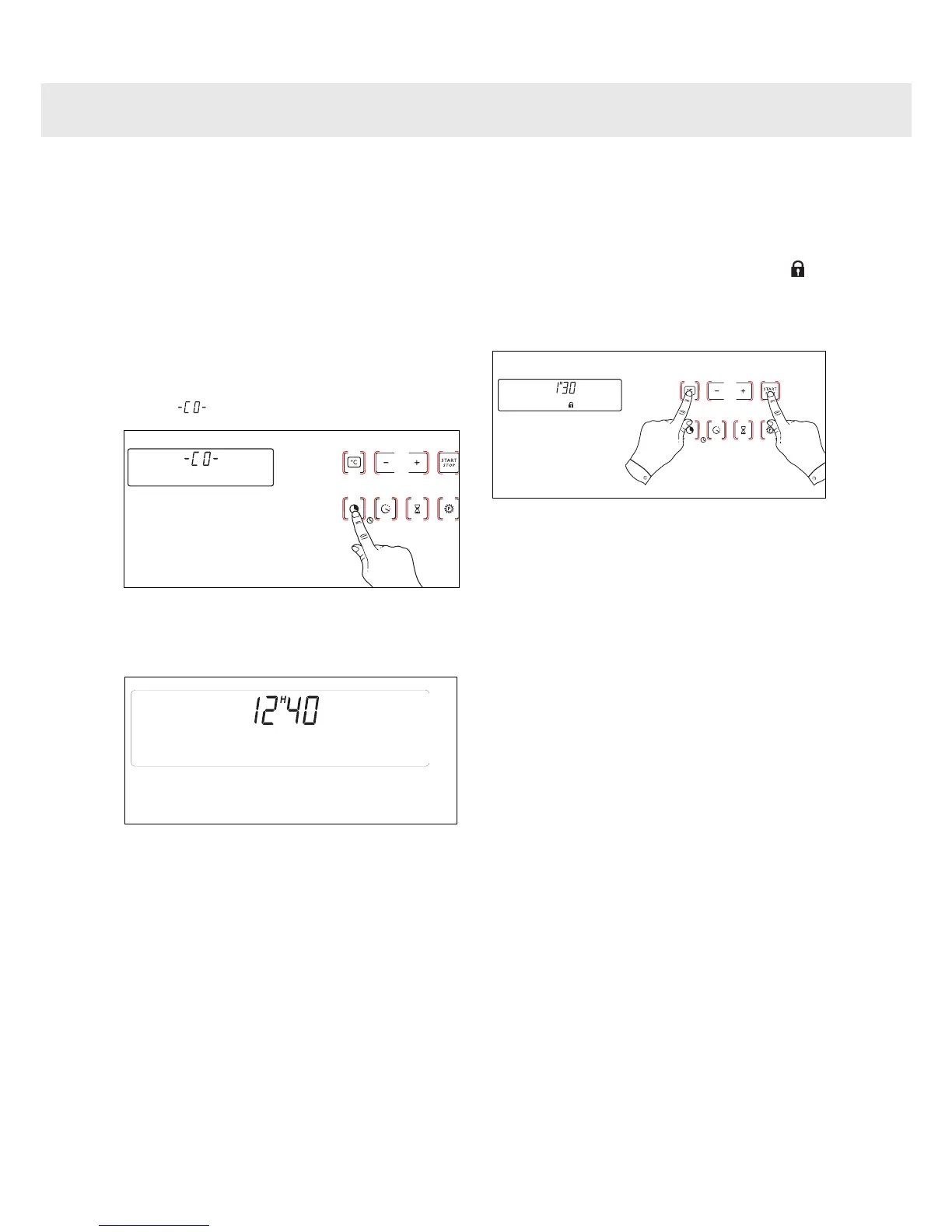
Press and hold down the
“COOKING TIME” button until
is displayed.
Press the + or – buttons in order to
obtain the desired brightness.
Validate by releasing the “Cooking
time” button.
After having adjusted the brightness to
your liking, return your programmer to the
current time of day.
You can adjust the brightness of your
display. To do this:
Press and hold the “START and C°”
buttons for a few seconds until is
displayed. All buttons light up for
one second.
Your display is locked.
To unlock it, repeat this step. -> the
lock symbol disappears
2
1
3
2
1
Using Your Appliance


 To Next Page