Service and installation
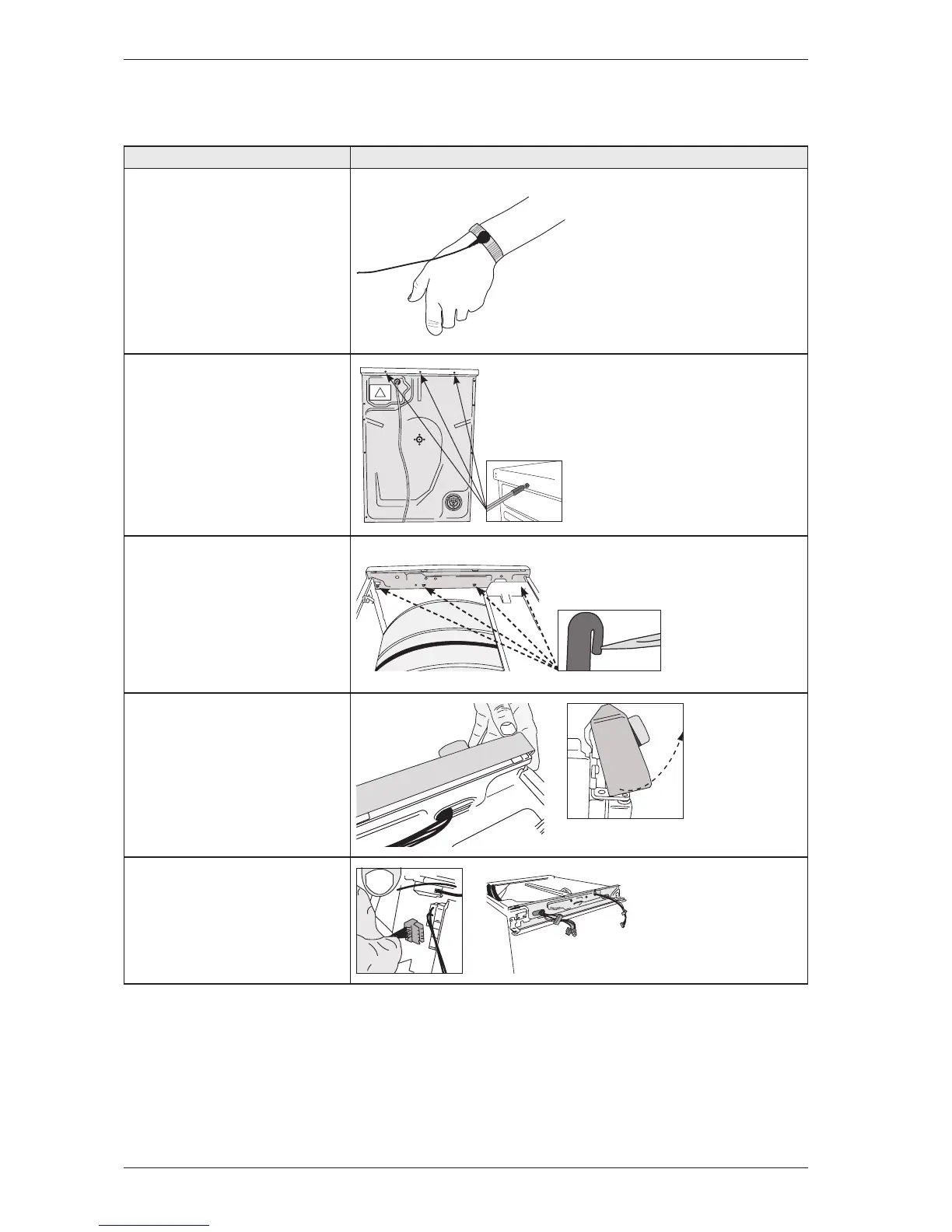
Instructions Illustration
1. Attach the anti-static wristband to a part
of the machine that is earthed!
NOTE! An anti-static wristband must be
used, otherwise you risk destroying the
control card.
2. Unscrew the top cover.
2. Carefully press the catches that secure
the panel to the front support. Release the
catches from the front support by working
the panel outwards.
3. Detach the panel by angling and pulling it
carefully outwards at the lower edge.
Note: Be careful not to damage the wiring!
4. Carefully disconnect the wiring from the
control unit.
Replacing the panel and the control unit
Service Manual TD70.C
29


 To Next Page