Asoka® User’s Guide
PlugLink 9650 Ethernet Adapter PL9650-E TH
Page 16 of 26
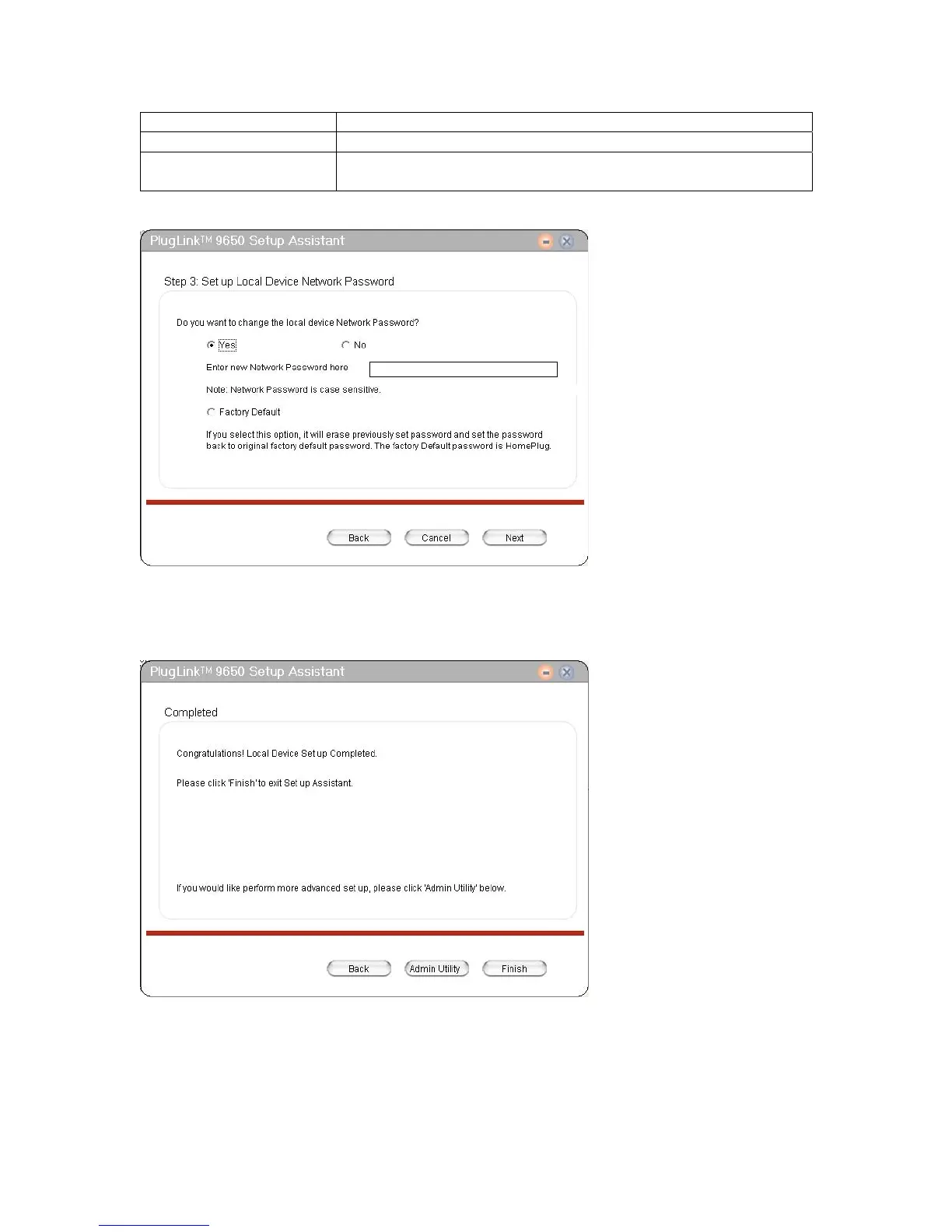
Yes To change local device network password.
No To keep the existing local device network password.
Factory Default To reset to the default local device network password,
‘HomePlug’.
Table 6-3: Local Device Network Password Options.
Figure 6-5: Local Device Network Password Screen.
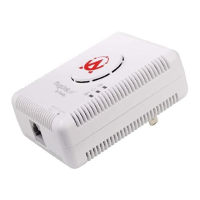
6. Click ‘Finish’ to complete the configuration and exit the Setup Assistant or Click ‘Admin
Utility’ for advanced settings.
Figure 6-6: Setup Assistant Completion Screen.



 To Next Page