NETWORK VIDEO RECORDER QUICK START GUIDE
3. START UP WIZARD
enhanced security password has been
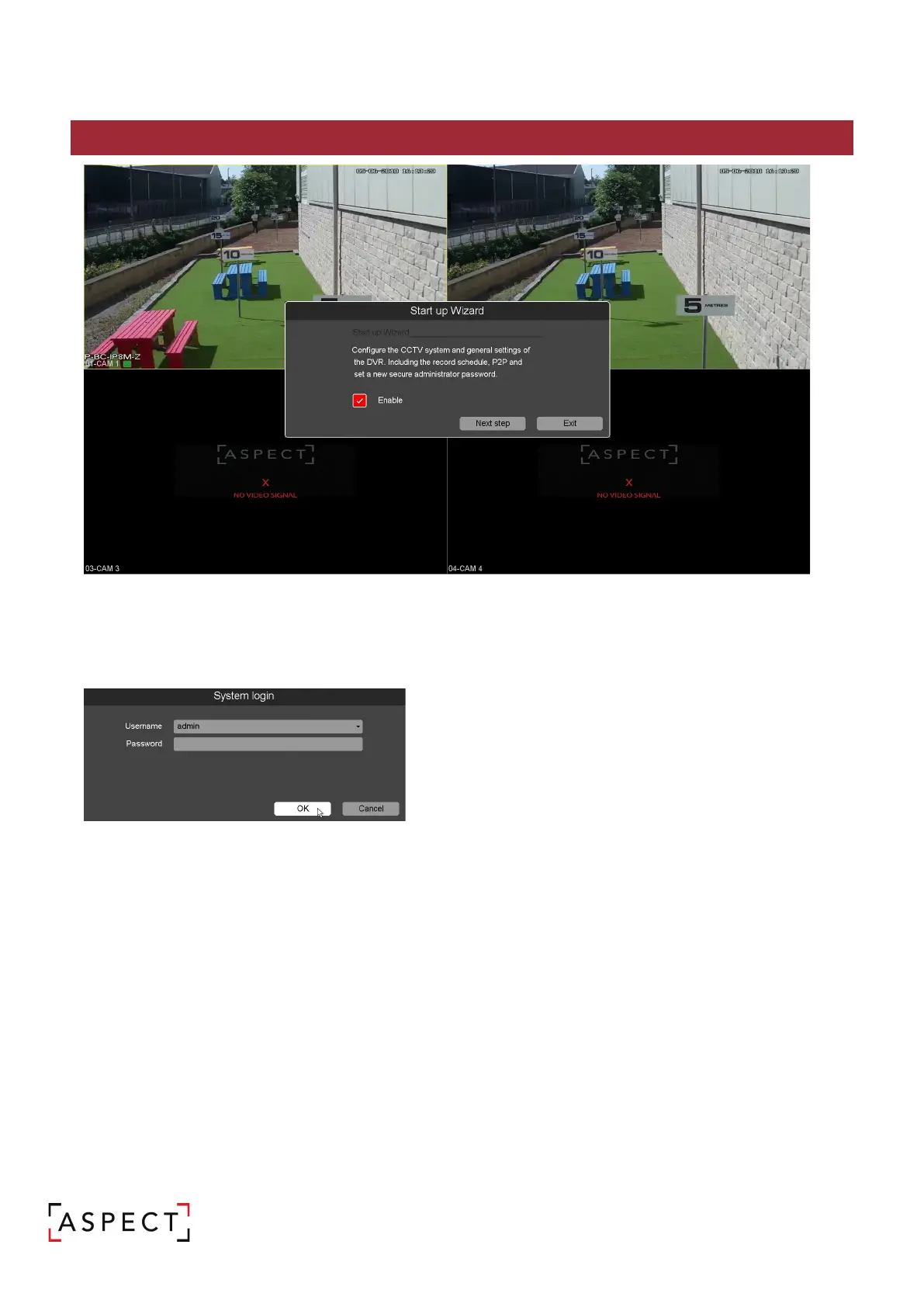
2. The startup wizard will guide the user through the initial set up the NVR
3. Use the tick box to set whether or not the startup wizard will open on future boot ups
4. Click <Next Step>
System Login
1. Select a user ID and enter the corresponding
password. The default user ID is “admin” and the
default password is blank, however the user will set
an enhanced security password.
2. Click <OK>.


 To Next Page