
 Need help?
Do you have a question about the ASROCK 980DE3/U3S3 and is the answer not in the manual?
Lists all items included in the motherboard package.
Details hardware specifications for the motherboard components.
Highlights proprietary ASRock technologies and software features.
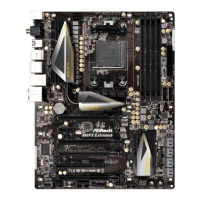
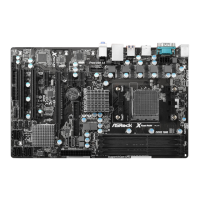
Diagram and labels identifying major motherboard components and connectors.
Describes the rear panel input/output ports and their functions.
Important safety and handling guidelines before installing components.
Step-by-step guide for installing the CPU into the socket.
Instructions for mounting the CPU cooler and connecting the fan.
Guide on how to install DDR3 memory modules into the DIMM slots.
Process for installing expansion cards into PCI and PCI Express slots.
Explanation of jumper configurations and how to set the Clear CMOS jumper.
Details about onboard headers and connectors like FDD, IDE, SATA, USB.
Guide for installing SATA2 and SATA3 hard disks for internal storage.
Detailed operation guide for the SATA HDD Hot Plug feature.
Instructions on how to install drivers from the support CD.
Guide for installing Windows OS on RAID configurations.
Guide for installing Windows OS without RAID configurations.
Explanation of motherboard's Untied Overclocking Technology for stable overclocking.
Overview of the BIOS SETUP UTILITY and how to enter it.
Describes the menu bar options available in the BIOS utility.
Explains the function of each key used for navigating the BIOS.
Displays system overview information upon entering the BIOS utility.
Section dedicated to configuring overclocking features and settings.
Access to advanced system configurations like CPU, Chipset, ACPI, etc.
Detailed settings for CPU features and power management.
Settings for onboard devices and primary graphics adapter.
Settings related to Advanced Configuration and Power Interface (ACPI).
Configuration options for onboard SATA controllers.
Settings for PCI Plug and Play configuration.
Configuration options for the floppy drive type.
Settings for Super IO chipset features like serial and infrared ports.
Configuration options for USB controllers and features.
Monitors system hardware status like temperatures, fan speeds, and voltages.
Configures boot settings and device priority.
Manages system security settings, including passwords.
Options for saving changes, discarding changes, and exiting the BIOS utility.
Lists supported Microsoft Windows operating systems.
Details about the drivers and utilities provided on the support CD.
 General
| Non-ECC | Yes |
|---|---|
| Memory channels | Dual-channel |
| Memory slots type | DIMM |
| Number of memory slots | 4 |
| Supported memory types | DDR3-SDRAM |
| Maximum internal memory | 32 GB |
| Supported memory clock speeds | 800, 1066, 1333, 1600, 1866 MHz |
| System bus rate | 5.2 GT/s |
| Processor socket | Socket AM3+ |
| Processor manufacturer | AMD |
| Compatible processor series | AMD Phenom II X2, AMD Phenom II X3, AMD Phenom II X4, AMD Phenom II X6 |
| Processor thermal power (max) | 140 W |
| Maximum number of SMP processors | 1 |
| Processor system buses supported | 2600 MHz |
| USB 2.0 connectors | 3 |
| Number of SATA II connectors | 6 |
| Number of SATA III connectors | 2 |
| eSATA ports quantity | 0 |
| USB 2.0 ports quantity | USB 2.0 ports have a data transmission speed of 480 Mbps, and are backwards compatible with USB 1.1 ports. You can connect all kinds of peripheral devices to them. |
| Cooling type | Passive |
| Certification | FCC, CE, WHQL, ErP/EuP |
| Component for | PC |
| Motherboard chipset | AMD 760G |
| Audio output channels | 5.1 channels |
| Motherboard form factor | ATX |
| Motherboard southbridge | AMD SB710 |
| Windows operating systems supported | Windows 7 Home Basic, Windows 7 Home Basic x64, Windows 7 Home Premium, Windows 7 Home Premium x64, Windows 7 Professional, Windows 7 Professional x64, Windows 7 Starter, Windows 7 Starter x64, Windows 7 Ultimate, Windows 7 Ultimate x64, Windows 8, Windows 8 Enterprise, Windows 8 Enterprise x64, Windows 8 Pro, Windows 8 Pro x64, Windows 8 x64, Windows Vista Business, Windows Vista Business x64, Windows Vista Enterprise, Windows Vista Enterprise x64, Windows Vista Home Basic, Windows Vista Home Basic x64, Windows Vista Home Premium, Windows Vista Home Premium x64, Windows Vista Ultimate, Windows Vista Ultimate x64, Windows XP Home, Windows XP Home x64, Windows XP Professional, Windows XP Professional x64 |
| RAID levels | 0, 1, 10, JBOD |
| Supported storage drive interfaces | IDE, SATA II, SATA III |
| Parallel processing technology support | - |
| Cables included | SATA |
| LAN controller | Realtek RTL8111E |
| Ethernet interface type | Gigabit Ethernet |
| BIOS type | AMI |
| ACPI version | 1.1 |
| BIOS memory size | 16 Mbit |
 Weight and Dimensions
| Width | - mm |
|---|







 To Next Page
