65
English
Fatal1ty Z270 Gaming-ITX/ac Series
4.6.7 USB Conguration
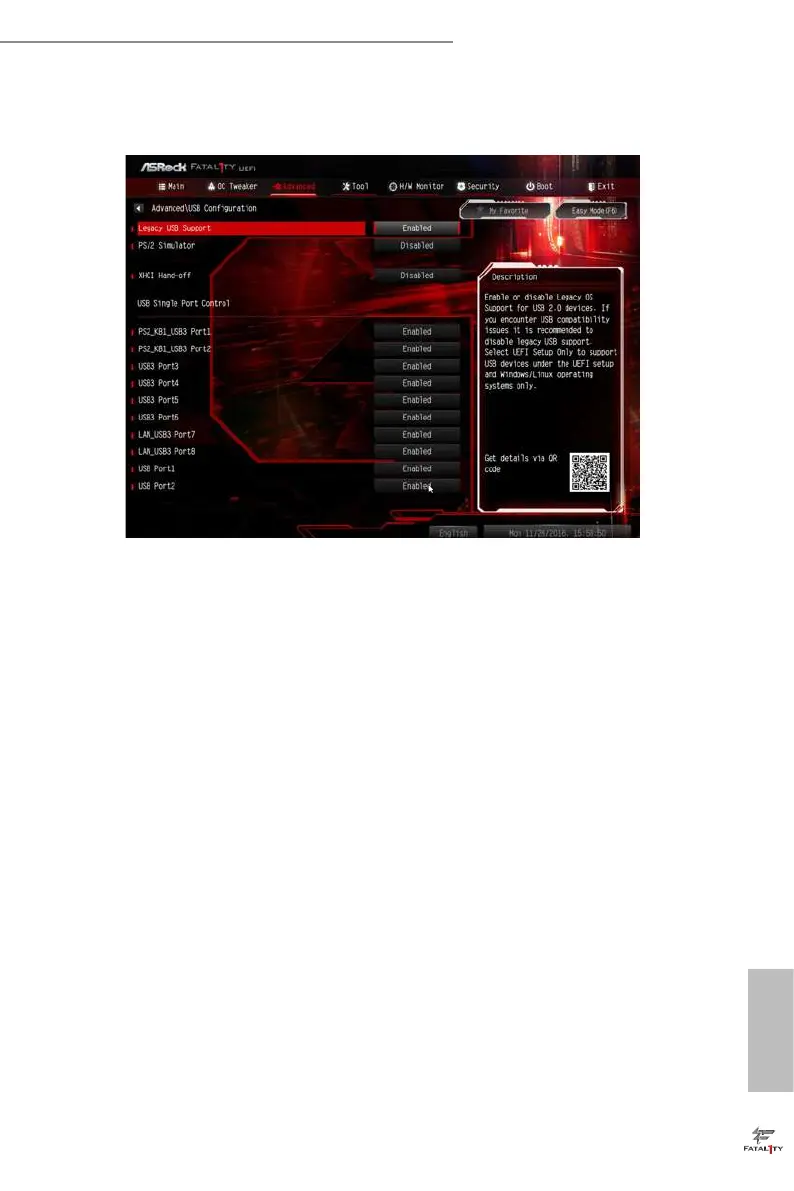
Legacy USB Support
Enable or disable Legacy OS Support for USB 2.0 devices. If you encounter USB
compatibility issues it is recommended to disable legacy USB support. Select UEFI
Setup Only to support USB devices under the UEFI setup and Windows/Linux
operating systems only.
PS/2 Simulator
Enable PS/2 Simulator. is should be enabled for the complete USB keyboard
legacy support for non-USB aware OSes.
*Enable this option if you install Windows 7.
XHCI Hand-o
is is a workaround for OSes without XHCI hand-o support. e XHCI
ownership change should be claimed by XHCI driver.



 To Next Page
 Loading...