14 15
English
H310D4-P1
2.3 Installing Memory Modules (SO-DIMM)
is motherboard provides two 260-pin DDR4 (Double Data Rate 4) SO-DIMM
slots.
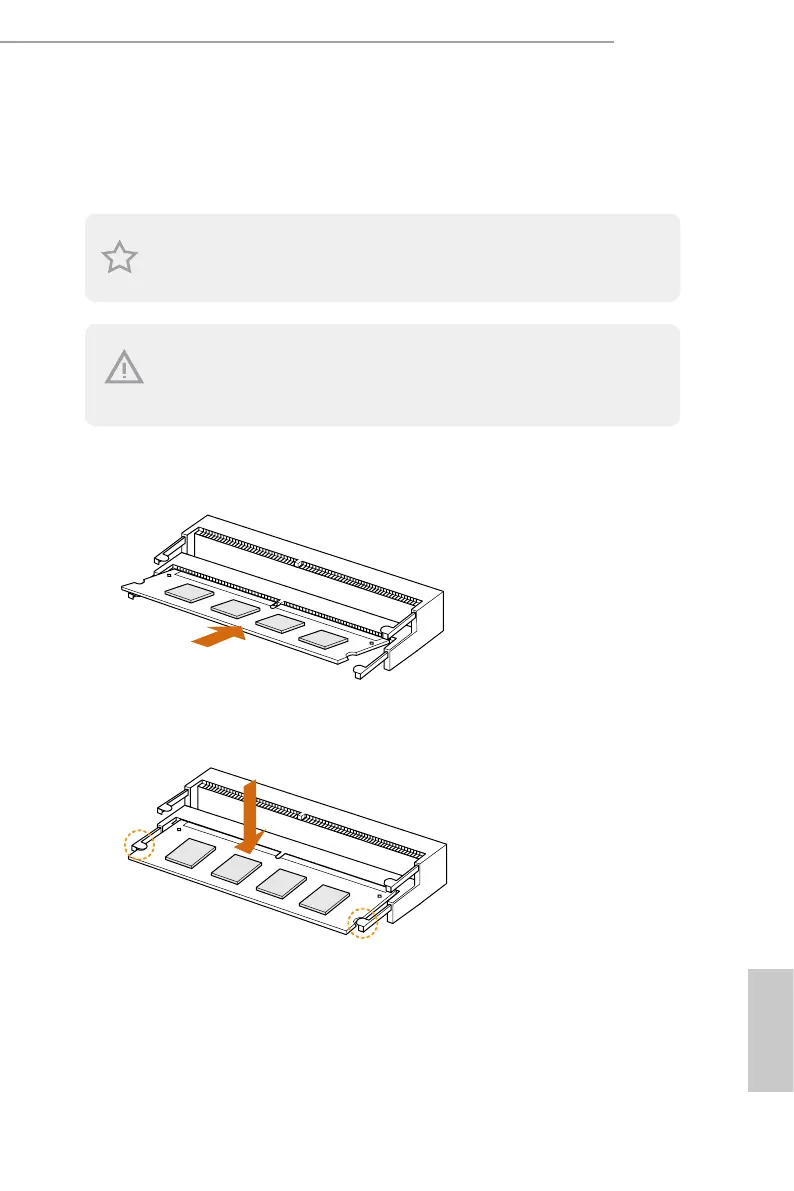
1. Carefully insert the SO-DIMM memory modules into the slot at a 30-degree angle.
2. Push down until the modules snap into place.
e SO-DIMM only ts in one correct orientation. It will cause permanent damage to
the motherboard and the SO-DIMM if you force the SO-DIMM into the slot at incorrect
orientation.
It is not allowed to install a DDR, DDR2 or DDR3 memory module into a DDR4 slot;
otherwise, this motherboard and SO-DIMM may be damaged.



 To Next Page