40 41
English
H310D4-P1
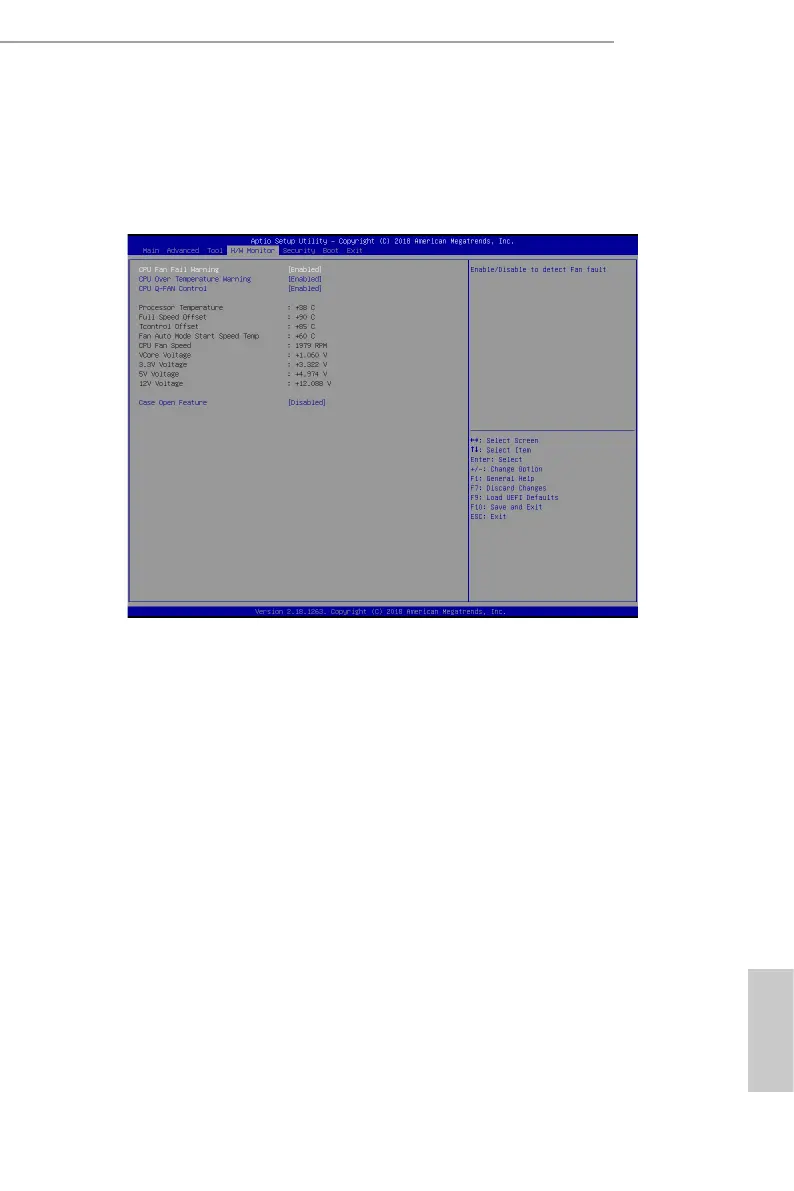
4.5 Hardware Health Event Monitoring Screen
is section allows you to monitor the status of the hardware on your system,
including the parameters of the CPU temperature, motherboard temperature, fan
speed and voltage.
CPU Fan Fail Warning
Enable or disable the fan fail warning function.
CPU Over Temperature Warning
Enable or disable the CPU Over Temperature Warning function.
CPU Q-FAN Control
Enable or disable the CPU Q-Fan control feature.
Case Open Feature
Enable or disable Case Open Feature to detect whether the chassis cover has been
removed.



 To Next Page