3030
3030
30
USB_PWR
USB_PWR
P+7
P-7
P+6
P-6
GND
GND
DUMMY
1
1
USB_PWR
P-8
GND
DUMMY
USB_PWR
P+8
GND
P-9
P+9
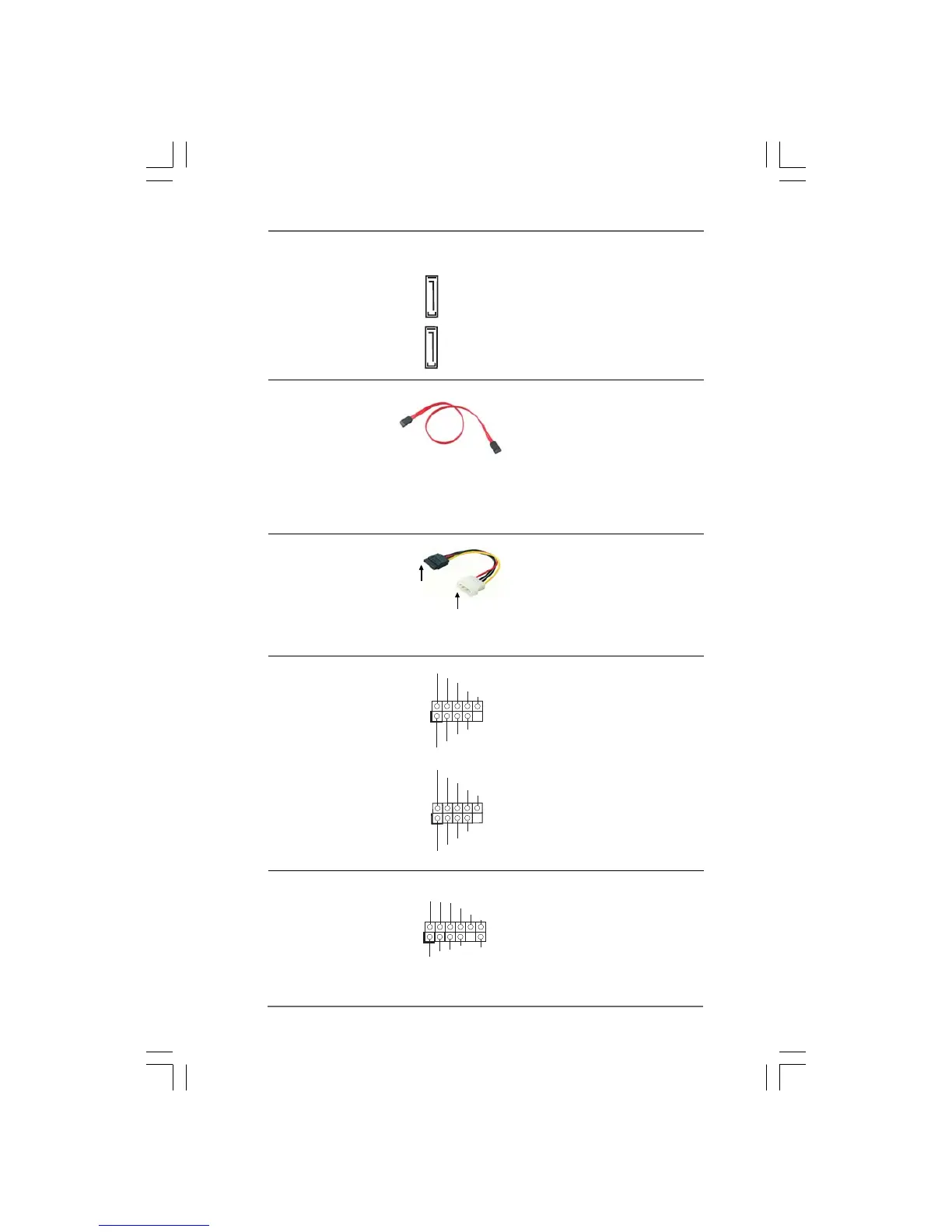
USB 2.0 Headers Besides six default USB 2.0
(9-pin USB8_9) ports on the I/O panel, there are
(see p.11 No. 22 or p.12 No. 21) two USB 2.0 headers on this
motherboard. Each USB 2.0
header can support two USB
2.0 ports.
(9-pin USB6_7)
(see p.11 No. 23 or p.12 No. 22)
eSATAII Connectors These eSATAII connectors
(eSATAII_TOP (Port 4): support SATA data cables for
see p.11, No. 39 or p.12, No. 38) external SATAII function. The
(eSATAII_BOTTOM (Port 5): current eSATAII interface
see p.11/12, No. 1) allows up to 3.0 Gb/s data
transfer rate.
connect to the SATA
HDD power connector
connect to
the power
supply
Serial ATA (SATA) Please connect the black end of
Power Cable SATA power cable to the power
(Optional) connector on each drive. Then
connect the white end of SATA
power cable to the power
connector of the power supply.
Serial ATA (SATA) Either end of the SATA data cable
Data Cable can be connected to the SATA /
(Optional) SATAII hard disk or the SATAII
connector on this motherboard.
You can also use the SATA data
cable to connect SATAII_5
(Port 4) or SATAII_6 (Port 5)
connector and eSATAII connector.
eSATAII_BOTTOM
(Port 5)
eSATAII_TOP
(Port 4)
USB/WiFi Header This header can be used to sup-
(11-pin USB/WIFI) port 2 USB 2.0 ports. It can also
(see p.11 No. 31 or p.12 No. 30) be used to support WiFi+AP
function with ASRock WiFi-802.
11g or WiFi-802.11n module, an
easy-to-use wireless local area
1
+5V
P-
P+
GND
N/C
+3V
+5V
P-
P+
GND
N/C



 To Next Page