5757
5757
57
BIOS SETUP UTILITY
Main
Smart H/W Monitor Boot Security ExitAdvanced
System Overview
System Time
System Date
[ :00:09]
[Fri 08/22/2008]
Use [Enter], [TAB]
or [SHIFT-TAB] to
select a field.
Use [+] or [-] to
configure system Time.
Select Screen
Select Item
+- Change Field
Tab Select Field
F1 General Help
F9 Load Defaults
F10 Save and Exit
ESC Exit
BIOS Version
Processor Type
Processor Speed
Microcode Update
Total Memory
Cache Size
DDRII_A1
DDRII_A2
DDRII_B1
DDRII_B2
: P45XE-WiFiN P1.00
: Intel (R) Core(TM)2 Duo CPU
E6750 @ 2.66GHz (64bit)
: 2666MHz
: 4096KB
: 6FB/B6
: 4096MB
Dual-Channel Memory Mode
: 1024MB/400MHz (DDR2 800)
: 1024MB/400MHz (DDR2 800)
: 1024MB/400MHz (DDR2 800)
: 1024MB/400MHz (DDR2 800)
v02.54 (C) Copyright 1985-2005, American Megatrends, Inc.
14
3.1.23.1.2
3.1.23.1.2
3.1.2
Navigation KeysNavigation Keys
Navigation KeysNavigation Keys
Navigation Keys
Please check the following table for the function description of each navigation key.
Navigation Key(s) Function Description
/ Moves cursor left or right to select Screens
/ Moves cursor up or down to select items
+ / - To change option for the selected items
<Enter> To bring up the selected screen
<F1> To display the General Help Screen
<F9> To load optimal default values for all the settings
<F10> To save changes and exit the BIOS SETUP UTILITY
<ESC> To jump to the Exit Screen or exit the current screen
3.23.2
3.23.2
3.2
Main ScreenMain Screen
Main ScreenMain Screen
Main Screen
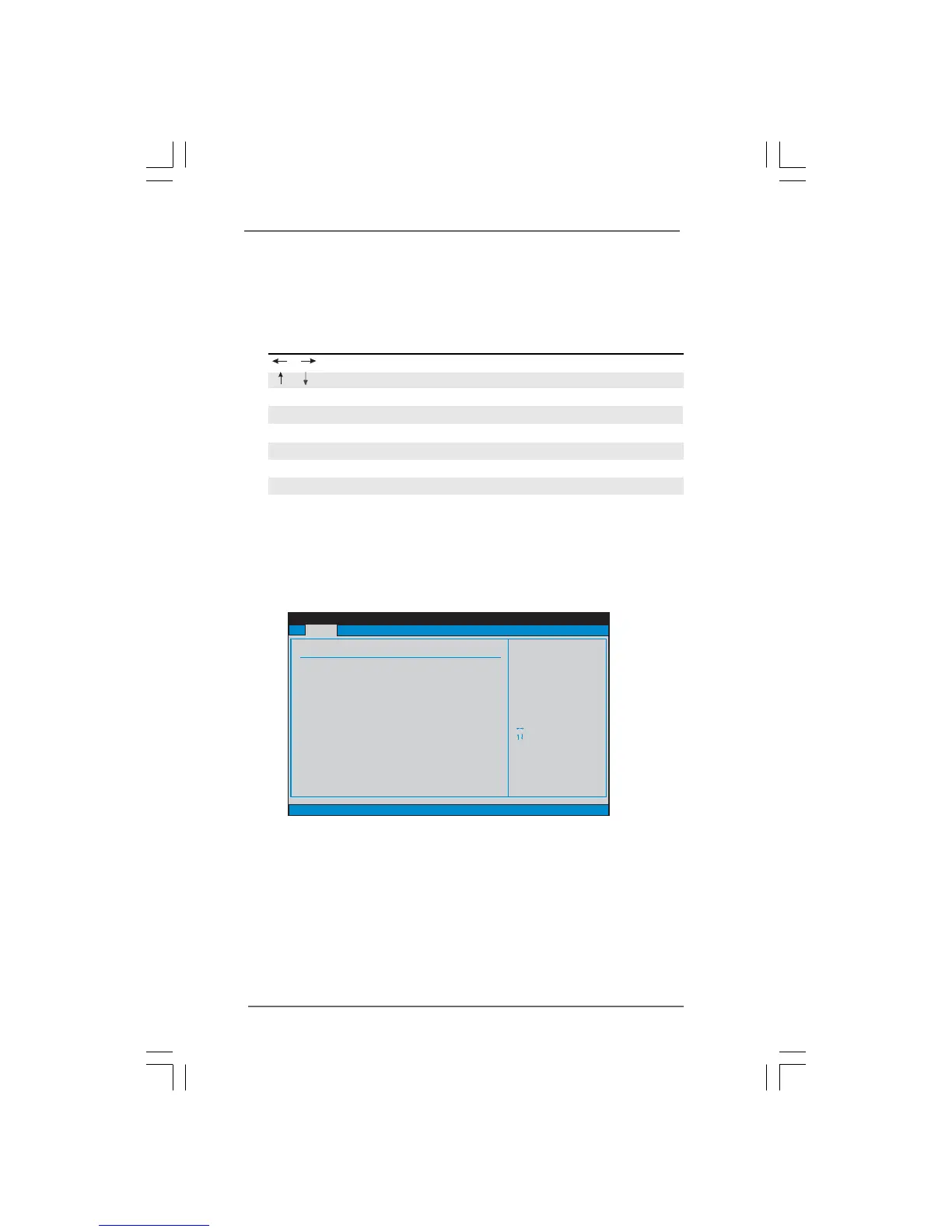
When you enter the BIOS SETUP UTILITY, the Main screen will appear and display the
system overview.
P45XE-WiFiN
System Time [Hour:Minute:Second]
Use this item to specify the system time.
System Date [Day Month/Date/Year]
Use this item to specify the system date.



 To Next Page