5252
5252
52
2.212.21
2.212.21
2.21
TT
TT
T
eaming Feaming F
eaming Feaming F
eaming F
unction Operation Guideunction Operation Guide
unction Operation Guideunction Operation Guide
unction Operation Guide
(F(F
(F(F
(F
or P45XE-or P45XE-
or P45XE-or P45XE-
or P45XE-
WW
WW
W
iFiF
iFiF
iF
iN / P45XE-R Only)iN / P45XE-R Only)
iN / P45XE-R Only)iN / P45XE-R Only)
iN / P45XE-R Only)
Dual LAN with Teaming function enabled on this motherboard allows two single
connections to act as one single connection for twice the transmission bandwidth,
making data transmission more effective and improving the quality of transmission of
distant images. Fault tolerance on the dual LAN network prevents network downtime
by transferring the workload from a failed port to a working port.
The speed of transmission is subject to the actual network environment
or status even with Teaming enabled.
Before setting up Teaming function, please make sure if your Switch (or Router) could
support Teaming (IEEE 802.3ad Link Aggregation) function. (For example: D-Link
DGS-3100.) Then, please refer to following steps to set up Teaming function.
1. Install RtkTeaming driver ver.1.0.0.51 from the following path of motherboard
Support CD: .. \ Driver \ Teaming \ RtkTeaming 1.0.0.51
(This is a special driver for Teaming function only. If you don't want to use Teaming,
please install the LAN driver provided by our support CD link.)
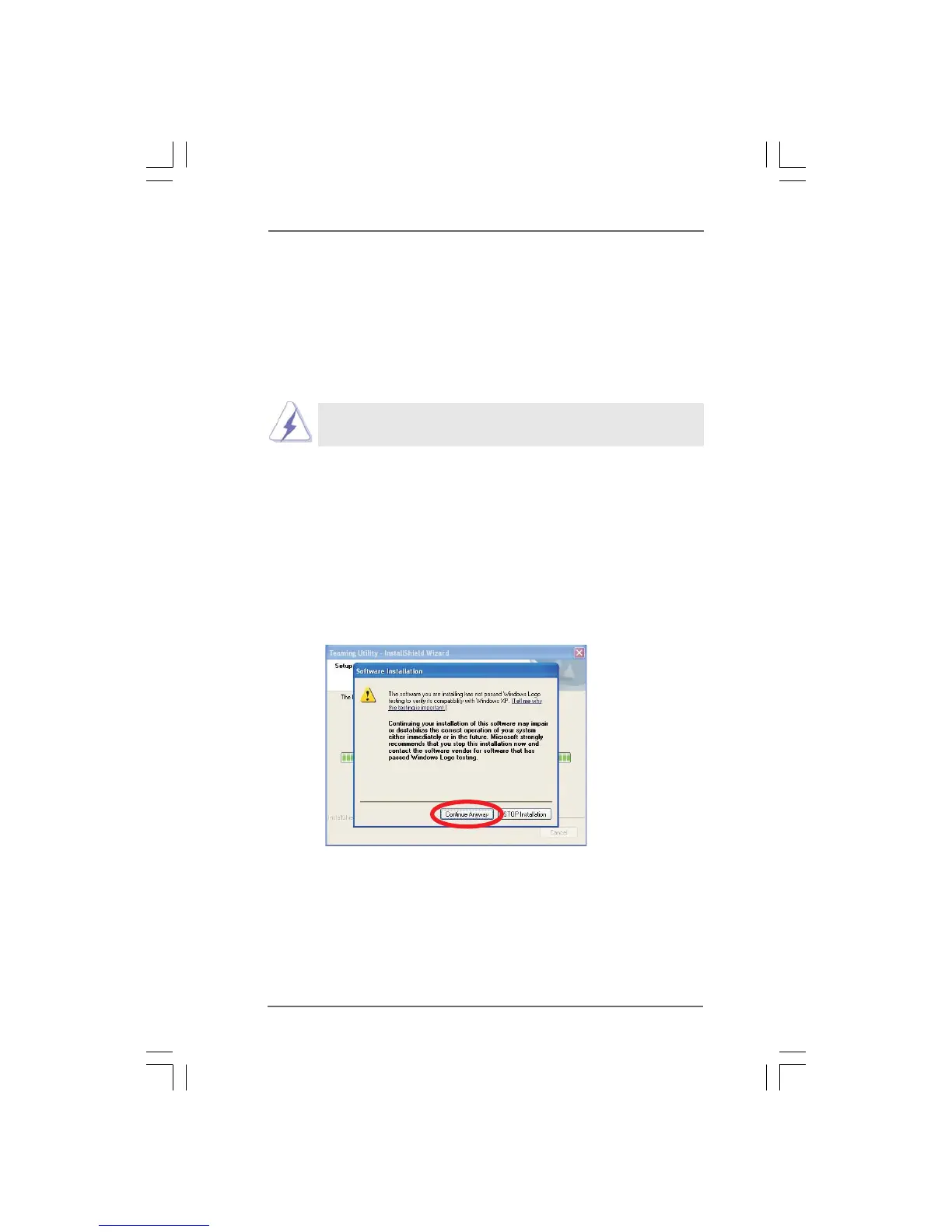
When installing teaming driver, system will show below warming message. Please
choose Continue Anyway and keep installing driver.
2. After installing driver, please open Teaming Utility in Programs.
(Start > Programs > Realtek > Teaming Utility)



 To Next Page