EasyManua.ls Logo

ASROCK PG27F15RS1A - Chapter 6 OSD Setup; 6.1 OSD Keys

ASROCK PG27F15RS1A
32 pages
To Next Page IconTo Next Page
To Previous Page IconTo Previous Page
Loading...
18
Chapter 6 OSD Setup
This chapter provides you with essential information on OSD Setup.
Important
All information is subject to change without prior notice.
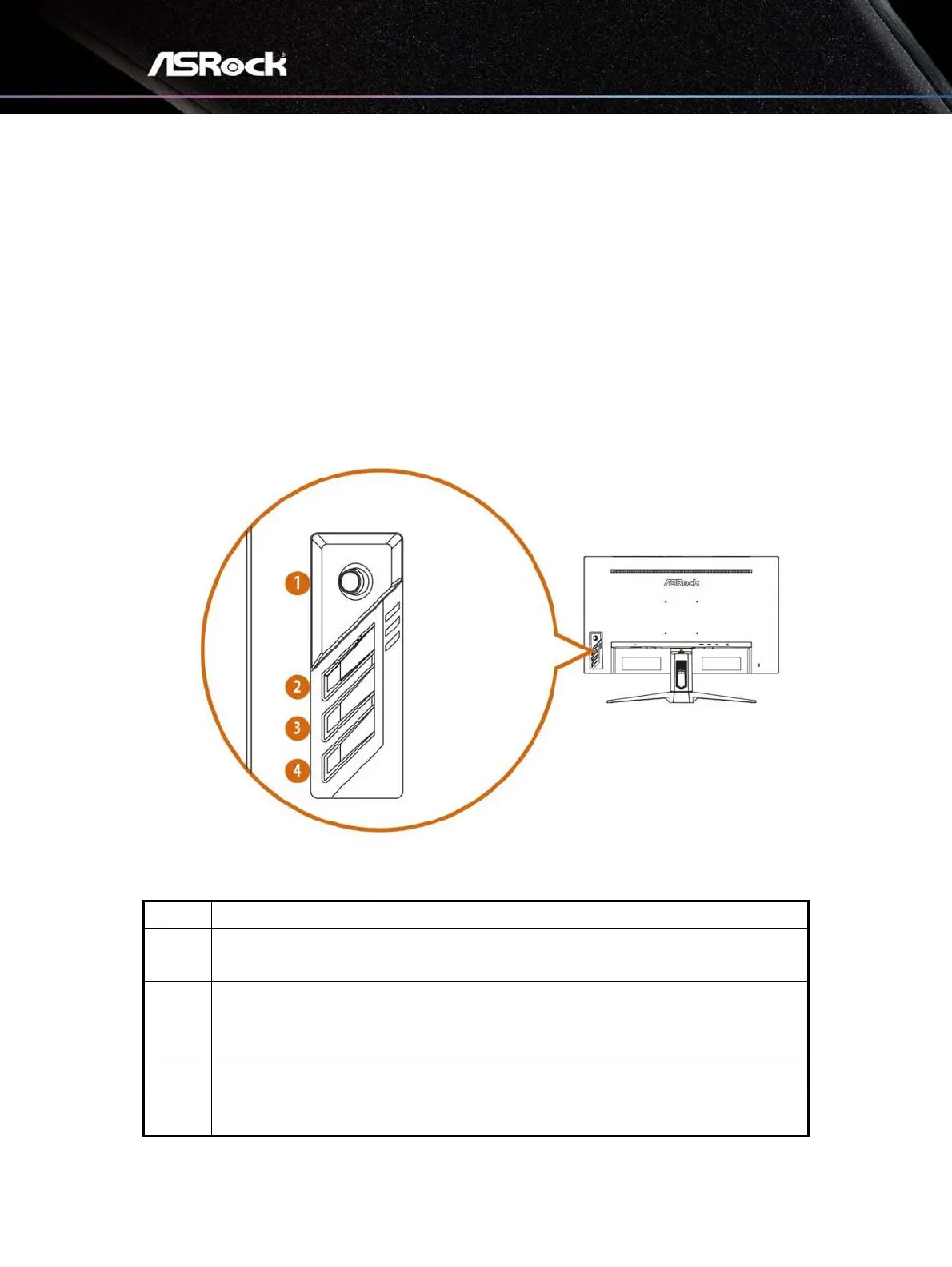
6.1 OSD Keys
The monitor comes with OSD Keys that help navigate the On-Screen Display (OSD)
menu.
No.
Item
Description
1
Navi Key
A multi-directional control that helps navigate the On-
Screen Display (OSD) menu.
2
Preset Modes
Activates the Presets Modes function when the OSD is
OFF, navigate through adjustment icons when OSD is
ON, or adjust a function when function is activated.
3
Brightness
Adjusts the backlight when the OSD is OFF.
4
Power
Press the power button to turn on/off the monitor.

Related product manuals