English
21
5.2 Hot Keys
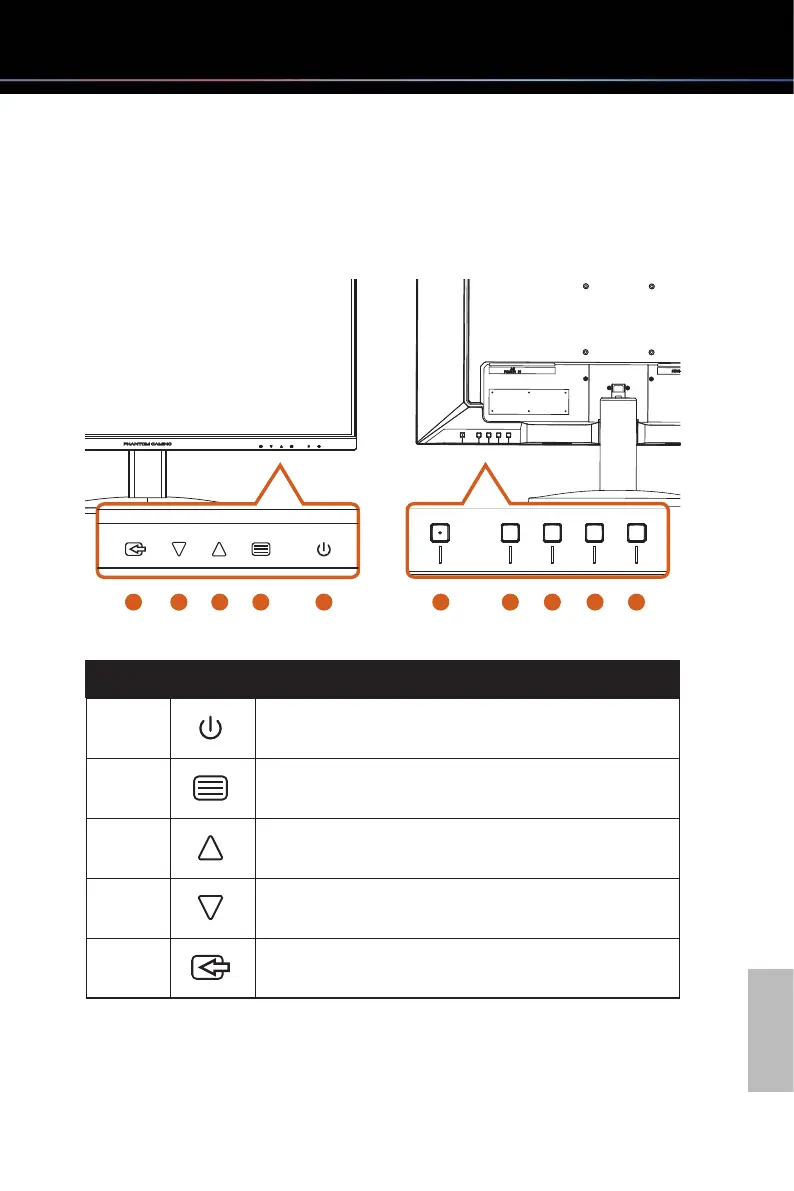
WhentheOSDscreeniso,pressthecontrolbuonsontherearsideofthemonitorto
access the OSD menu, adjust volume, change the preset mode, or select the input source.
The labels on the front panel correspond to the buttons on the back.
1
5
3
4
2 1 2 3
4 5
No. Icon Hot Key (When OSD is OFF)
1
POWER
Press the power button to turn on/off the monitor.
2
MENU
Activate the OSD Main Menu.
3
VOLUME
Activate the Volume control.
4
MODE
Activate the Presets Modes function.
5
INPUT SOURCE
Select the input sources.


 To Next Page