EasyManua.ls Logo

Assa Abloy LOCWOOD 001TOUCH - User Manual

Assa Abloy LOCWOOD 001TOUCH
16 pages
Print Icon
To Next Page IconTo Next Page
Loading...
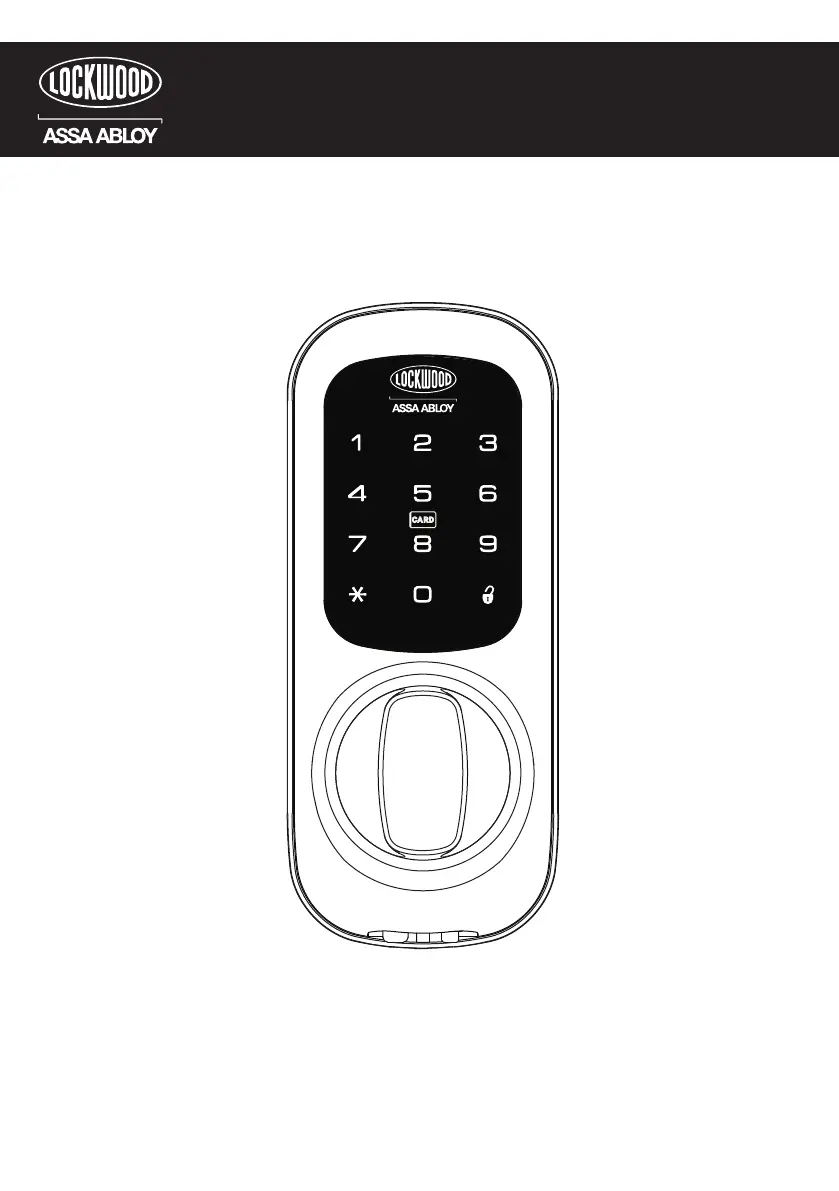
USER GUIDE
001TOUCH
001
Digital Keypad and Deadlatch
TOUCH
TM
TM

Questions and Answers

  • J
    johnsonsheilaAug 13, 2025
    What to do if my Assa Abloy Lock does not respond when the door is locked?
    • R
      Rebecca SerranoAug 13, 2025
      If your Assa Abloy lock isn't responding and the door is locked, it could be due to completely discharged batteries. Try connecting a 9-volt battery to the emergency power supply terminal located on the outside escutcheon, under the knob. With the 9-volt battery connected, palm the touchscreen, enter your user PIN code, and palm the touchscreen again. Also, consider replacing the batteries.
  • R
    Robert HallAug 17, 2025
    How to fix Assa Abloy Lock that chimes but the door won't open?
    • M
      melliottAug 17, 2025
      If your Assa Abloy lock chimes to indicate code acceptance but the door won't open, check if there is another locking device on the door. Also, check the door gaps for any foreign objects between the door and frame.
  • K
    Kimberly SmithAug 20, 2025
    What to do if my Assa Abloy Lock does not respond, but the door is open?
    • T
      Troy MoodyAug 21, 2025
      If your Assa Abloy lock isn't responding while the door is open, try the following: * Ensure the touchscreen is activated by pressing with the palm or fingers in at least 3 areas simultaneously. Use a larger area of the palm or fingers. * If touchscreen numbers are visible, check to see if they respond when pressed. * Check that the batteries are installed and oriented correctly in the battery case. * Check batteries are in good condition; replace batteries if discharged. * Check to see if the touchscreen cable is properly connected and not pinched. * Push Soft Reset until confirmation sound is heard.
  • M
    Mrs. Dana ParrishAug 25, 2025
    What to do if my Assa Abloy Lock operates to allow access, but will not automatically re-lock?
    • K
      Kimberly AdkinsAug 26, 2025
      If your Assa Abloy lock operates to allow access but will not automatically re-lock, it could be because Passage Mode is enabled. Disable Passage Mode to lock the door. Also, if the low battery indicator is lit, change the batteries.
  • R
    rosekimberlyAug 28, 2025
    What to do if my Assa Abloy Lock shows 'Low Battery'?
    • A
      Alexander GeorgeAug 28, 2025
      If your Assa Abloy lock indicates a 'Low Battery', replace all four batteries with new AA Alkaline batteries.
  • D
    Dwayne ShawAug 31, 2025
    Why won't my Assa Abloy Lock user PIN codes register?
    • A
      Alice KaufmanAug 31, 2025
      User PIN codes for Assa Abloy Locks will not register for several reasons: * User PIN codes must consist of 4 to 12 digits. * In Advanced mode, the same PIN code cannot be used for multiple users. * In EZ Mode, User PIN codes must be entered within 20 seconds (while the touchscreen is active). * In EZ Mode, the user PIN code can only be registered using the Registration Button. * The star (*) cannot be used as part of the user PIN code. * In Advanced mode, the Master code must consist of a minimum of 6 digits. * Master Code and User PIN Code cannot be the same.
  • C
    cruztaraSep 5, 2025
    Why does my Assa Abloy Lock operate but makes no sound?
    • J
      Jill GriffithSep 5, 2025
      If your Assa Abloy lock operates but makes no sound, it is possible that Silent Mode is enabled. Check to see if Silent Mode is enabled.
  • R
    Robert JacksonSep 8, 2025
    Why does my Assa Abloy Lock dim and show no reaction?
    • E
      Erik LewisSep 8, 2025
      If your Assa Abloy lock is on for a while, and then shows no reaction with dim lights, replace the batteries.

Summary

Introduction

Warnings

Main Features

Quick Guide - Keypad Programming

To Program Keypad with User PIN Code

Steps to program a user PIN code into the keypad.

To Program Keypad with Key Card

Steps to program a key card for access.

Quick Guide - Keypad Operation

To Open Door with User PIN Code

Instructions for opening the door using a PIN code.

To Open Door with Key Card

Instructions for opening the door using a key card.

Keypad Functions

Smart Pad Features

Explains low battery and wrong code entry limit warnings on the keypad.

001 Internal Lock Functions

Internal Lock Operation

Describes how to lock/unlock the internal knob and bolt hold back.

Battery Replacement

Instructions on how to replace the AA alkaline batteries.

Product Definitions

Operating Modes

Explanation of EZ Mode and Advanced Mode settings.

Access Credentials

Defines User PIN Code, Master Code, and Key Cards for access.

Key Lock Functions

Details on Passage Mode, Volume, Silent Mode, Soft Reset, and Emergency Power.

Lock Warnings & Indicators

Defines Wrong Code Entry Limit, Low Battery, and Status LED.

EZ Mode Functions

Factory Defaults

Lists default settings for EZ Mode including PIN, Passage, Visitor Code, and Volume.

Programming Features - Menu & Icons

Overview of menu icons and their corresponding functions for programming.

Keypad Programming - EZ Mode

To Program Keypad with Pin code

Step-by-step guide to programming a user PIN code in EZ Mode.

To Program Keypad with Key Card

Step-by-step guide to programming key cards in EZ Mode.

Keypad Functions - EZ Mode

User PIN Code; Key Card registration

Summary of PIN and Key Card registration processes.

User PIN Code; Key Card Function

Detailed guide on accessing functions via PIN and menu.

Advanced Mode Functions

Factory Defaults

Lists default settings for Advanced Mode including Master Code and PIN.

Programming Features - Menu & Icons

Overview of menu icons and their functions for Advanced Mode programming.

Keypad Programming - Advanced Mode

Register; Change Master Code

Steps to register or change the Master Code.

User PIN Code; Key Card Registration

Process for registering User PIN codes and Key Cards in Advanced Mode.

Keypad Functions - Advanced Mode

Master and User PIN Code; Key Card registration

Overview of Master, User PIN, and Key Card registration.

Master Code | Key Card Function

Detailed guide on accessing functions via Master Code and menu.

Emergency Power Supply

Troubleshooting

Advance Mode PIN Code Management

Guarantee

Assa Abloy LOCWOOD 001TOUCH Specifications

General IconGeneral
BrandAssa Abloy
ModelLOCWOOD 001TOUCH
CategoryLocks
PowerBattery Powered
Power SupplyBattery
Battery Life12 months
OperationTouch
SecurityPIN Code

Related product manuals