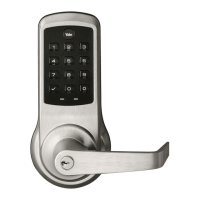
This document provides installation and programming instructions for the Yale nexTouch™ Cylindrical Lock, a touchscreen and push-button access cylindrical lock.
Function Description:
The Yale nexTouch™ Cylindrical Lock is designed to provide secure access control for doors. It supports both touchscreen and push-button keypads, offering flexibility in operation. The lock can be programmed with a Master PIN Code, which is essential for initial setup and all subsequent programming. It also supports up to 500 User PIN Codes for various individuals. The lock features automatic re-lock functionality, a privacy mode with a door position switch option, and a one-touch locking feature. It can be integrated with a network or Yale Accentra Key module for enhanced control and connectivity. The lock is equipped with indicators for unlock status, lockout mode, and low battery. An audible tamper alert sounds if attempts are made to forcibly remove the outside lock.
Important Technical Specifications:
- Door Thickness: Adjustable for 1-3/8" doors with an optional thin door kit (14-4761-0106).
- Latchbolt: 2-3/8" latchbolt for thin doors (sold separately).
- Backset: Supports 2-3/8" and 2-3/4" backsets.
- Hole Dimensions:
- 2-1/8" (54mm) diameter thru door for the lock body.
- 3/4" (19mm) diameter thru door for the cylinder (metal frame).
- 3/8" (9.5mm) diameter thru door for the cylinder (wood frame).
- 5/16" (8mm) diameter thru door for additional components.
- 5/32" (4mm) diameter x 1/8" (3mm) deep holes (2 locations, both sides of door).
- DPS Option (Door Position Switch):
- Wood Door: 3/8" diameter x thru to hole in door face.
- Metal Door: 3/4" diameter x thru to hole in door face.
- Frame: 3/8" diameter x 1" for wood frame; 3/4" diameter x 1" for metal frame.
- Power: Requires four (4) AA batteries.
- User Codes: Maximum of 500 user codes.
- Wrong Code Entry Limit: 5 unsuccessful attempts before a 60-second shut down.
- Operating Temperature: Not specified, but generally designed for indoor use.
- Connectivity: Optional Network or Yale Accentra Key module.
Usage Features:
- Determining Handing: Instructions are provided for identifying Left Hand (LH), Left Hand Reverse (LHR), Right Hand (RH), and Right Hand Reverse (RHR) door configurations based on hinge location and opening direction from the secure side.
- Preparing Door: Detailed drilling instructions and a template are included for accurate hole placement on the door. Specific instructions are given for both wood and metal door installations, including the use of a plastic collar for DPS in metal doors.
- Preparing Frame: Instructions for drilling holes in the door frame for the strike plate and DPS, with different specifications for wood and metal frames.
- Inside Escutcheon Preparation: Guidance on assembling the inside escutcheon, emphasizing not to disassemble the outside assembly.
- Latchbolt Installation: Instructions for installing the latchbolt, ensuring the curved edge faces the direction the door closes.
- Outside Assembly Installation: Steps for mounting the outside assembly, ensuring "T" tabs are captured in the retractor pocket and mounting flanges are in their pockets.
- Inside Support Assembly Installation: Instructions for attaching the inside support assembly, with a caution against overtightening screws.
- Cable Attachment: Clear diagram showing connections for the touchpad, motor, and optional DPS cables to the inside assembly.
- Inside Escutcheon Installation: Final steps for installing the inside escutcheon, with a warning to avoid pinching cables.
- Lever Operation Testing: Instructions for testing both inside and outside lever operations to ensure proper functionality.
- Battery Installation: Steps for installing four (4) AA batteries and the battery cover. A note advises installing optional network or Yale Accentra Key modules before batteries.
- Locking with Privacy Button: Instructions for using the privacy button to lock the door.
- Programming Instructions:
- Master PIN Code Creation: The first step after installation or factory reset. Essential for all programming.
- User PIN Code Creation: Allows adding up to 500 user codes.
- Locking/Unlocking: Using a registered Master or User PIN Code.
- Menu Mode Programming: Detailed flowcharts for configuring various features:
- Master PIN Code Setting
- Register User or Passage Codes (User Code, Passage Code, Delete A Code)
- Advanced Lock Settings (Automatic Re-lock duration, One Touch Locking, Privacy mode, Eco Mode)
- Volume Setting (High, Low, Silent)
- Language Setting (English, Spanish, French)
- All Code Lockout (Enable/Disable)
- Network Module Setting (Join/Exit network)
- Set-up Digital Keys
- Definitions: Comprehensive explanations of terms like All Code Lockout Mode, Automatic Re-lock Time, Language Setting Mode, Low Battery, Master PIN Code, Network Module Setting, One Touch Locking, Privacy Button to Lock Door, Privacy Mode, Shut Down Time, Tamper Alert, User PIN Code, Volume Setting Mode, and Wrong Code Entry Limit.
Maintenance Features:
- Resetting Lock to Factory Default: Detailed 10-step procedure for resetting the lock, which deletes all user codes and programming, restoring original default settings. This involves removing the inside lever and escutcheon to access the reset button.
- Troubleshooting Guides:
- Programming Troubleshooting: A table listing common symptoms (e.g., lock does not respond, unit operates but not re-lock, PIN codes not registered) and suggested actions to resolve them.
- Hardware Troubleshooting: Addresses issues like door binding, latchbolt not deadlocking, or latchbolt not retracting/extending properly, providing steps to inspect and correct mechanical problems.
- Factory Settings Table: A clear table outlining the default settings for Master PIN Code, Automatic Relock, One Touch Locking, Privacy Setting, Volume Setting, Language, All Code Lockout Mode, Wrong Code Entry Limit, and Shutdown Time.

 Need help?
 General


 To Next Page