STRUCTURE OF THE MAIN MENU
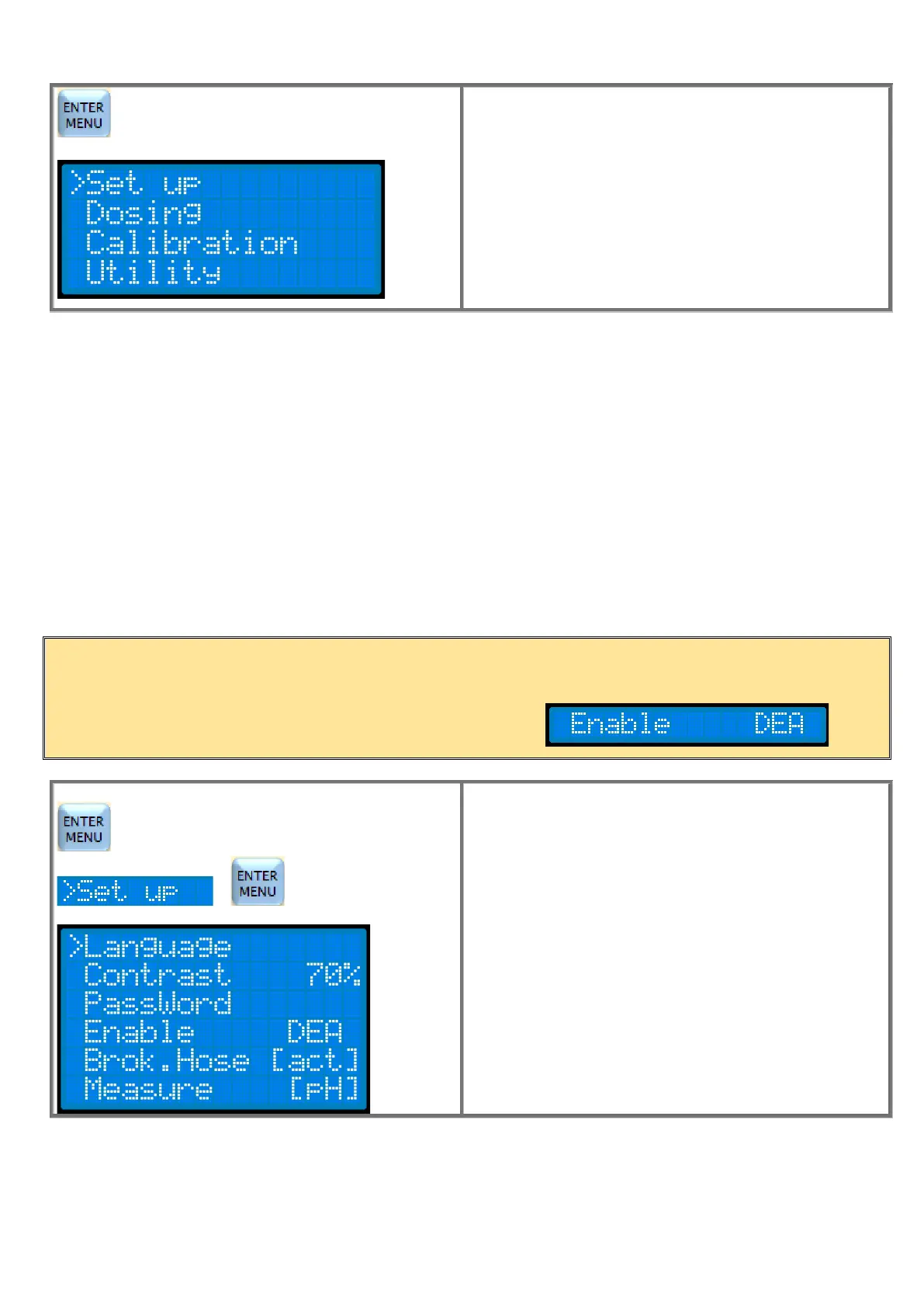
Press the ENTER / MENU button for 3 seconds to enter
programming.
Use the ▼ button to move the cursor to the relevant
submenus. Press ENTER to enter the submenu.
If you want to esc programming and return to measurement,
press the ESC button for 3 seconds.
The Set up menu allows choosing:
The type of measure (pH or Rx), the Language, the display contrast, the safety Password and of the peristaltic hose breaking
sensor.
The Dosage menu allows choosing:
the type of dosage among Manual, Proportional and ON-OFF.
The Calibration menu allows:
Calibrating the pH or RX probe.
The Utility menu allows choosing:
to schedule or not the Delay On, the overdosage TAL alarm, the type of functioning of the flow sensor, set the
temperature manually and finally to Restore the factory programming of the parameters and the factory probe calibration.
MENU SET UP
Press the ENTER/MENU button for 3 seconds to enter
programming.
Select by the cursor the menu SET up and press ENTER.
Use the ▼▲ buttons to move the cursor to the submenus.
Press ENTER to enter the submenu.
If you want to esc programming and return to measurement,
press the ESC button for 3 seconds.
IMPORTANT NOTE:
On your pump is not present the Enable and so you can not access the respective submenu and in the menu
will appear:



 To Next Page