INST 272 SALT EXPERT Salt Chlorinator (V06-17) Page 8
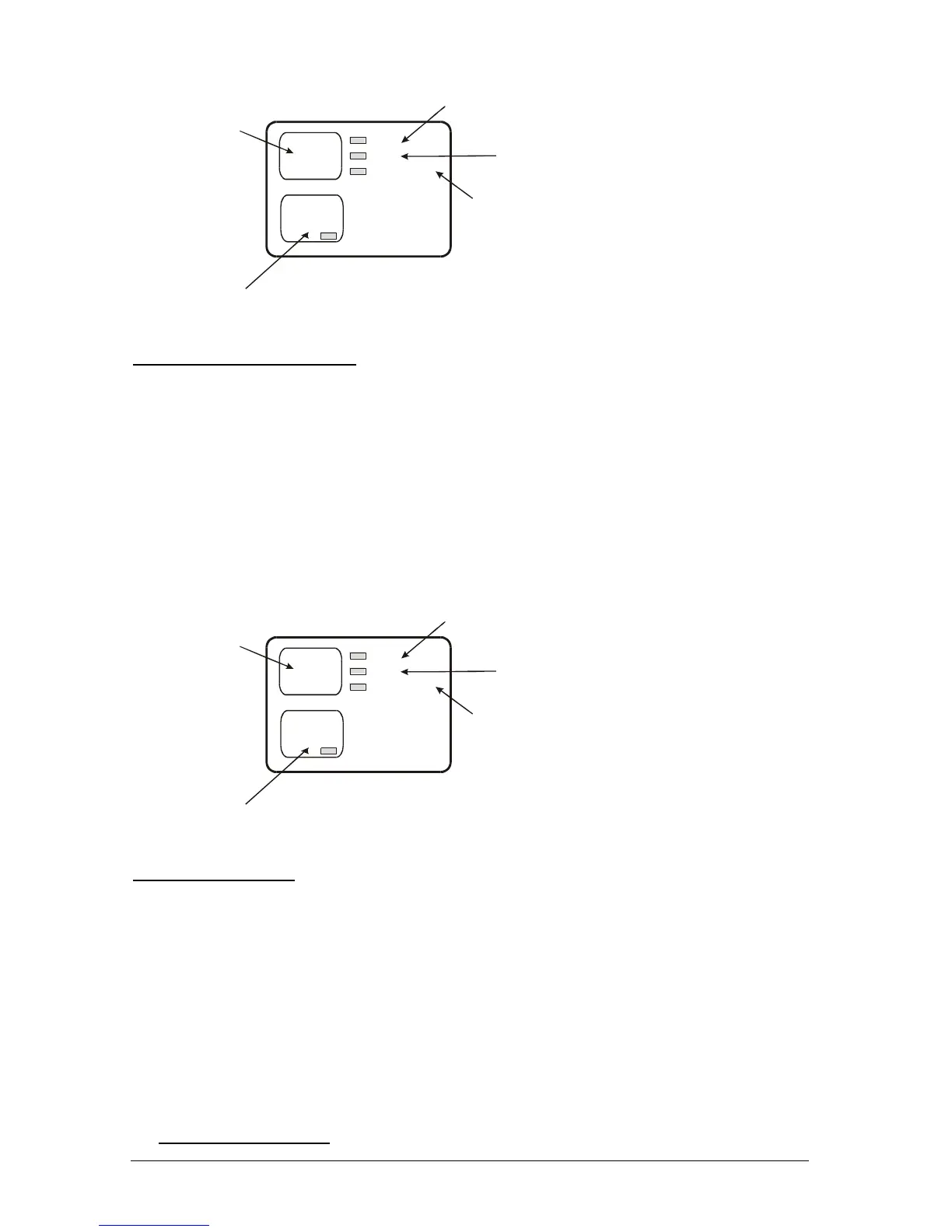
Spa
Mode
Pool
Mode
Auto
Standby/Off
On
Press to Select Pool
Mode.
Repeated pressing
scrolls through
Auto, On and
Standby/Off
Press to Turn
On/Off Spa Mode
Indicates Chlorinator
running off timer settings
Indicates
Chlorinator/Pump
manually on
Indicates
Pump/Chlorinator
manually off
3.3 User Mode (S Model only)
The user mode buttons enable you to select Pool or Spa mode and to manually control the
Chlorinator/Pump. Functions are as follows:
(c) POOL MODE: Sends a message to other AstralPool equipment (if fitted) to go to Pool
mode.
Auto Not Used
On The Chlorinator/Pump will run continuously.
Standby/Off The Chlorinator/Pump will turn off.
(d) SPA MODE: Sends a message to other AstralPool equipment (if fitted) to go to Spa
mode and turns the pump on
Spa
Mode
Pool
Mode
Auto
Standby/Off
On
Press to Select Pool
Mode.
Repeated pressing
alternates from On
to Standby/Off
Press to Turn
On/Off Spa Mode
Not Used
Indicates
Chlorinator/Pump
manually on
Indicates
Pump/Chlorinator
manually off
3.4 Warnings Display
Apart from messages displayed on the User display, there are two warning indicators.
(a) LOW SALT: This indicates that the concentration of salt has reduced within you pool.
To rectify, add salt at approx. 50kg per 50000 litres of water (see 3.5 Salt level below)
(b) NO FLOW: This indicates that the Chlorinator thinks that there is no flow to the cells.
Potential problems/solutions are described in the Diagnostics section.
3.5 Chlorine Output Level



 To Next Page