3-6
Chapter 3: Software support
Ping tab
The Ping tab allows you to verify the
connection of your computer with
another computer in a network. To
ping a connection:
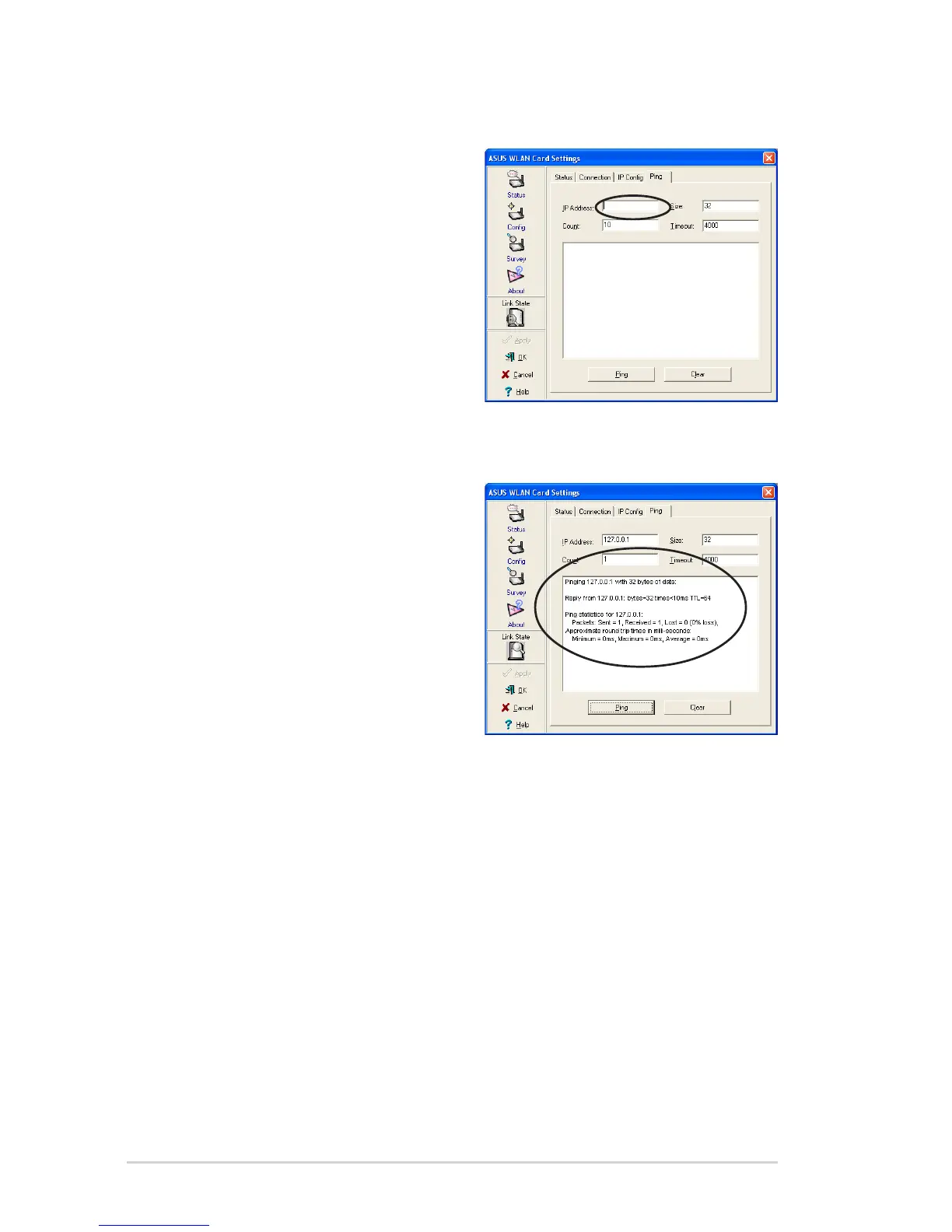
1. Type the IP address of the
connection you want to verify in
the IP Address field.
2. Configure the ping session by
assigning the size and count of
packet to send, and the time limit
for a ping session to continue (in milliseconds).
3. Click the Ping button.
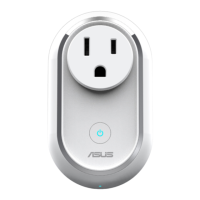
During the ping session, the Ping
button toggles into a Stop button.
Click Stop anytime to cancel the
ping session.
The session field displays
information on the verified
connection including the roundtrip
time (minimum, maximum, and
average) and packets sent, received,
and lost after a ping session.
Click the Clear button to clear the session field.



 To Next Page