3-10
Chapter 3: Software support
3.2.5 Link State
Displays the current connection status of the wireless LAN adapter to the
AP or to other Wi-Fi devices. An icons represents the Link State for easy
identification. Refer to the table below for icon indications.
Table of Icon Indications
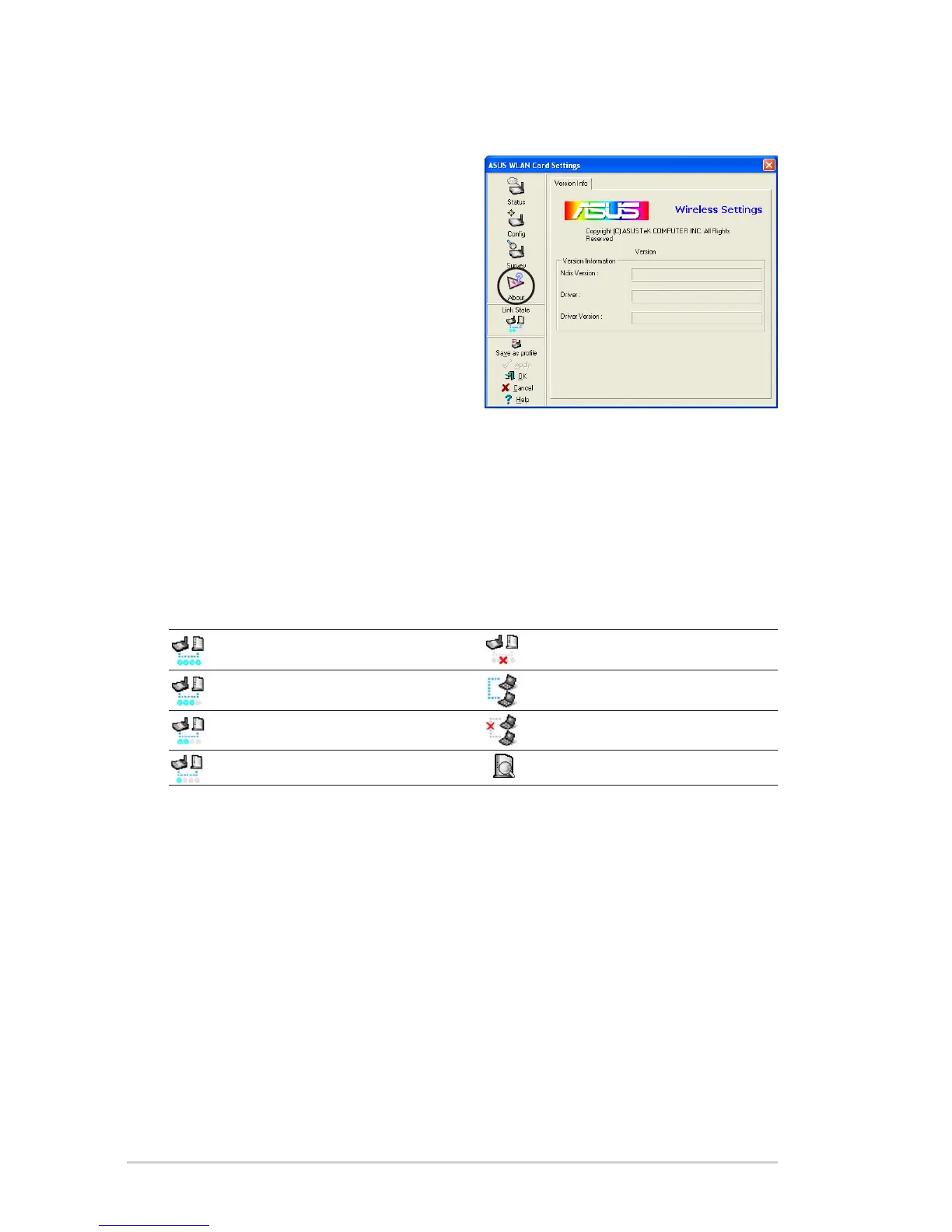
3.2.4 About Wireless Settings
Click the About icon to view the
software version, driver version, and
copyright information.
Excellent link quality (Infrastructure) Not linked (Infrastructure)
Good link quality (Infrastructure) Linked (Ad-hoc)
Fair link quality (Infrastructure) Not linked (Ad-hoc)
Poor link quality (Infrastructure) Scanning



 To Next Page