4-4
Chapter 4: Troubleshooting
I cannot connect to other
computers linked via an
Access Point or Ad-hoc
network.
• Check if the device and the other APs and/
or clients have the same Encryption. If
you enable WEP encryption, you must set
the same WEP keys for the device and
the other AP/s and/or clients.
• Check the TCP/IP settings (IP address,
subnet mask, gateway, and DNS) of your
computer.
• Enable file and printer sharing in each
client computer to allow file sharing.
I always have poor link
quality and low signal.
Do the following to achieve better link
quality and stronger signal:
• Keep the device away from microwave
ovens and large metal objects to avoid
radio interference.
• Shorten the distance between the
device and the AP/station.
Problem Action
Why do I got the warning
“Hi-Speed USB Device
Plugged Into
Non-Hi-Speed USB Hub”
message when I
connected the ASUS
USB Wireless LAN
Adapter to the USB port?
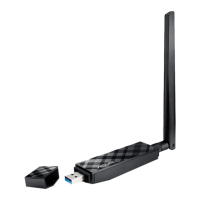
This warning mesage appears when you
plug the ASUS USB Wireless LAN Adapter
to a USB 1.1 port.
• For Windows® XP users, you need to
upgrade your OS to Service Pack 1 to
convert your USB ports to USB 2.0.
• For Windows
®
2000 users, you must
install Service Pack 4 in order to convert
your USB ports into USB 2.0. You can
download these service packs from the
Windows Update website
(windowsupdate.microsoft.com)
Troubleshooting



 To Next Page