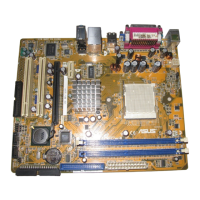
ASUS A8V
4-17
DRAM Over 4G Remapping [Disabled]
Enable this item when 4 gigabytes or more DRAM is installed to remap the
memory block just below 4G and move it above 4G.
Configuration options: [Disabled] [Enabled]
Bank Interleaving [Auto]
Sets whether to allow memory accesses to be spread out over BANKS on
the same node or across nodes, decreasing access contention.
Configuration options: [Auto] [Enabled] [Disabled]
Node Interleaving [Disabled]
Sets whether to allow memory accesses to be spread out over BANKS on
the same node or across nodes, decreasing access contention.
Configuration options: [Auto] [Disabled]
Burst Length [8 Beats]
Sets the burst length in beats. Set to 4 Beats when using 64-bit Dq.
Configuration options: [8 Beats] [4 Beats]
CAS Latency (CL) [Auto]
Sets the CAS Latency. Configuration options: [Auto] [2.0] [3.0] [2.5]
TRC [Auto]
Sets the TRC. Configuration options: [Auto] [7 CLK] [8 CLK] [9 CLK]
[10 CLK] [11 CLK] [12 CLK] [13 CLK]
TRFC [Auto]
Sets the TRFC.
Configuration options: [Auto] [9 CLK] [10 CLK] [11 CLK] [12 CLK]
[13 CLK] [14 CLK] [15 CLK]
TRCD [Auto]
Sets the TRCD. Configuration options: [Auto] [2 CLK] [3 CLK] [4 CLK]
[5 CLK] [6 CLK]
TWR [Auto]
Sets the TWR. Configuration options: [Auto] [2 CLK] [3 CLK]
TRWT [Auto]
Sets the TRWT. Configuration options: [Auto] [1 CLK] [2 CLK] [3 CLK]
[4 CLK] [5 CLK] [6 CLK]


 To Next Page