ASUS ASMB2ASUS ASMB2
ASUS ASMB2ASUS ASMB2
ASUS ASMB2
3-253-25
3-253-25
3-25
3.2.53.2.5
3.2.53.2.5
3.2.5
SetSet
SetSet
Set
The
Set Set
Set Set
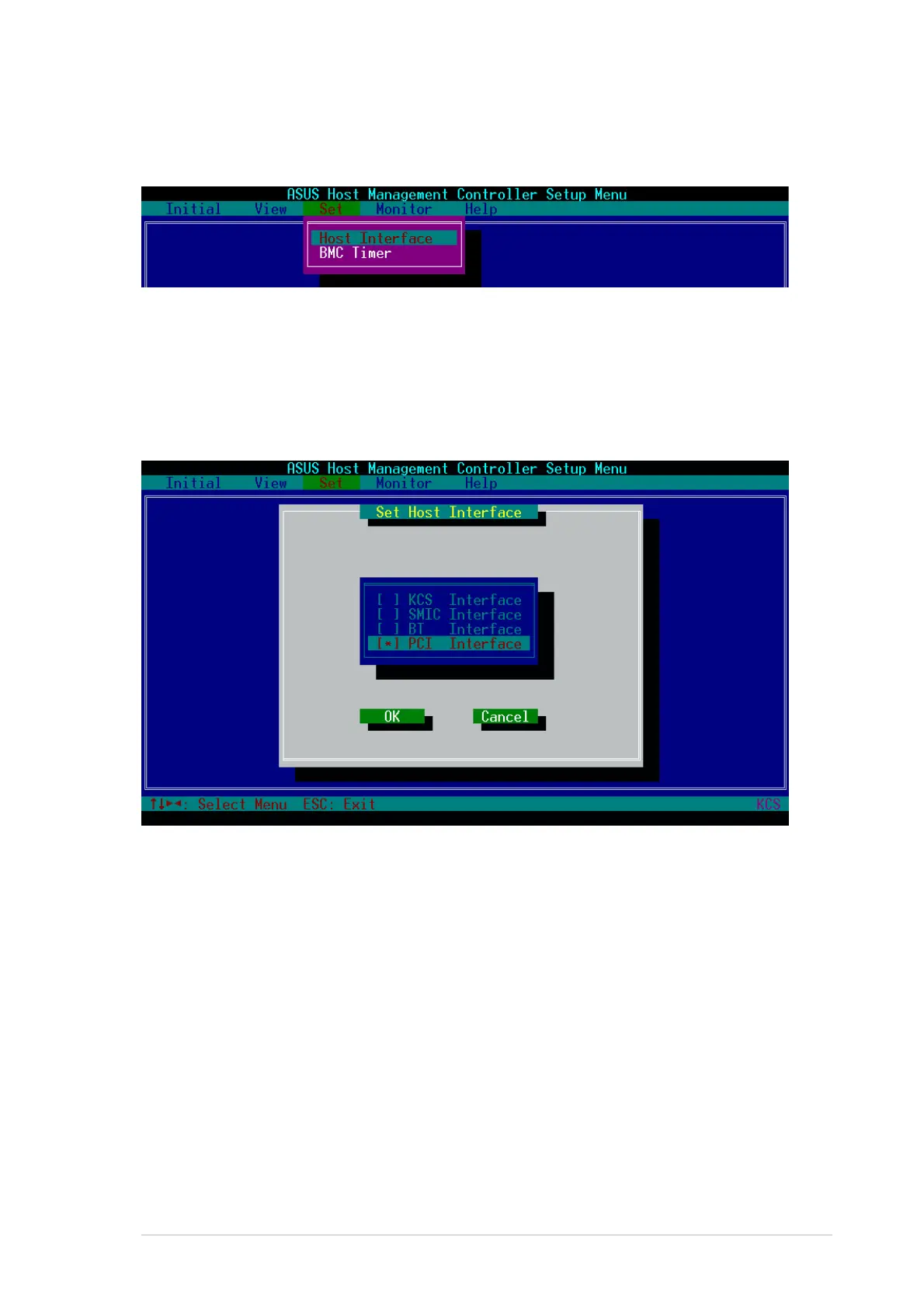
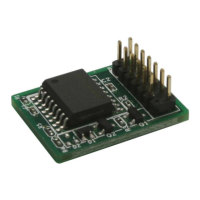
Set command controls the host interface type and the correct BMC time.
You can select from the following interfaces:
KCS InterfaceKCS Interface
KCS InterfaceKCS Interface
KCS Interface - Keyboard Controller Style
SMIC InterfaceSMIC Interface
SMIC InterfaceSMIC Interface
SMIC Interface - Server Management Interface Chip
BF InterfaceBF Interface
BF InterfaceBF Interface
BF Interface - Block Transfer
PCI InterfacePCI Interface
PCI InterfacePCI Interface
PCI Interface - Peripheral Component Interconnect
3. When finished, press <Esc> to return to the main screen.
To set the BMC Timer:To set the BMC Timer:
To set the BMC Timer:To set the BMC Timer:
To set the BMC Timer:
1. Select
BMC TimerBMC Timer
BMC TimerBMC Timer
BMC Timer from the
Set Set
Set Set
Set command option, then press
<Enter>.
2. Set the BMC IPMI timer to the current system time.
3. When finished, press <Esc> to return to the main screen.
To select the host interface:To select the host interface:
To select the host interface:To select the host interface:
To select the host interface:
1. Select
Host InterfaceHost Interface
Host InterfaceHost Interface
Host Interface from the
Set Set
Set Set
Set command option, then press
<Enter>. The screen displays the host interfaces supported by the
server management board.
2. Use the down arrow button to select a host interface, then press <Enter>.


 To Next Page