3-263-26
3-263-26
3-26
Chapter 3: Software supportChapter 3: Software support
Chapter 3: Software supportChapter 3: Software support
Chapter 3: Software support
3.2.73.2.7
3.2.73.2.7
3.2.7
HelpHelp
HelpHelp
Help
The
Help Help
Help Help
Help command displays the available utility options, utility version,
and copyright information.
3.2.63.2.6
3.2.63.2.6
3.2.6
MonitorMonitor
MonitorMonitor
Monitor
The
Monitor Monitor
Monitor Monitor
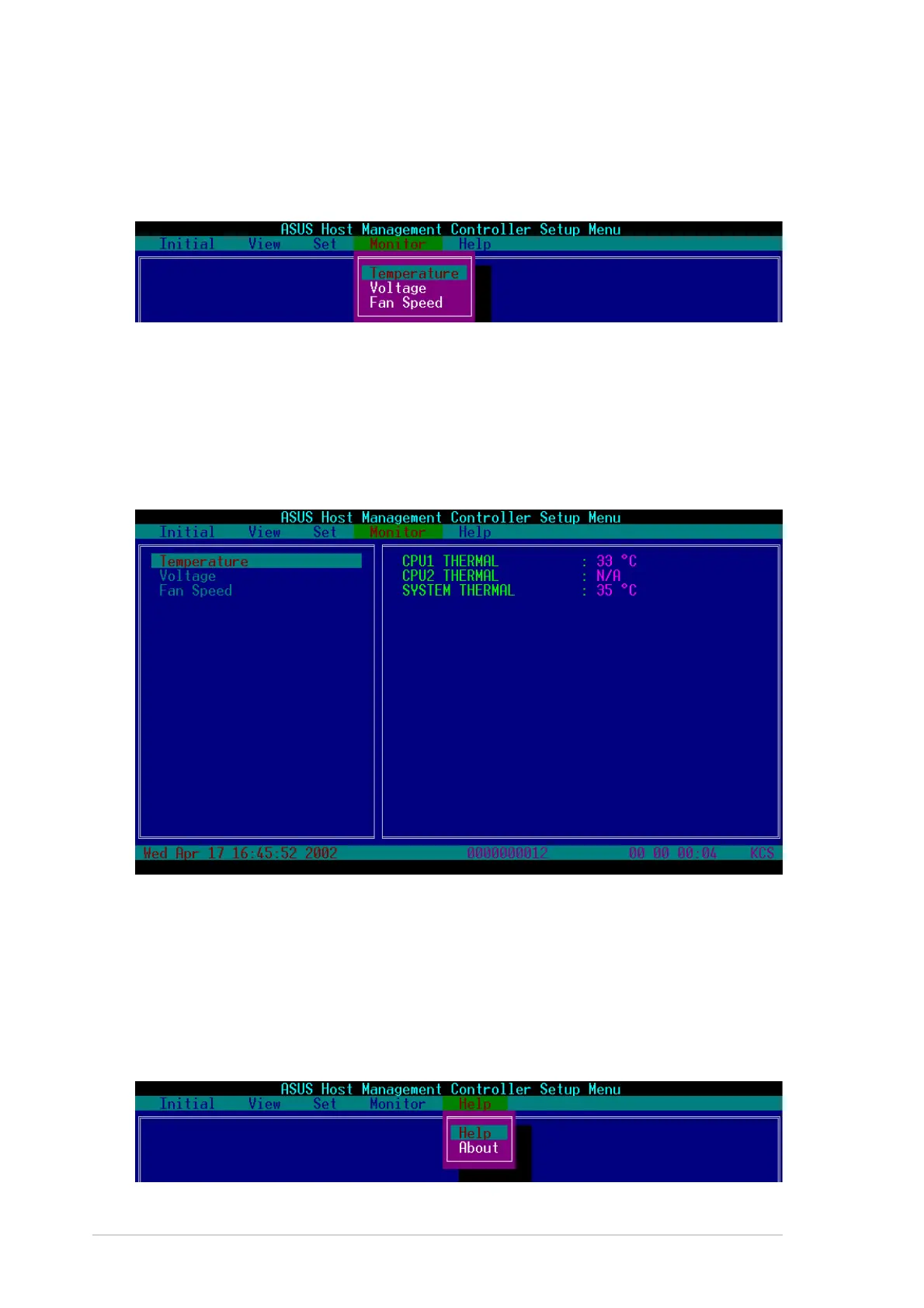
Monitor command displays real-time data on the remote server
system and CPU temperatures, voltages, and fan speeds.
To display a remote server information:To display a remote server information:
To display a remote server information:To display a remote server information:
To display a remote server information:
1. Select a sensor from the
Monitor Monitor
Monitor Monitor
Monitor command options, then press
<Enter>. A list of server information appears on the left pane.
2. Use the down arrow button to select a monitor information. The
selected monitor information details are displayed in the right pane.
3. Press <Esc> to return to the main screen.


 To Next Page