20
LED projector E-Manual
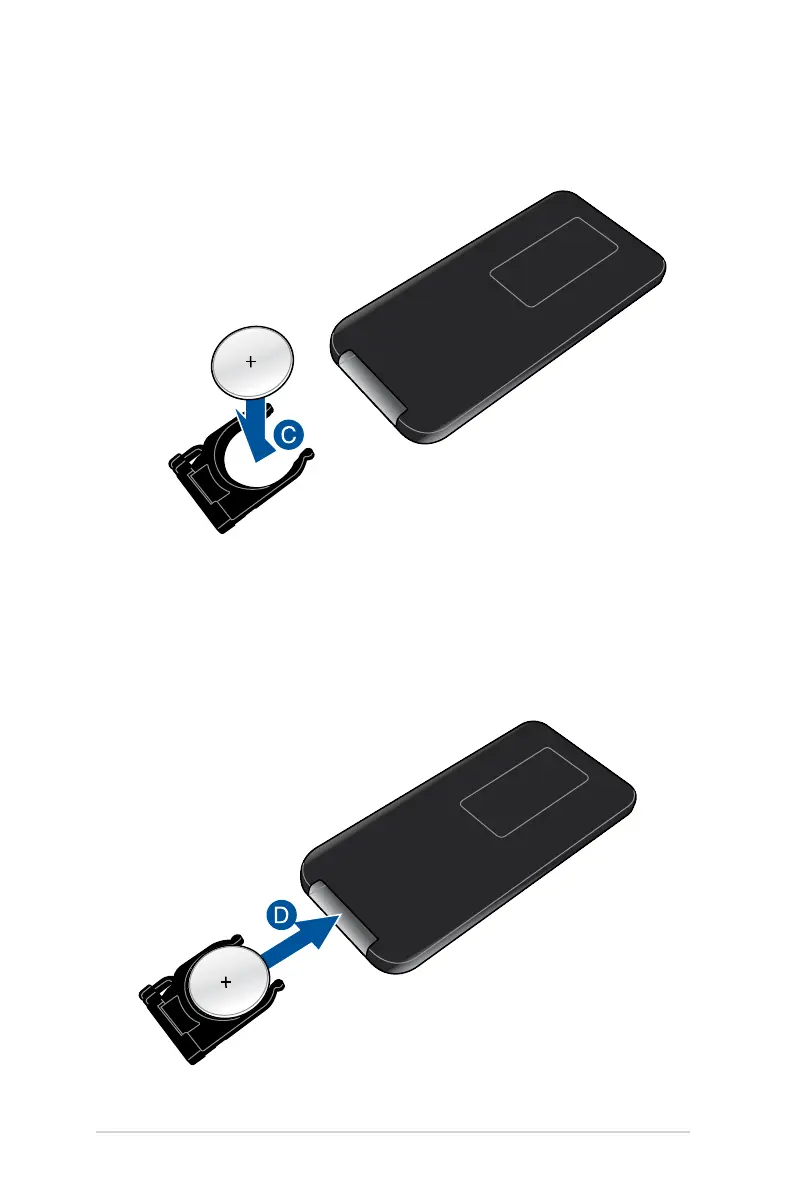
C. Remove the old battery then insert the new CR2025 lithium coin
battery into the battery holder with the positive side (+) facing
up.
D. Slide the battery holder back into the battery compartment.
Push it all the way in until you hear a soft click, indicating that
the battery compartment is locked back in place.



 To Next Page