LED projector E-Manual
43
Image Setting
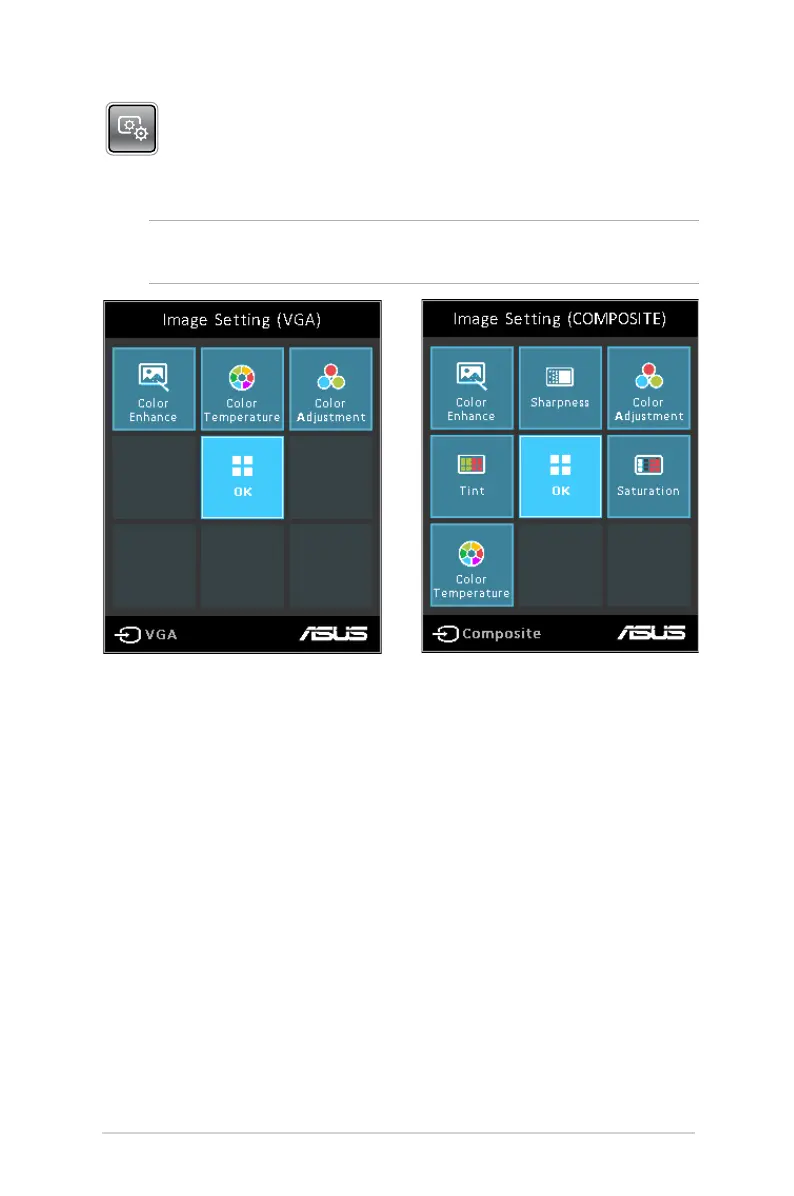
Press this button to access the following image settings:
NOTE: The available options under Image Setting varies between
the VGA and Composite source.
• Color Temperature - This option allows you to adjust the light
temperature of your LED projector according to the following
options: Low, Medium, High.
• Color Adjustment - This option allows you to adjust the color
of your screen according to the following settings: Auto, RGB,
YUV.
• Color Enhance - This option allows you to enhance the colors
of your projected image.
• Sharpness - This option allows you to sharpen or soften the
appearance of the projected image.
• Saturation - This option allows you to adjust the hue of the
projected image.
• Tint - This option allows you to shift the colors onscreen
towards red or green.


 To Next Page