46
LED projector E-Manual
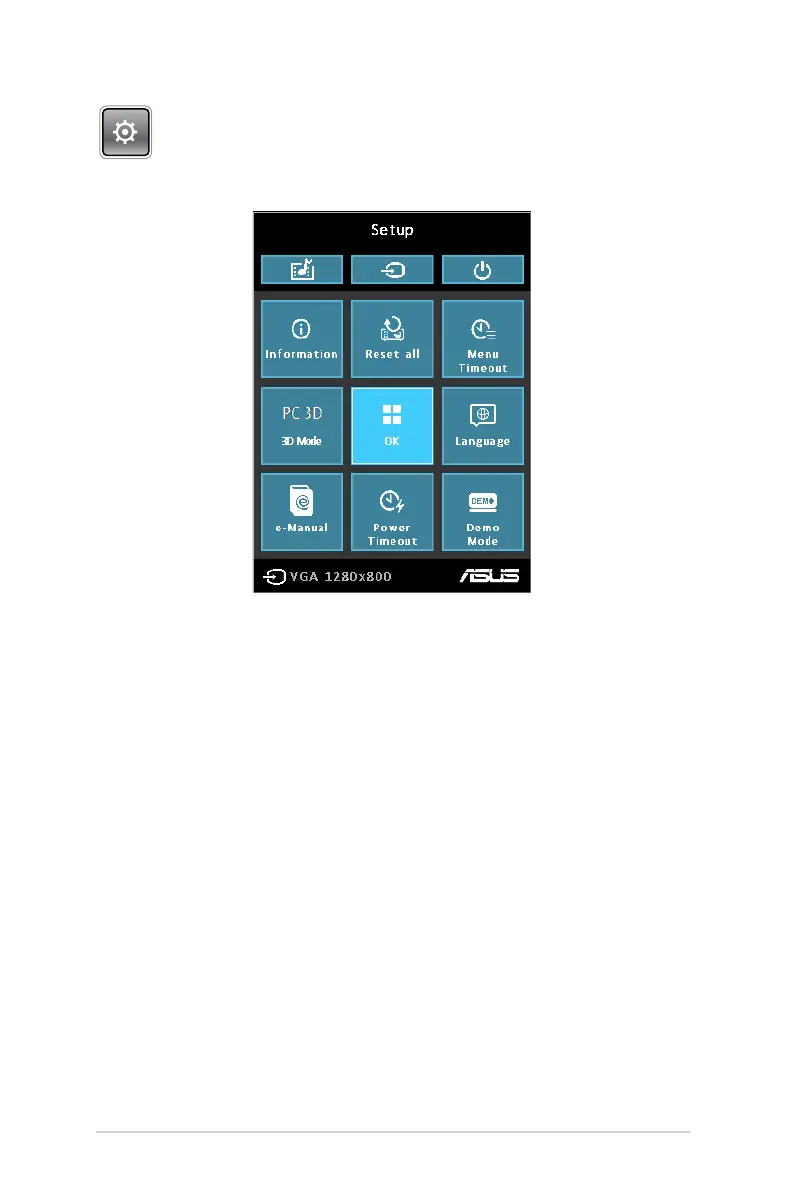
Setup
Press this button to access the following LED projector settings:
• Information - This option shows you the following information
about your LED projector: currently used input port, LED
projector’s model name, and currently use Splendid mode.
• Reset All - This option allows you to reset all the settings you
have currently set up for your LED projector.
• Menu Timeout - This option allows you to set the timeout
rate, according to seconds, before the onscreen display menu
disappears from your projection screen.
• PC 3D - This option allows you to use 3D glasses with your LED
projector.
• Language - This option allows you to select the language to use
on your LED projector's onscreen display menu.
• E-Manual - This option launches the LED projector’s E-Manual.


 To Next Page